
iDevices was one of the first manufacturers to get on board with Apple’s HomeKit ecosystem, with the iDevices Switch outlet announced two years ago at CES 2015. The company later followed that up with the inexpensive HomeKit-enabled Thermostat and Socket light bulb adapter, along with Outdoor Switch, the first weatherproof HomeKit power outlet designed for use in outdoor environments. With its new Wall Outlet, iDevices goes back to its roots, essentially taking its expertise from Switch and building it into a standard installable North American wall outlet.
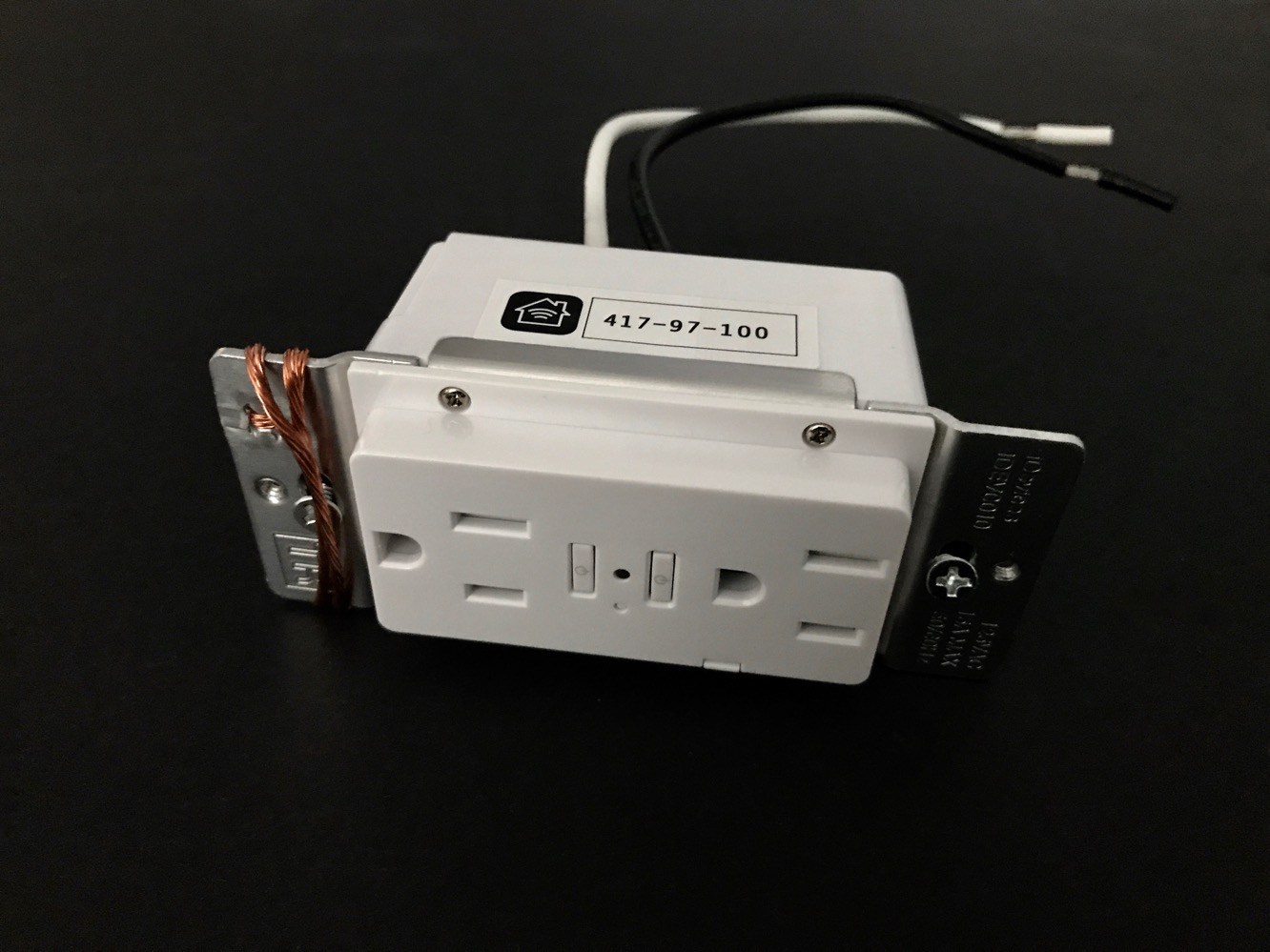
The iDevices Wall Outlet easily replaces any standard North American 120V/15A wall outlet, and features two power outlets that can be independently controlled through HomeKit, along with a multicoloured status LED that doubles as a nightlight and two recessed buttons in the middle that can be used to control each of the outlets manually. Wall Outlet comes minimally packaged — the box is no larger than the outlet itself — with only an instruction manual and three wire nuts included. Sadly, iDevices didn’t include a cover plate in the package; while this shouldn’t be a problem if you’re replacing an existing Decora-style outlet as you can use your existing wall plate, if you’re looking to upgrade from an older duplex-style outlet, this means you’ll need to supply your own.

Naturally, Wall Outlet requires some basic handyman skills to install, although it’s really not that complicated as long as you’re comfortable with a screwdriver and a circuit breaker or fuse panel — it’s really just a matter of turning off the power, taking out your existing outlet and swapping the same wires from the old outlet onto the equivalent wires on iDevices’ Wall Outlet.
In our case, it took less than five minutes to have Wall Outlet installed and up and running, including getting it configured for HomeKit. That said, if you’re not comfortable with basic electrical work in your home, you’ll want to either get a professional to install this for you, or simply go with one of the many HomeKit plug-in outlets available. It’s also worth mentioning that iDevices’ Wall Outlet protrudes about a quarter of an inch or so from a standard cover plate; we didn’t consider this to be a problem, but individual decorative tastes may vary.

Setting up Wall Outlet to work with HomeKit followed the same steps as every other device we’ve configured in our home, and as with other HomeKit accessories, you can pair up Wall Outlet with Apple’s Home app, iDevices’ own Connected app, or just about any other third-party HomeKit app that you may happen to be using. Interestingly, unlike its other accessories, iDevices didn’t include the HomeKit pairing code in the manual, but instead included a tab in the side of the outlet that flips out to reveal the HomeKit code; since the outlet protrudes slightly from the cover plate, this tab is accessible even after the outlet has been fully installed, but folds back in to remain completely unobtrusive. We thought it was kind of a clever way of including the HomeKit code on an accessory like this, although we did encounter some difficulty scanning the code due to the much smaller label. A full size HomeKit pairing code label is also found on the installed side of the outlet, so you also have the option of pairing it using that code before you mount the outlet into the wall.

Wall Outlet pairs to HomeKit as a single device, but once paired you’ll actually get three distinct HomeKit accessories appearing — one for each of the two power outlets and a third device for the LED night light. iDevices Connected will group these a bit differently, showing each outlet separately, with the night light control shown under each of the outlets. The outlets are simply labelled “Wall Outlet A” and “Wall Outlet B” with a device type of “Outlet” by default; you can rename these to whatever you want, however, and change the “Outlet” type for one or both of them to either “Fan” or “Light’ if you’re using them to control a specific type of device. The night light LED can also be dimmed and set to different colours using HomeKit; this works in much the same way as the night light LED built into the iDevices Switch. You can also issue commands to each of the outlets and the night light individually using Siri, and as you’d expect, commands such as “Turn off the lights” will only affect the night light and any outlets that have been set to a type of “Light” (as opposed to “Outlet” or “Fan”).

As with iDevices’ other power outlet accessories, Wall Outlet also includes power monitoring capabilities, although you’ll need to use the iDevices Connected app to access this information, as Apple hasn’t (yet) provided a HomeKit API for power consumption monitoring. iDevices has made some nice improvements to their app earlier this year, and the energy reporting has been enhanced to include a full home energy report along with visual graphing of the energy used by all iDevices products; the information is nicely presented, but sadly there’s not yet any option to export it to an external format like CSV or Excel, and because there’s no HomeKit API for energy monitoring, this data isn’t available to other HomeKit apps either.











