
iLoungeiLounge
  • News
    • Apple
      • AirPods Pro
      • AirPlay
      • Apps
        • Apple Music
      • iCloud
      • iTunes
      • HealthKit
      • HomeKit
      • HomePod
      • iOS 13
      • Apple Pay
      • Apple TV
      • Siri
    • Rumors
    • Humor
    • Technology
      • CES
    • Daily Deals
    • Articles
    • Web Stories
  • iPhone
    • iPhone Accessories
  • iPad
  • iPod
    • iPod Accessories
  • Apple Watch
    • Apple Watch Accessories
  • Mac
    • MacBook Air
    • MacBook Pro
  • Reviews
    • App Reviews
  • How-to
    • Ask iLounge
Font ResizerAa
iLoungeiLounge
Font ResizerAa
Search
  • News
    • Apple
    • Rumors
    • Humor
    • Technology
    • Daily Deals
    • Articles
    • Web Stories
  • iPhone
    • iPhone Accessories
  • iPad
  • iPod
    • iPod Accessories
  • Apple Watch
    • Apple Watch Accessories
  • Mac
    • MacBook Air
    • MacBook Pro
  • Reviews
    • App Reviews
  • How-to
    • Ask iLounge
Follow US

Reviews

Reviews

Review: iDevices Outdoor Switch Power Outlet

Last updated: May 16, 2021 2:17 pm UTC
By Jesse Hollington
Review: iDevices Outdoor Switch Power Outlet

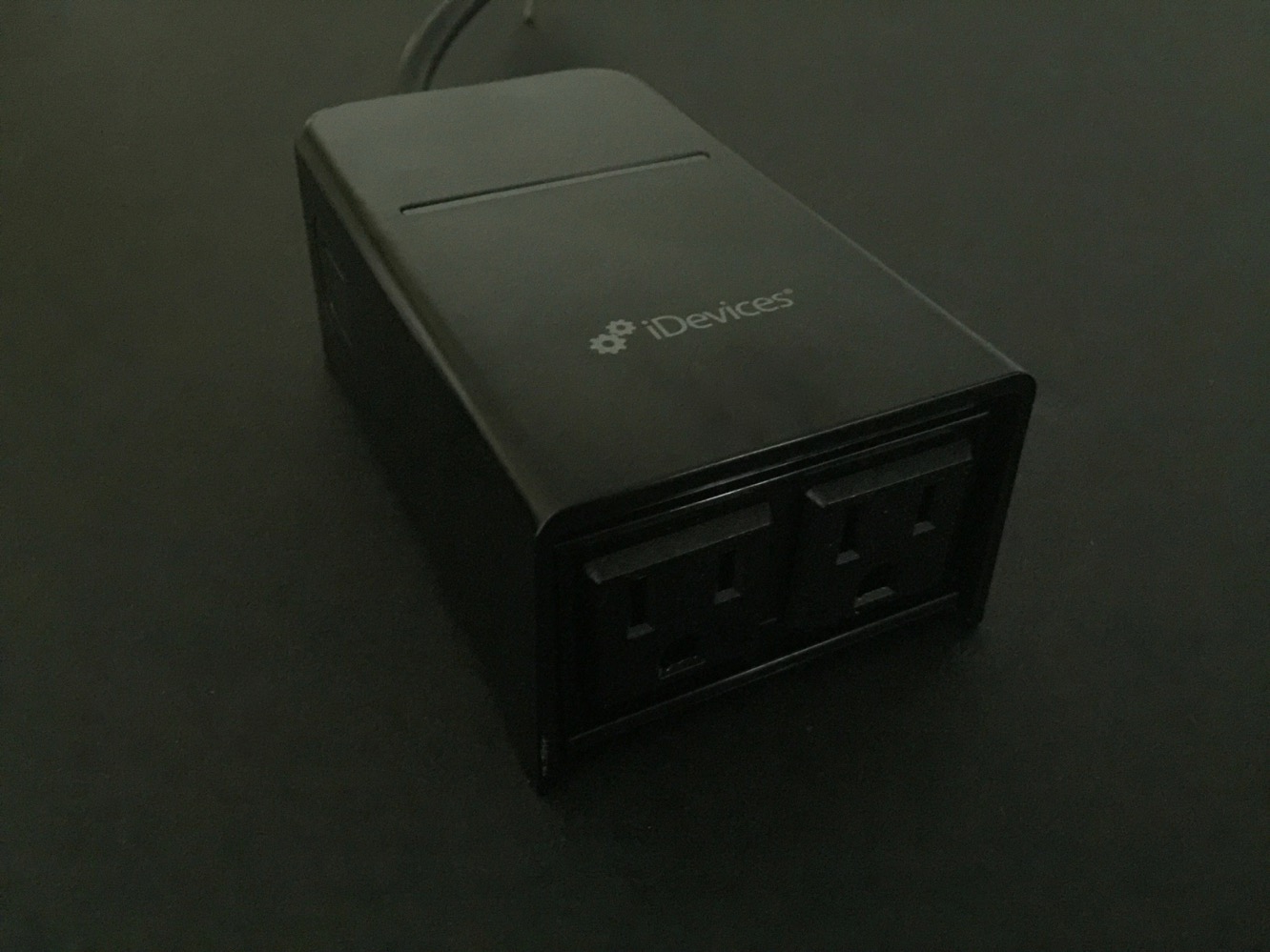
iDevices’ Outdoor Switch expands upon the company’s earlier Switch product, providing dual HomeKit-controllable power outlets in a rugged casing designed for outdoor applications. HomeKit-compatible outlets are becoming almost commoditized by this point, but Outdoor Switch is notable as the first outdoor HomeKit outlet we’ve seen, making it suitable for controlling a variety of backyard devices, such as patio lights, garden lights, fans, and more.

Review: iDevices Outdoor Switch Power Outlet

Outdoor Switch is built from a rugged plastic, rainproof design, and includes two three-prong AC outlets on one end of a rectangular casing, with a flush power button on one side for controlling the outlets manually. A 6” power cord terminates in a three-prong plug that can be connected directly to an outdoor outlet or to the end of an extension cord.

A mounting bracket on the casing and included screw allows Outdoor Switch to be mounted onto a wall, fence, or other surface, if desired.


Review: iDevices Outdoor Switch Power Outlet

Setting up Outdoor Switch follows the same procedure we’ve now come to expect from all HomeKit accessories. Using iDevices’ own iDevices Connected app — or another HomeKit app of your choice — Outdoor Switch should be automatically discovered. After that, you’ll be taken through the short process of automatically pairing it to your Wi-Fi network and then scanning the HomeKit code, and then you’re ready to go.

iDevices helpfully includes the HomeKit code both on the back of Outdoor Switch as well as in the accompanying manual — useful in case you happen to mount the device before going through the HomeKit pairing process.


Review: iDevices Outdoor Switch Power Outlet

Once you’ve gone through the standard pairing process, Outdoor Switch will appear in the iDevices Connected app or any other HomeKit app as a single controllable outlet, providing an on-and-off toggle, and other standard HomeKit options such as assigning to rooms, service groups, and providing a name for Siri voice control. As with iDevices Switch, the iDevices Connected app also provides the ability to get power consumption data from Outdoor Switch, allowing you to check how much power your connected device is using, along with stats for average daily use, average time used, and average estimated cost.


Unfortunately, we were disappointed to discover that, unlike Grid Connect’s ConnectSense dual smart outlet, the individual plugs on Outdoor Switch can’t be controlled separately — the single side button and single in-app HomeKit toggle turns both outlets on or off at the same time, so you’ll only be able to use Outdoor Switch in situations where you’re controlling combined sets of lights, rather than separate devices. Further, while Outdoor Switch includes an LED indicator on top of the casing, unlike iDevices’ indoor Switch, there’s no way to control the LED separately — the LED is used only for displaying pairing status, and remains off once Outdoor Switch is up and running.

Review: iDevices Outdoor Switch Power Outlet

Despite these limitations, Outdoor Switch performs as expected, providing a single HomeKit control point for any type of outdoor lighting or appliance that you choose to connect to it.



Latest News
The 14-inch MacBook Pro with M5 Chip 16GB RAM/512GB is $250 Off
1 Min Read
Noise and Static on AirPods Pro 3 Still Unfixed
1 Min Read
New iMac with 24-inch OLED Display May be Brighter With 600 Nits
1 Min Read
The 15-inch M4 MacBook Air 256GB Is $250 Off
1 Min Read
Internal Kernel Debug Kit from Apple Reveals Tests for a MacBook with A15 Chip
1 Min Read
Apple Currently In Talks With Suppliers for Chip Assembly & Packaging of iPhones in India
1 Min Read
Apple Allows Easier Battery Replacement For M5 MacBook Pro with 14-inch Display
1 Min Read
The Apple Watch SE 3 44mm GPS is $50 Off
1 Min Read
20th Anniversary iPhone May Launch in Two Years
1 Min Read
Better Image Generation Capabilities and Apple Music Integration Coming to ChatGPT
1 Min Read
A20 Pro Chip Coming to Next Gen iPad Mini OLED
1 Min Read
Amazon has the AirTag 4 Pack Marked $29 off
1 Min Read

iLounge logo

iLounge is an independent resource for all things iPod, iPhone, iPad, and beyond. iPod, iPhone, iPad, iTunes, Apple TV, and the Apple logo are trademarks of Apple Inc.

This website is not affiliated with Apple Inc.
iLounge © 2001 - 2025. All Rights Reserved.
  • Contact Us
  • Submit News
  • About Us
  • Forums
  • Privacy Policy
  • Terms Of Use
Welcome Back!

Sign in to your account

Lost your password?








