
Originally released only in a European version, Elgato has brought its Eve Energy Switch & Power Meter to the North American market, rounding out its lineup of HomeKit accessories that debuted with the Eve Room, Eve Weather, and Eve Door & Window sensors. Eve Energy is an outlet similar to those we’ve looked at from other companies such as iHome and iDevices, designed to provide the ability to control a connected light or appliance via Elgato’s own Eve app, Siri, or any other compatible HomeKit app.
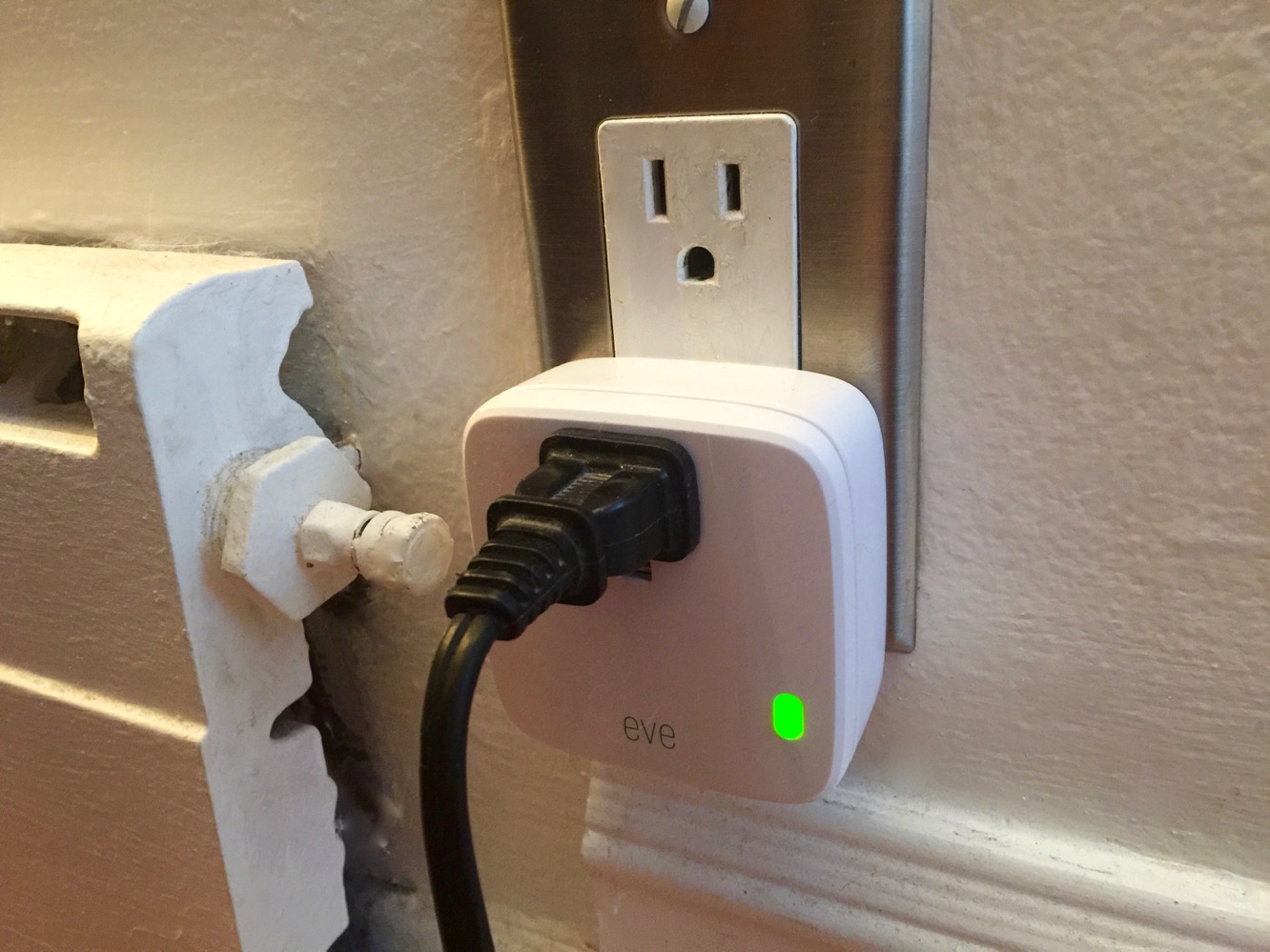
In terms of physical design, Eve Energy is similar to other outlets we’ve seen, although it uses a slightly larger profile than iHome’s SmartPlug or iDevices’ Switch — you won’t be able to stack two of these in a single wall outlet, although in all fairness users looking to do this might be better served by ConnectSense’s Smart Outlet anyway. Other than the larger physical size, however, we thought Eve Energy had a clean design aesthetic, with a single outlet on the front and a small LED that doubles as a switch for toggling the outlet on and off manually.

Setting up Eve Energy is about the same as any of the other HomeKit-enabled plugs we’ve looked at — you connect Eve Energy into a wall outlet, and then fire up the Eve app from the App Store, which should discover the device and take you through the standard HomeKit pairing process. Eve Energy, however, adds a twist in that it’s the first Bluetooth-only smart outlet we’ve looked at, so you’ll be able to skip the step of pairing it with your home Wi-Fi network; instead your iOS device just reaches out via Bluetooth LE to discover and pair the device — a simpler process that basically works the same way as for Elgato’s other Eve HomeKit-enabled devices.

Once configured, Elgato Energy can be toggled on or off from the Eve app or most of the other HomeKit-compatible apps that can be found on the App Store from other vendors — a feature that continues to be a key advantage of the HomeKit ecosystem.
You can also use Siri to toggle the associated appliance on or off, associate it with rooms, and configure it to take part in scenes — again, like any other HomeKit-enabled smart outlet.
In addition to simply controlling an appliance or light, however, Elgato has baked in an additional handy feature in here as well — Eve Energy, as the name implies, can also monitor the power consumption of any associated device. To do this, you’ll need to use Elgato’s own Eve app, which, in addition to controlling the outlet, will display current and past power consumption both in raw wattage as well as kilowatt-hours. Consumption data can be viewed as individual measurements, or charted over time by hour, day, week, or month. The Eve app also allows the results to be shared as a CSV file to any compatible app via the standard iOS Share sheet — a nice touch that can make it easy to get data onto your computer via AIrDrop, email, or to open the file in something like Microsoft Excel.

Unfortunately, you’re pretty much limited to viewing and exporting data at this point — HomeKit triggers still remain unavailable for Bluetooth LE devices in iOS 9.2, so you won’t (yet) be able to do things like trigger other HomeKit-related actions based on power consumption, although Elgato promises to add support for this as soon as it’s possible.
Further, while Bluetooth LE has the advantage of easing setup and not overcrowding your Wi-Fi network, we found that Elgato’s Energy outlet had a very slight but definitely noticeable delay when it came to issuing power commands, as compared to the near-instantaneous response from the other Wi-Fi equipped smart outlets we’ve looked at. It’s not enough of a delay to be considered a problem, but it’s definitely noticeable enough to feel a bit laggy, and is especially apparent when controlling Eve Energy as part of a scene — it will switch off about a half-second to a second later than everything else. Range with Bluetooth LE is also theoretically a problem, although if you have an Apple TV in proximity, this will become less of an issue, as the set-top box will act as a HomeKit-to-Bluetooth bridge for controlling the device when your iPhone is out of range. It’s worth noting that other than the slight delay, however, Eve Energy worked flawlessly in our testing, both at home and remotely when away from home.

Eve Energy fits into an interesting and somewhat appropriate position among the other smart outlets we’ve looked at. Both in terms of features and cost, it sits right in the middle of the very basic $40 iHome SmartPlug and the slightly more sophisticated $60 iDevices Switch. While a $10 price difference may not seem like a deal-breaker, it can add up with HomeKit accessories, as you may be considering equipping your home with more than one.











