
First unveiled earlier this year at CES, iHome’s new iSP5 SmartPlug ($40) is the first HomeKit-enabled accessory we’ve been able look at in depth. While on the surface it’s a basic switched outlet similar to offerings we’ve seen before from companies like Belkin, the slightly lower price tag and integration with Apple’s new HomeKit features promise to set it slightly apart from the rest. While iHome initially indicated that there would be two versions of SmartPlug – one with a USB charging port and one without – thus far only the less expensive one without the USB port appears to be available.
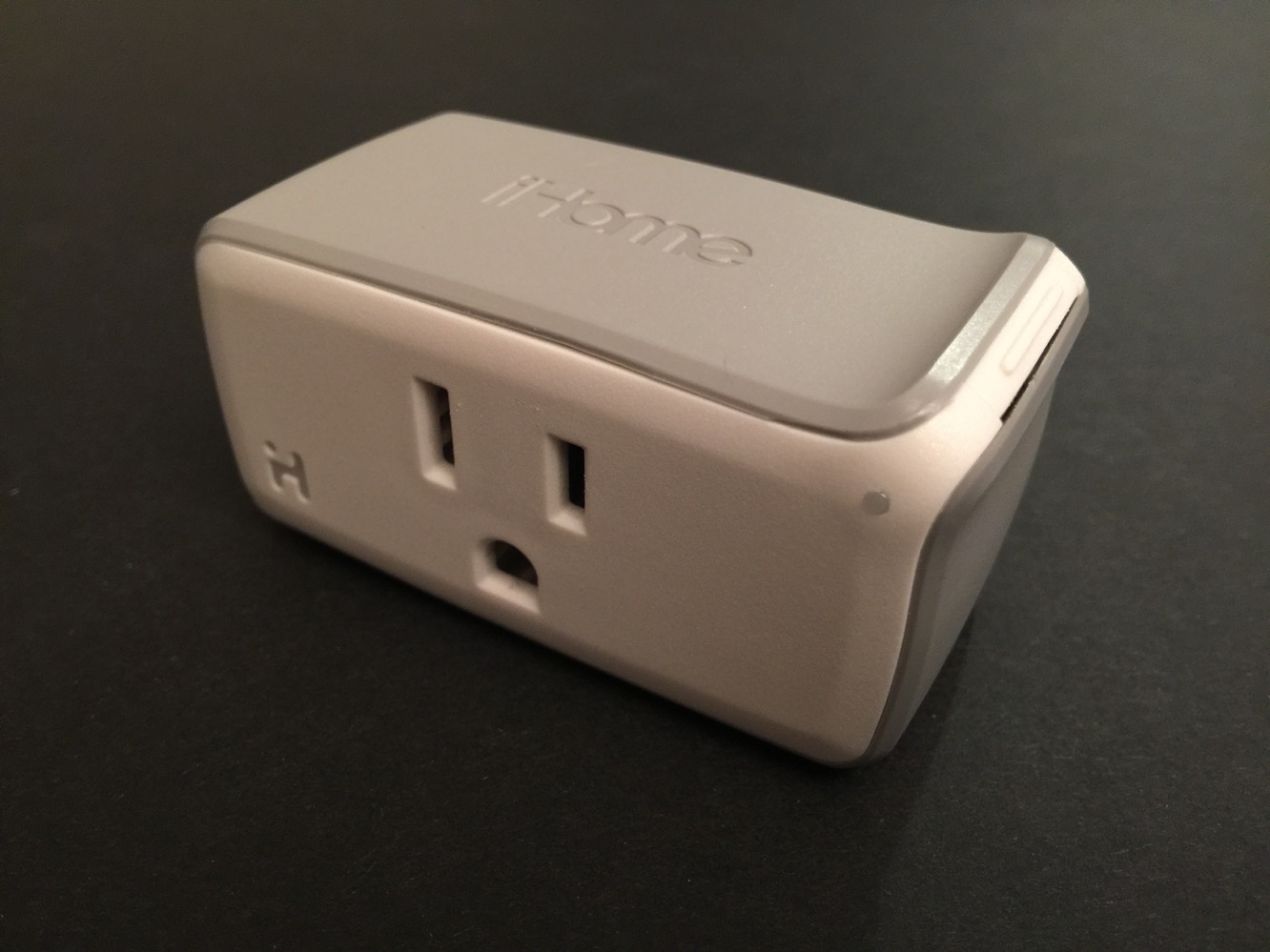
On the surface, there’s not much to the SmartPlug hardware itself, which comes along in the box with only a quick setup card. A single three-prong plug on the back allows it to connect into a standard household electrical outlet, and a three-prong outlet on the front allows for the connection of a lamp or electrical appliance; SmartPlug is rated to handle loads of up to 15A (1800W), so it can basically control anything from a lamp to an air conditioning unit. We particularly appreciated SmartPlug’s compact design, however, which is specifically intended to allow two SmartPlug units to fit into a single standard dual outlet configuration. It’s definitely one of the smaller units we’ve seen in that regard.
Two LEDs on the front provide power and Wi-Fi status, with a white iHome logo showing whether the outlet is switched on or off and a green/red LED indicating whether SmartPlug is connected to a Wi-Fi network; notably, the latter status LED remains on even when the outlet itself is switched off. A small button at the top right corner allows the outlet to be switched on and off manually.

Apple’s HomeKit framework doesn’t provide its own built-in app to control home automation accessories, but rather still relies on third-party apps, which take advantage of the HomeKit APIs to integrate with Siri and other HomeKit accessories and apps. iHome has therefore provided its own companion app, iHome Control, which is used to configure and add SmartPlugs, presumably along with any other new devices that iHome may introduce in the future. The process is similar in concept to what we’ve seen before from other accessories, although iHome Control and SmartPlug are able to avoid the need to manually switch to an ad-hoc Wi-Fi network, likely assisted by Apple’s new HomeKit APIs. This makes the entire setup process much smoother, as the new SmartPlug should just be automatically detected by the app, which then asks you which of your already-configured Wi-Fi networks you want the device to join.

After SmartPlug has joined your Wi-Fi network, the app then requires you to enter a pairing code which can be found either on the bottom of the SmartPlug or on the Quick Start Guide card included in the package. iHome Control helpfully provides the ability to use the iPhone camera to read this code, but if that doesn’t work for whatever reason, you can also enter it manually. Once everything is set up, the app provides functionality very similar to other home automation apps, with the ability to name devices and group them into rooms and zones, and create scenes and rules, albeit somewhat limited by SmartPlug’s sole ON and OFF modes.
Rules are similarly limited to a basic on and off schedule, and don’t yet provide for integration with sensors or other types of devices, since of course iHome itself doesn’t sell anything other than the SmartPlug. That said, however, the features clearly show that the app has room for expansion as more devices are introduced into the HomeKit ecosystem, and grayed-out fields like “Rule Type” may presumably become active if appropriate triggering devices are added. One nice touch we noticed, however, is that the app can present a status log of all of the times that the outlet was switched on or off. We were also pleased to see that the iHome Control app was very responsive, with lights switching on or off basically instantaneously after the control was tapped.

Where the real magic of SmartPlug lies is in its HomeKit integration, which provides for things like voice-activated control of the outlet via Siri, remote access from outside the home through using the Apple TV as a hub, and the ability to invite other users (via iCloud) to access your HomeKit setup. Siri accepts commands based on the type of device, assigned room, and assigned device name. This allows for combinations such as “Turn on the Living Room Lamp” or “Turn off everything in the Living Room” or even just “Turn off everything,” and when combined with the ability to initiate Siri by voice, it’s quite magical. Plug in your iPhone by your bed and when you’re ready to darken the room, you can simply call out, “Hey Siri, turn everything off in the bedroom.” Unfortunately, the predefined device types make the process a bit less intuitive than it otherwise might be.











