
Jamstik ($300) is the second crowdfunded iOS music accessory from the startup Zivix, following on the heels of the company’s PUC wireless MIDI link released earlier this year. Originally debuting at CES 2013 as an Indiegogo campain, Jamstik is a portable MIDI guitar — an electronic music instrument that is to guitarists what a traditional MIDI keyboard is to a keyboardist.
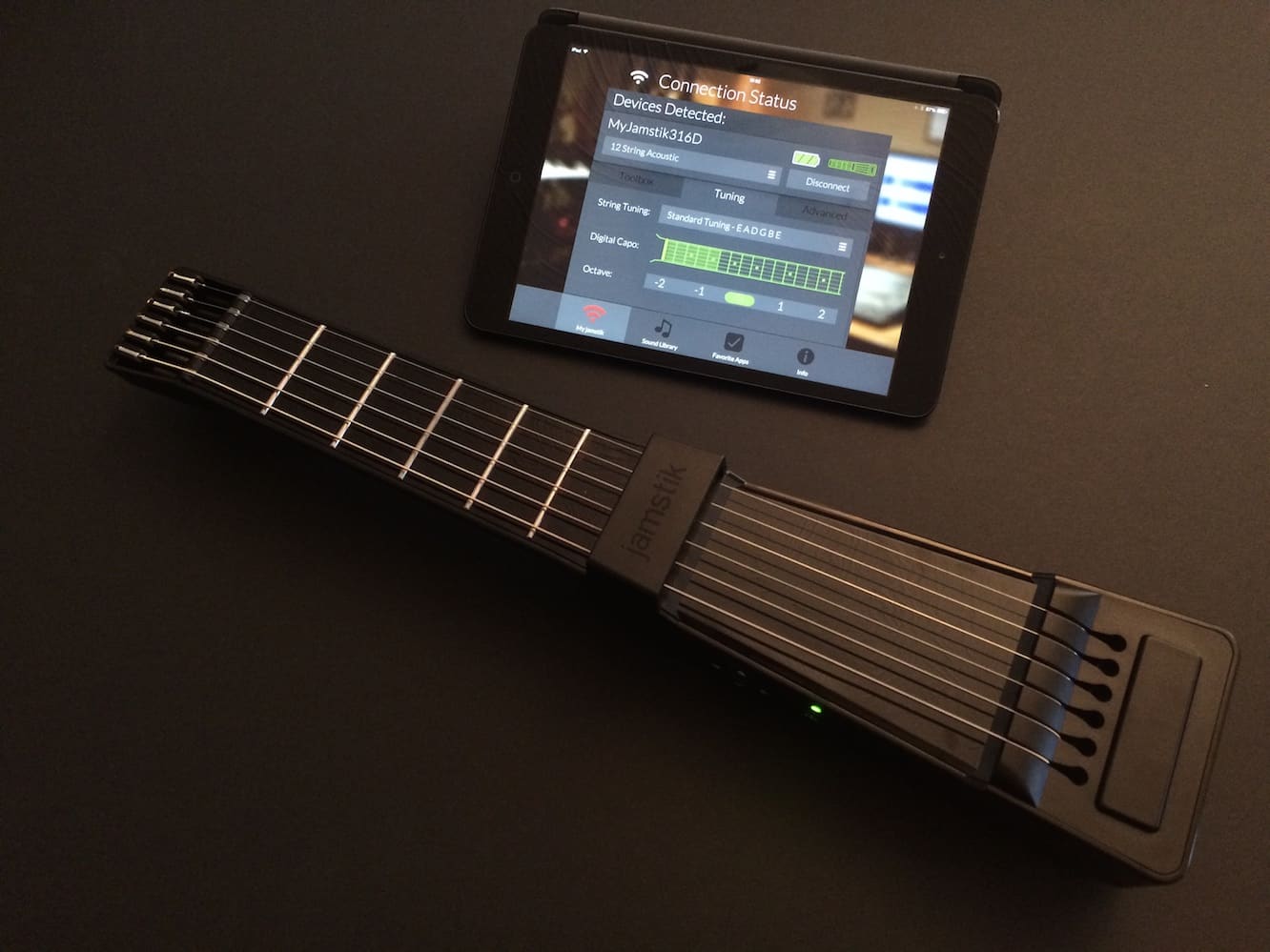
Although Jamstik looks small and unassuming compared to a traditional acoustic or even electric guitar, as a purely digital instrument it can eschew the trappings required to generate sound, in much the same way that electric pianos differ from traditional pianos. Jamstik basically boils it down to only the necessary components — in this case, the usual six strings, five frets, and the necessary electronics required to power the Jamstik, connect it to your computer, and control settings.

Jamstik normally connects to your iOS device by broadcasting its own ad hoc Wi-Fi network; the free Jamstik Connect app will walk you through this process, but it’s really just a matter of taking a trip to the iOS Settings app and connecting to the “Jamstik” Wi-Fi network. Once you’ve done that, returning back to the Connect app lets you check for firmware updates, adjust some settings on the device, and try it out by plucking a few strings. Once configured, Jamstik Connect runs in the background and provides the Core MIDI bridge for other third-party apps, so you can use the Jamstik with pretty much any iOS MIDI app from Apple’s GarageBand to Zivix’s own Jam Tutor and Jam Mix apps.


Unfortunately, like Zivix’s earlier PUC accessory, the Wi-Fi connection works only in ad hoc mode — there’s no way to connect Jamstik to your existing Wi-Fi network, so you’ll be cut off from the Internet while you’re using it if you opt for the wireless connection.
Most people aren’t likely to be too concerned about this, as you usually don’t need to get online while you’re jamming, but it’s worth mentioning. The good news is that Jamstik’s Micro-USB charging port also acts as a MIDI output port, so if you’re willing to shell out a few dollars for Apple’s Lightning to USB Camera Adapter you can opt for a wired connection to your iPad or iPhone should you prefer to stay Internet connected and don’t mind dealing with a wire.


Jamstik provides real strings and frets to work with, creating the feel of a real guitar, and also supports expressions such as string bends, velocity sensitivity, vibrato, and high-speed pick detection, so you can pretty much play it in the same way as you would a real guitar, and get most of the same effects from it. While having only five frets limits the range a bit, a set of controls on the side provides a virtual capo that allows for quick switching across all octaves, arguably in a much more efficient way than fussing with a real capo on your guitar. As noted earlier, Zivix has also included two more free apps on the App Store: Jam Tutor and Jam Mix. Tutor provides a great series of step-by-step, video-guided tutorials on not only setting up the Jamstik, but learning to play guitar, making Jamstik a great way for all of those who want to cross that particular item off their bucket list but have never otherwise gotten around to it.
Jam Mix is a more fun app that lets experienced guitar players set up some beats and loops and then jam with the Jamstik in the background. Both are very well done apps and work well with the Jamstik.

In actual use, the Jamstik works really well, and we’re impressed with what Zivix has done here in building an instrument that can appeal to both novices and serious guitarists. While some professional musicians might consider something like this to be a bit of a toy, the reality is that it’s not designed to compete with a high-quality guitar. But it is a great way for a pro player to lay down a few MIDI tracks or play around with things that a typical acoustic guitar can’t do. For the novice, it’s also a great way to learn guitar, and we can see this having a great application in classrooms, as what you’re getting here is a very portable electronic guitar with a fair bit of versatility provided by the huge collection of iOS Core MIDI apps available.











