
Zivix’s PUC ($130) offers a new twist on connecting iOS and MIDI devices to one another. Rather than providing a Lightning interface, it instead acts as a Wi-Fi MIDI bridge, effectively turning your keyboards, DJ controllers and more into Wi-Fi-enabled MIDI devices. Powered for up to 15 hours of continuous use from included batteries, PUC includes a single standard MIDI DIN port for connection of a single MIDI device or hub, and can be switched to function as either a MIDI input or output interface. A free companion iOS app provides the interface between the PUC Wi-Fi connection and iOS, which should allow compatibility with any CoreMIDI-compliant iOS app.
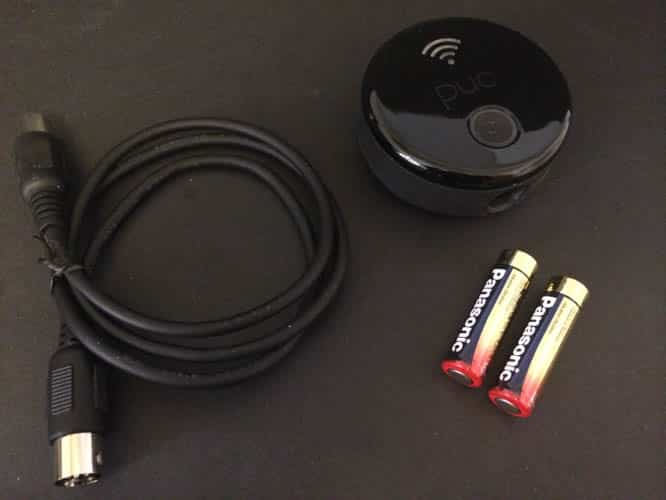
About the size of a hockey puck—which no doubt inspired its name—PUC is designed to unobtrusively sit near a MIDI instrument such as a keyboard, to which it connects using a standard 5-pin MIDI DIN connector. Power is supplied by two AA batteries for maximum portability, or you can supply your own micro-USB power source to avoid having to deal with batteries.
The hardware itself is extremely straightforward—a single button on the top of the device is used to toggle the power on or off.

Turning the device on broadcasts an ad hoc Wi-Fi network with a unique name for each PUC device. To use the PUC, you simply need to connect to the Wi-Fi network from your iPhone, iPad, or iPod and then fire up the free PUC Connect app, which manages some basic PUC settings and provides the Core MIDI interface for other apps running on your iPad. Through the PUC Connect app, users can view the Wi-Fi information, update firmware, and set Wi-Fi and sleep timeout settings. Although it’s a universal app, PUC Connect doesn’t really appear to have an iPad-optimized UI and is restricted to portrait mode only, but this is a relatively minor issue as the app serves primarily as a background conduit into the actual Core MIDI apps that you’ll be using. You won’t spend much time using PUC Connect once you’ve got your device configured.

PUC Connect helpfully provides a list of about 20 recommended third-party apps with which you can interface your MIDI gear—Apple’s own GarageBand tops the list—but really any Core MIDI compliant app on the App Store should work fine with PUC.
Once you’re connected to PUC’s ad-hoc Wi-Fi network and the PUC Connect app has been loaded in the background, using PUC is as straightforward as connecting a hardwired MIDI interface: MIDI control messages are seamlessly sent to and received from the connected MIDI device via the PUC with virtually no latency. If there’s any major disadvantage to the PUC’s software, it’s that it doesn’t provide a way to connect to a standard Wi-Fi network, meaning that Internet access from your iOS device may be a problem while using PUC unless you’re using a cellular-capable device and can maintain Wi-Fi and cellular connections. This isn’t likely a serious limitation for most studio or recording environments, and it does seem possible that it could be addressed in a future firmware update, but it’s still something to be aware of. Using Bluetooth for the wireless connection would have eliminated this issue, albeit with a theoretical reduction in range

PUC is a nice little solution that does exactly what it’s designed to do—it’s simple to use and virtually transparent once configured. The only real question is whether it justifies its price tag; at $130, it’s around $60 more expensive than Dock Connector to MIDI interfaces, and $30 more expensive than Lightning to MIDI interfaces, each with separate MIDI-In and -Out ports.











