
Despite the popularity of cloud storage services like iCloud, Dropbox, and Google Drive, increasing security and privacy concerns are fueling a desire by many users to keep their important data completely under their own control, rather than trusting it to another company’s cloud. Although storing data on your computer or external hard drive at your home or office can certainly make you feel more secure about where you’re keeping your data, in an era of iPhones and iPads, that often creates a tradeoff between having access to your important data while on the go and trusting it to a third-party cloud provider. Western Digital’s My Cloud ($150-$380) attempts to bridge this gap, providing the best of both worlds in the form of an external network attached storage (NAS) device that keeps all of your data locally stored under your own control, while providing remote access through the company’s web portal and companion iOS app. While My Cloud has been around for a while as a simple NAS device, the company’s somewhat recent release of a My Cloud OS 3 update for the hardware and a significantly enhanced iOS app have made the device a much more capable replacement for services like Dropbox.
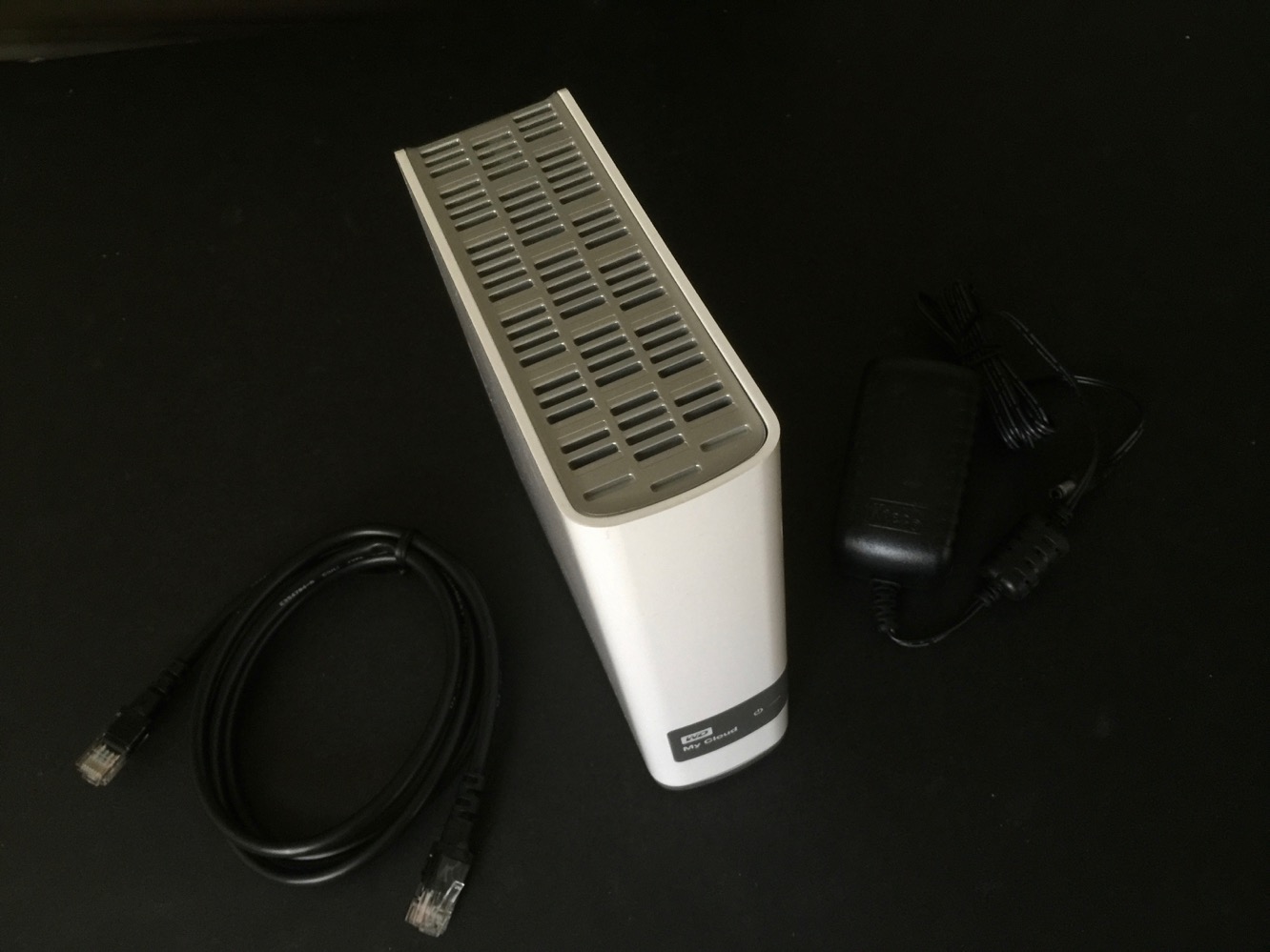
In contrast to the company’s My Passport Wireless, which is designed to be toted around, the My Cloud is built to be stationary — plugged in at a single location in your home or office, usually near your Wi-Fi or Internet router. Available in capacities ranging from 2TB to 8TB, the package includes the base My Cloud unit itself along with a power adapter and an Ethernet cable for connection to the appropriate port on your router.

As a Network Attached Storage (NAS) device, My Cloud doesn’t need to be placed anywhere near your computers, but it does require a physical network connection — unlike its little brother Passport it’s not a Wi-Fi device — so you’re best to simply locate it wherever your Internet router is. Setting it up is a matter of plugging in the cables appropriate and then visiting mycloud.com/setup in any modern web browser, where a web applet will scan your network for the My Cloud and take you through the setup process. Alternatively, you can also simply jump right into installing the iOS app and set up your My Cloud from there, although we found the Mac-based setup process in Safari to be more straightforward.

Once your My Cloud is up and running, you can access it from any web browser via the My Cloud web portal, connect to it directly from your Mac or PC via standard AFP/SMB connections, or stream music via iTunes sharing or various types of media content via DLNA. For mobile access, the WD My Cloud iOS app allows access to data stored on the drive from anywhere, much like using third-party cloud apps like Dropbox. The iOS app includes a pretty comprehensive feature set, including “Open in” support for transferring files from other apps like Mail and Photos directly to your My Cloud, automatic import of photos from the iOS photo library, and the ability to share web links to files stored on the My Cloud.
Files can also be moved, renamed, downloaded for offline storage, and media-centric views of files are also available so you can easily browse a folder of music, photos, or videos as thumbnails rather than a traditional file list. The iOS app also integrates with traditional cloud-based providers such as Dropbox, Google Drive, OneDrive, and Creative Cloud, so users who have some data on these services can easily access their other cloud-stored files and move or copy them between their My Cloud devices and other online services.

Settings in the iOS app allow you to determine how much data is cached locally, whether to automatically transfer files when on a cellular data connection, configure auto backup of photos and videos, and enable a four-digit password (sadly, however, Touch ID is not currently supported by the app). The app also supports multiple My Cloud devices, and the My Cloud itself supports multiple shared storage areas and multiple users — each user can have their own private repository of files and share them between other users, in addition to having “public” shares that are accessible to all users. Individual “shares” can be set as read-write or read-only on a per-user basic, but this is about as granular as file security gets — there is no support for groups or per-folder restrictions, so anything you put on a shared volume will inherit the permissions from the shared storage area itself. This is about what we’d expect from a personal home storage solution, however.

While the storage you get from My Cloud is a bit pricier than what you might otherwise pay simply for an external hard drive, the network connectivity features — along with a well-thought-out iOS companion app — easily justify the higher price, and depending on how much data you need to store, easily beats out subscribing to a cloud provider in the long term.











