
Twelve South has a long history of creating stylish and unique accessories for Apple’s ecosystem, ranging from its venerable BookBook cases to its elegant HiRise Duet stand. So it’s really no surprise that the company has also taken a creative new approach to wireless charging for Apple’s latest iPhones in the form of its PowerPic, which turns a normally pedestrian Qi-enabled wireless charging pad and hides it in a picture frame to give you a place to juice up your iPhone without interfering with the decor of your home or office.
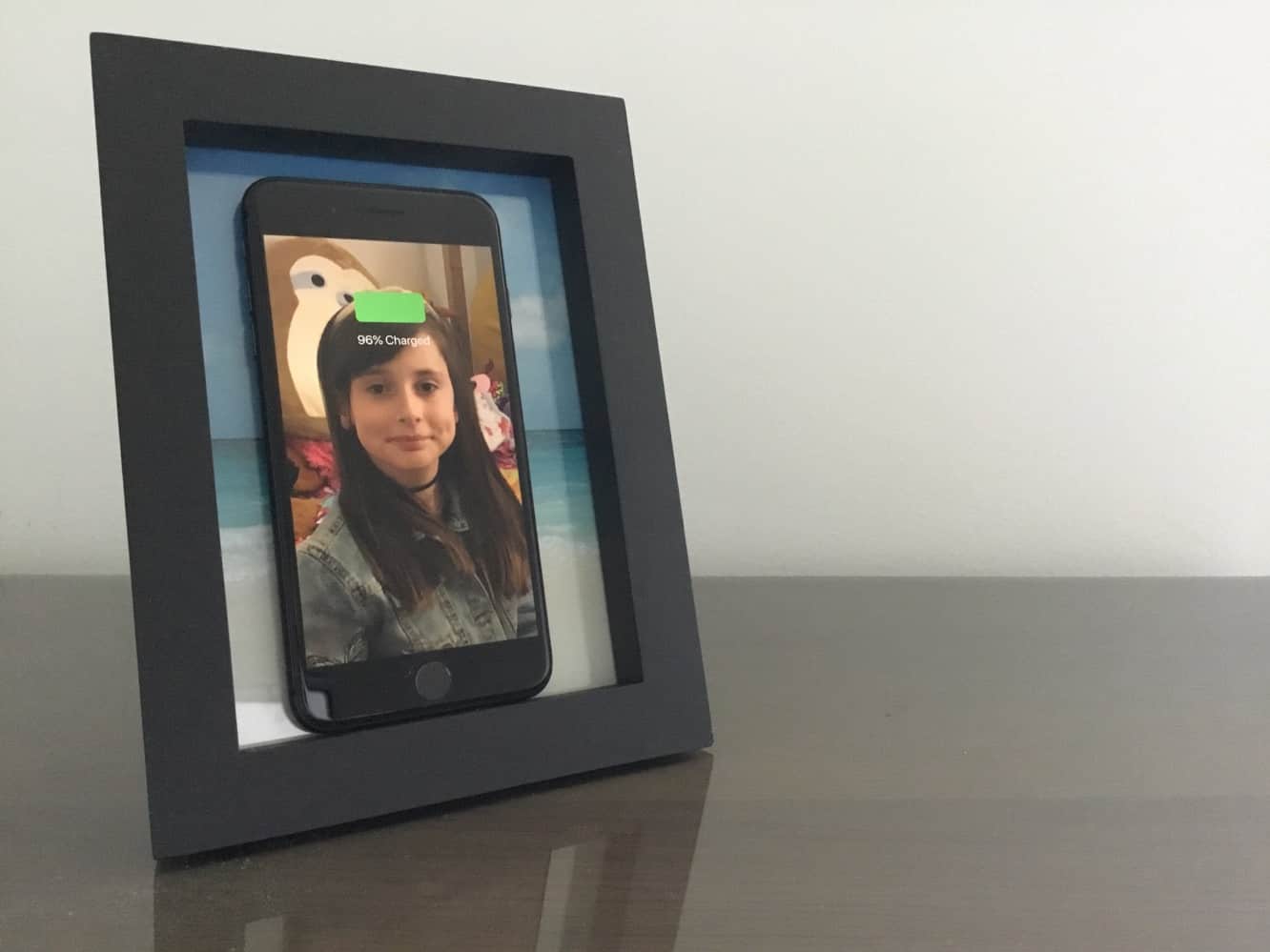
On the surface, PowerPic looks like a contemporary picture frame that you’d pick up at any home decor store, and while the frame itself is a bit more premium than the average generic frame — it’s made from solid and attractive New Zealand Pine — it really is just a standard frame. The magic of PowerPic actually comes from the backing on the frame, which incorporates a 10-watt Qi-certified charger that hides behind the photo, allowing you to charge an iPhone, or any other Qi-compatible smartphone, simply be placing it in the frame.

PowerPic comes with a five-foot cable that uses a standard USB-A connector, although sadly you’ll need to supply your own USB power source, which we found to be a disappointing omission in a product like this. The move to USB charging standards has seen many companies moving away from bundling USB power adapters, which may be fair for accessories like inexpensive portable speakers that only need the adapter for recharging, we don’t think it’s unreasonable to expect that products designed to be plugged in all the time should actually include the plug.
To be fair, Twelve South notes you can plug PowerPic into a computer at your desk, or a USB-equipped wall outlet, eliminating the need for a traditional power adapter, but those seem like edge cases, and we suspect most users will be looking to use a traditional power adapter to plug in PowerPic, and it’s worth noting that you’ll need to supply something with more power than what comes with your iPhone if you want maximum performance out of PowerPic.

On the upside, however, once you take the back off the frame, you’ll discover that Twelve South has chosen to use a standard USB-A to USB-C cable, rather than hardwiring into the charger. This allows you to easily replace the cable if you need a longer one, or prefer a different style of cable or connector on the other end, such as connecting to a USB-C power source. Twelve South also includes a metal stand that doubles as a cable guide to allow you to keep the cable more hidden and out of the way, which is a thoughtful design touch, although the stand only attaches to set PowerPic up in a portrait orientation, rather than landscape.

Other than the wireless charging aspect — which charges exactly like any other wireless charger — PowerPic is like any other picture frame. The back removes normally, with five tabs holding it in place, and you can insert your own 5 x 7” portrait photo.
Twelve South also provides a gallery of photo and wallpaper combinations that you can print out and put on your iPhone screen to make them blend together nicely when the iPhone is charging, which we think is a really cool idea, although we were surprised to find that Twelve South doesn’t provide any wallpapers to go with the picture that’s actually included with the double-sided beachfront/snow-capped mountain picture that’s included with PowerPic, so sadly you’ll need to fire up your printer if you want to take advantage of the matching pictures. We’re not too concerned about this, however, as we think most users will want to use their own photos in PowerPic anyway, since that’s rather the point of it, not to mention that unless you make a special effort to bring up the photo first, your iPhone screen is going to be off when you’re charging anyway.

Let’s face it, while wireless charging is a great idea, we’re normally less enthusiastic about the actual wireless chargers that are required to take advantage of it. Although many companies are doing their best to make wireless chargers that look as unobtrusive as possible, in most cases you’re still left with a black or white disc that has to sit atop a table somewhere, and we can’t blame some users for wanting to shy away from setting them up in more public living spaces. This is what makes PowerPic so great, and while we’re prefer to see the frame available in a wider range of styles and options, the contemporary black and white options should fit in reasonably well with all but the most eclectic styles of home or office decor.











