
While Logitech has been making keyboard covers and cases for the iPad since the iPad 2 era, it’s been a while since we’ve seen a new Bluetooth keyboard for the iPad — since Apple has only released iPad Pro models for the past three years, Logitech has understandably been focusing its efforts on keyboards that take advantage of the Smart Connector, such as Create and Slim Combo. As a result, Logitech’s new Slim Folio is the first Bluetooth keyboard case we’ve seen from the company since the Type+ Case for the iPad Air in late 2014.
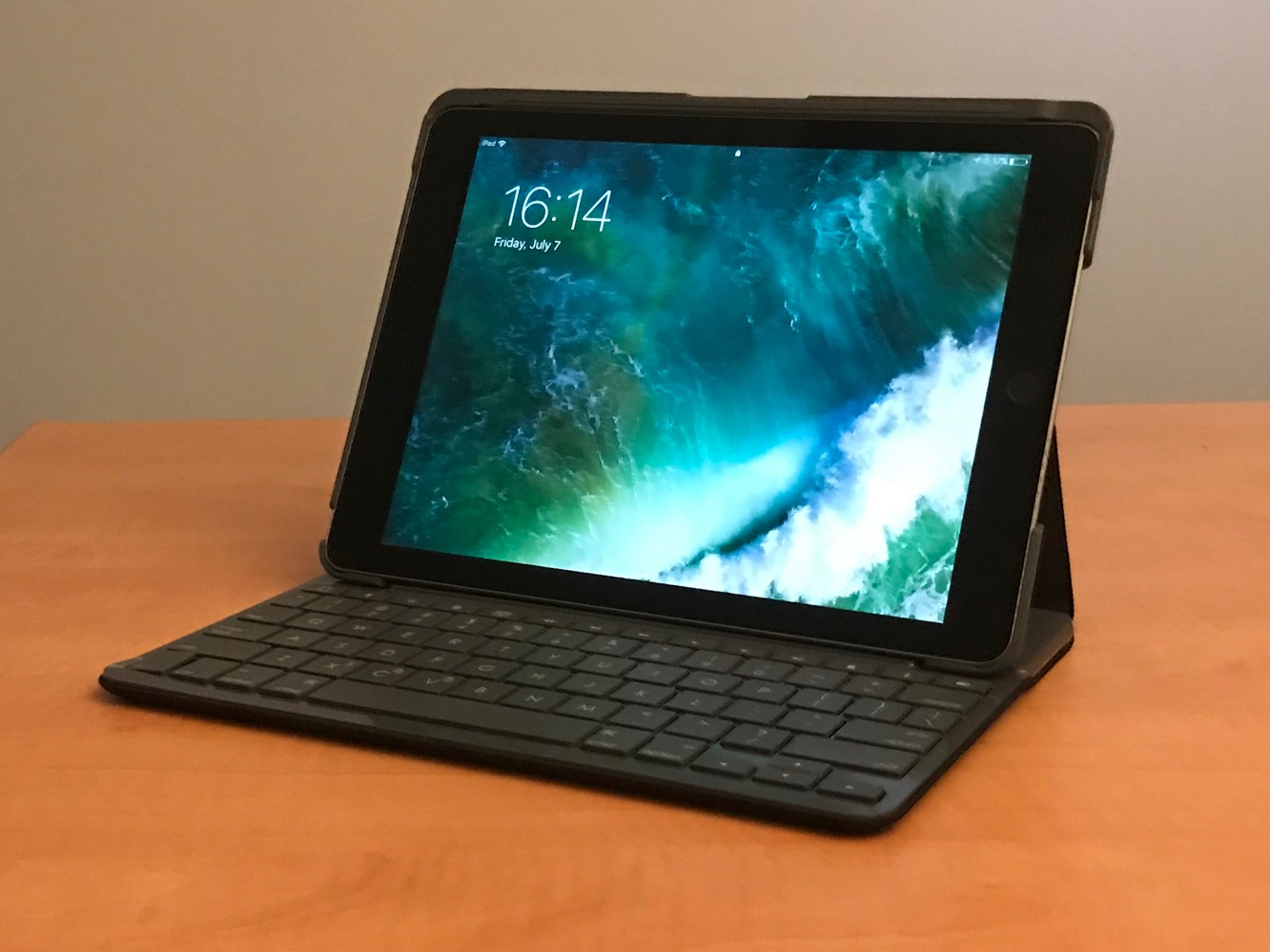
However, beyond the Logitech name and the fact that both cases feature a keyboard, Slim Folio and Type+ have little else in common. For one thing, while Type+ provided a great keyboard, we felt it was a bit generous to use the word “case” for it in all but the most literal sense of the word — it was really little more than a single piece of ballistic nylon-coated cardboard. On the other hand, Slim Folio encases the fifth-generation iPad in a durable plastic shell that provides actual protection. While Logitech makes no specific claims about drop protection, we actually did inadvertently knock the encased iPad from a desk onto a concrete floor during our testing and it survived without a scratch, and the case will certainly be more than enough to protect the iPad from everyday bumps and scratches.

Of course, unlike Logitech’s prior iPad keyboard cases, this comes with a tradeoff in terms of weight and bulk.
As with the company’s Slim Combo for the iPad Pro, we think there’s a weird sort of “truth in advertising” problem with the use of the word “Slim” here, since at 0.8 inches thick and just under a pound in weight, you’re almost tripling the thickness of your iPad while in the case, and almost doubling its weight. In short, it’s slim by the standards of most protective keyboard cases, but it’s definitely not even close to the standards of a normal iPad case.

The keyboard cover on Slim Folio is held closed with strong magnets, and stays securely closed. Embedded magnets also provide support for the iPad’s built-in Smart Cover sleep/wake functions, so the iPad will power off automatically whenever the cover is closed, and power on when it’s opened again. Slim Folio limits users to a single typing angle, fixed at 58 degrees. The iPad side of the case magnetically attaches to a bar just above the keyboard, holding the iPad securely in position, while also powering on the keyboard at the same time. It’s a well-thought-out and convenient design — the iPad is held securely in the correct upright typing position, and you avoid having to worry about the extra step of powering the keyboard on or off.

Logitech not surprisingly continues to make some of the best keyboards available for iPad users, and Slim Folio’s keyboard is no exception. It’s very comfortable to type on, the keys are reasonably sized and well spaced out, and Logitech includes its usual extra row of iPad function keys at the top for returning to the Home screen, calling up Siri, Spotlight search, controlling playback and volume, locking the iPad, bringing up the on-screen keyboard, or switching keyboards — useful for quickly bringing up the Emoji keyboard. It’s a different set of buttons than Logitech’s Slim Combo keyboard, but it does remain fairly consistent with the company’s earlier Type+. Since the fifth-generation iPad doesn’t feature a Smart Connector, Slim Folio is forced to rely on Bluetooth for its keyboard connection, so you’ll need to pair it up in the usual manner. Further, since it’s battery powered, you won’t get the keyboard backlighting that Logitech’s iPad Pro keyboards include. It’s worth noting, however, that since Logitech has gone with Bluetooth LE here, the company has actually managed to promise up to four years of battery life (based on 2 hours of typing per day) out of a pair of coin cell batteries, so you won’t have to worry about recharging the keyboard.

We’re quite impressed with what Logitech has done here with Slim Folio.











