
It was obvious when the iPad launched that keyboard accessories would be quite important, particularly for word processing and other traditional forms of content creation. Over the last two years, iPad-ready keyboards and keyboard-equipped cases have appeared at a fairly steady rate, but now that the third-generation iPad’s on shelves, developers that were awaiting its release have deluged the marketplace with tons of new options all at once. So today, we’re looking at six different keyboards that we’ve received in recent days, ranging from $80 to $150 in price: Brookstone’s Bluetooth Keyboard with Tech-Grip Case and Wireless Keyboard Pro and Leather Case, Helium Digital’s KeyCover Folio, iLuv’s Professional WorkStation Portfolio, and Kensington’s KeyFolio Expert Multi Angle Folio & Keyboard ($88) and KeyStand Compact Keyboard & Stand. Five of these accessories share the exact same concept, but execute differently on the theme: they’re folding cases that open to reveal a wireless keyboard on one side, and an iPad 2 or third-generation iPad on the other, then close to protect both. Kensington’s KeyStand is the only exception: it looks nearly identical to KeyFolio, but folds smaller, replacing the iPad holder with a half-height support system that holds any iPad upright, with or without a self-supplied iPad case. Each of the keyboards uses Bluetooth to connect to the iPad, and comes with a USB cable to recharge an integrated battery that lasts for days of active typing, or longer on standby mode.
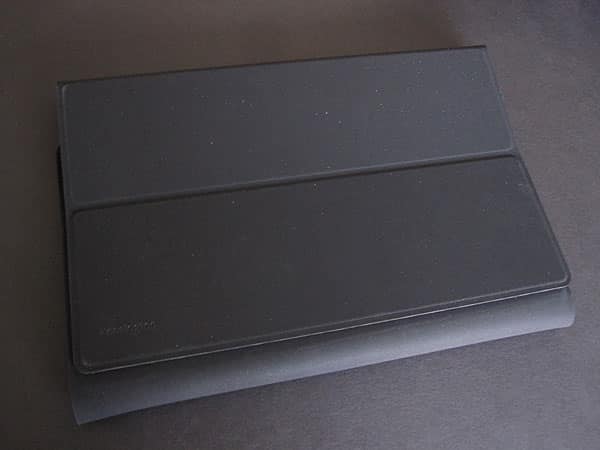
Composed of a rubbery plastic fabric that’s very similar to what Apple used for its iPad Case, KeyStand has four points of articulation: one at the edge of the keyboard, and others that divide the remaining material into four segments.
These segments serve two purposes: when closed, they fold around and protect the keyboard, holding shut with magnets. Once opened, they fold into a triangle to become a Smart Cover-like stand, holding any iPad in landscape or portrait orientation. A plastic ridge above the keyboard keeps each tablet in place. While the iPad’s angle of recline is steeper than we’d prefer, the screen is still highly usable.


KeyFolio Expert looks like the big brother to KeyStand, working in a similar way while adding a distinct feature. It’s made of the same rubbery material, feeling very similar to Apple’s original iPad Case, and is divided into five segments, the largest of them housing the keyboard. When it comes time to open the case, the remaining four segments once again fold into a triangular stand akin to the iPad Smart Cover. The big difference is that KeyFolio Expert can also hold the iPad inside when it’s not in use.
Instead of a frame or shell, Kensington uses a 3” by 7” pad of tacky-feeling Micro-Suction material to hold the tablet in place. This material grips the iPad 2 or third-generation iPad tightly, but it’s also easy enough to remove and reposition either iPad as necessary; you can conceivably use this with the original iPad, as well.

One thing that Kensington seriously has on its side with these two accessories is the keyboard design it has chosen. While it selected a longer keyboard, resulting in a case that’s about an inch taller than many others, typing is very close to excellent. Responsiveness of the keys is quite nice, and the keyboard feels very much like using a very modestly compacted Apple design, except for a little trickiness with the right shift key—a common enough issue. Unlike virtually every other keyboard we’ve seen, Kensington includes two special keys here called “K1” and “K2,” each outputting a distinctive set of four characters that can be programmed into iOS as macro typing shortcuts. In addition to all of the iPad-specific function keys that are included, the very simple power and pairing button, and the otherwise tight design, there’s really a lot to like here.











