
It was obvious when the iPad launched that keyboard accessories would be quite important, particularly for word processing and other traditional forms of content creation. Over the last two years, iPad-ready keyboards and keyboard-equipped cases have appeared at a fairly steady rate, but now that the third-generation iPad’s on shelves, developers that were awaiting its release have deluged the marketplace with tons of new options all at once. So today, we’re looking at six different keyboards that we’ve received in recent days, ranging from $80 to $150 in price: Brookstone’s Bluetooth Keyboard with Tech-Grip Case ($100) and Wireless Keyboard Pro and Leather Case ($150), Helium Digital’s KeyCover Folio, iLuv’s Professional WorkStation Portfolio, and Kensington’s KeyFolio Expert Multi Angle Folio & Keyboard and KeyStand Compact Keyboard & Stand. Five of these accessories share the exact same concept, but execute differently on the theme: they’re folding cases that open to reveal a wireless keyboard on one side, and an iPad 2 or third-generation iPad on the other, then close to protect both. Kensington’s KeyStand is the only exception: it looks nearly identical to KeyFolio, but folds smaller, replacing the iPad holder with a half-height support system that holds any iPad upright, with or without a self-supplied iPad case. Each of the keyboards uses Bluetooth to connect to the iPad, and comes with a USB cable to recharge an integrated battery that lasts for days of active typing, or longer on standby mode.


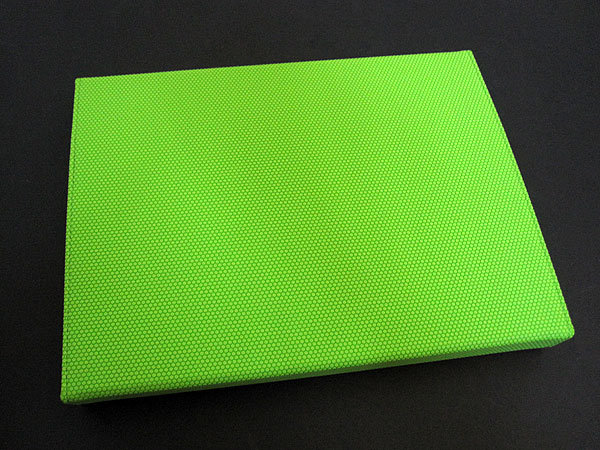
Though there are definitely differences between Brookstone’s two keyboard cases, they share the same trifold, folio-style setup—a design that folds closed by wrapping around the iPad’s right side, double-covering about a third of its back, including the camera.
Because of that third segment, each case opens with a floppy panel that hangs below the hard plastic keyboard, resting below your palms as you type. Both cases are lined with a rubbery, dot-textured plastic material rather than leather or faux leather; the $100 version uses the same material outside and comes in five colors, while the $150 version is externally covered in one of five colored leathers. Neither battery’s run time is specifically guaranteed by Brookstone, beyond the marketing phrase “super-long.”


The same iPad holder is used on both Brookstone cases, and isn’t great, allowing access to all the ports and buttons but leaving more of the edge exposed than we’d prefer. It’s adequate to protect the device, though it and the boxy trifold design add a lot of thickness to the iPad 2 or third-generation iPad, each measuring around 1.25” thick at their thickest points.


Materials aside, the Brookstone cases are further differentiated by their keyboards, which are surprisingly not just the same thing in different colors. Oddly, the $100 case’s keyboard looks fancier, complete with chrome accents and some of the nicest-beveled keys we’ve seen on any iPad keyboard. It’s the only one of the bunch that charges with a Mini-USB cable rather than a Micro-USB cable, and on the surface, it’s really slick: the keys have a particularly satisfying click, and generally rival the feel of better PC desktop keyboards.
However, Brookstone places a tiny shift key right next to cursor-moving arrow keys, so if you’re not careful, capitalization attempts will instead move the cursor upwards through a paragraph. Despite a full suite of iPad-specific function keys and nice responsiveness, this keyboard requires a bit of user adjustment—more than in top rivals.


On the $150 Pro version, not only are the keyboard’s design and layout different, but it’s also held on by magnets so that it’s removable when necessary. Moreover, unlike some of the removable keyboards we’ve seen, this one is pretty compact, with a plastic bezel that extends only about an inch from the top and a quarter of an inch from the bottom. And most importantly, the keyboard is easier to type on than Brookstone’s less expensive version. While the keys lack the fancy chrome accents and bevels of the $100 model, and don’t have the same crisp clicking, they’re close enough to Apple’s chiclet-style keys to work pretty well immediately out of the gate. Their locations are more natural, with additional between-key spacing that feels more like a typical notebook keyboard. It’s easy to use the shift key here, and users will be able to type at full normal speed after only a minute of first starting typing.











