
iDevices’ new Wall Switch is the company’s second new HomeKit product of 2017, joining Wall Outlet in the arena of its installable devices. Wall Switch replaces any standard wall switch with a Wi-Fi HomeKit-enabled switch that provides basic on and off controls. Like many of iDevices’ other products, the company has also included an independently-controllable multicolour LED night light in the centre of the switch that can be used to help locate it in the dark, or simply provide a small mount of ambient night lighting for a room.
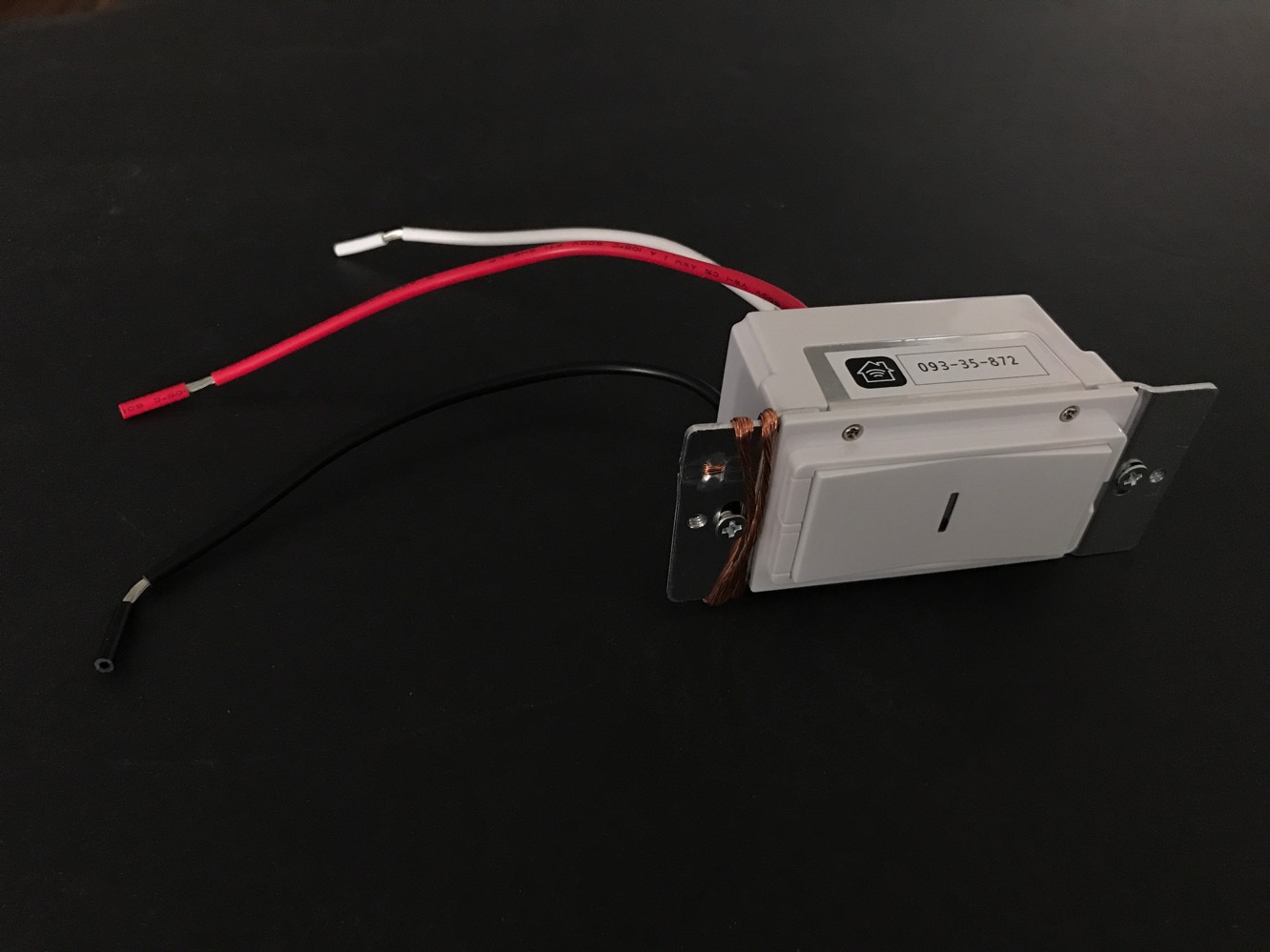
As with the company’s Wall Outlet, iDevices’ Wall Switch comes minimally packaged, including only the switch itself along with a package of four wire nuts and an instruction manual. Likewise, no cover plate is included, meaning you’ll need to either supply your own or use the one you have — Wall Switch is compatible with any Decora-style rocker switch plate, but if you’re replacing an older toggle switch, you’re going to need to purchase an appropriate cover plate separately. While we can appreciate iDevices’ attempts to cut down on expense and packaging by omitting parts that not everybody will need, it also doesn’t seem to sit quite right when you consider the asking price of Wall Switch compared to competing products.

Installing Wall Switch is about the same as replacing any other light switch. Instructions are included, but if you’re comfortable working with electrical fixtures you probably already have a pretty good idea of how to go about it. It’s mostly just a matter of turning off the power at your fuse panel or circuit breaker panel, and then pulling out a screwdriver or two to remove the existing switch and replace it with the iDevices Wall Switch. The included manual provides very clear instructions, including directions for how to wire up two iDevices Wall Switches in a “three-way switch” configuration (for example, where you have two light switches at opposite ends of a stairwell that control the same light). The installation shouldn’t take you more than 15 minutes in a typical switch configuration even if it’s not something you’ve done before.
iDevices’ Wall Switch however does have one catch that’s fairly common to most solid-state electronic switches — it requires that you have a third “neutral” wire running into your switch box. This third wire is required to supply power to the switch via an alternate path when the connected light is turned off. Unfortunately, a lot of older homes and apartments don’t have these neutral wires in many of your switch boxes as they’re not normally required for light switches. So if you’re looking to purchase iDevices’ Wall Switch, it would be a good idea to double-check the light switch box where you plan to install it before making a purchase, since if it lacks a neutral wire you’re going to either have to do some serious electrical work to run your own wire to the box, or look at one of the few alternative options that don’t require a neutral wire, such as Lutron’s Caséta system. That said, it’s also worth noting that the use of a neutral wire allows iDevices’ Wall Switch to work with pretty much any standard lighting solution, such as Compact Fluorescent (CFL) bulbs, without any problems, but that’s a small consolation if you don’t have the neutral wires available. Although we were impressed that Lutron’s Caséta Wireless Dimmers don’t require the third neutral wire, the tradeoff is much more limited support for CFL and other ballast-based lighting solutions. Lutron’s dimmers are also of course designed solely for use in lighting applications, whereas iDevices’ Wall Switch can also be used to control a switched power outlet or ceiling fan.

Once you’ve installed iDevices’ Wall Switch, it’s immediately usable as a standard switch, allowing you to control your lighting or other connected devices simply by toggling the switch on or off. Unlike Elgato’s capacitive Eve Light Switch, iDevices’ Wall Switch uses a spring-loaded physical rocker switch, with a distinct “on” press on the top and “off” press on the bottom. A rectangular LED in the middle provides a night light feature and doubles as a status indicator for setting up the Wall Switch, however there is no direct way to control the LED without using iDevices’ Connected app or HomeKit. Two small buttons below the switch provide the ability to “reboot” the switch (i.e.
power cycle the internal electronics) and initiate pairing or perform a full device reset. Much like Wall Outlet, a small tab flips out from above the switch to display the HomeKit pairing code, and then tucks back away once you’re done. It’s a nice touch that ensures that should you ever need to re-pair the device with HomeKit, you’ll be able to easily find the code without having to remove it from the wall or look for the manual. In theory we can also see this being a boon to custom home builders, who may want to equip a home with smart switches or outlets, but leave the actual setup process to the customer.

Much like iDevices’ original Switch, the Wall Switch pairs to HomeKit as a single accessory, but reveals two distinct devices — one for the Wall Switch itself and one for the integrated night light. iDevices’ own Connected app will display these together as a single device; other HomeKit apps, including Apple’s own iOS 10 Home app, show them as two independent devices. The Wall Switch itself provides only for on/off settings — keep in mind that it’s just a switch, and not a dimmer — however the Night Light device provides colour and brightness control in the same manner as any other multicoloured LED lighting accessory.
One interesting point worth noting is that iDevices has not linked up the night light to the switch control itself in any direct way — both are controlled independently of each other, and there is no way to directly control the night light without using HomeKit (or other supported automation platforms such as Amazon’s Alexa). So unlike a lot of light switches that incorporate LEDs, iDevices’ Wall Switch doesn’t toggle the night light on and off based on the status of the light switch itself. In our opinion, however, this is a good thing, as iDevices assumes nothing, and instead relies on letting you set it up yourself through the magic of HomeKit triggers; using iDevices’ Connected app, Apple’s Home app, or many third-party HomeKit apps, you can pretty easily build a rule that controls the night light based on external triggers, such as turning it on — and even setting the LED to a specific colour and/or intensity — when the light switch is toggled off, and vice-versa when the light is turned on. Once configured, the rules work well and with no latency, although you’ll need a HomeKit Hub such as an Apple TV or iPad to trigger them.











