
Since Apple unveiled Qi wireless charging capabilities last year, wireless charging pads have become commoditized to the point where there’s little to differentiate between them other than physical appearance. While we’re starting to see unique solutions like Twelve South’s PowerPic and the FurniQi side table, most wireless chargers still require you to place a relatively unsightly pad on a desk or tabletop, forcing you to balance home decor with the convenience of accessible wireless charging. This is what Funxim is hoping to solve with its new “long-distance” Wireless Pro charger, an accessory that allows you to integrate wireless charging into any table or desk, and do so without having to actually modify your furniture.
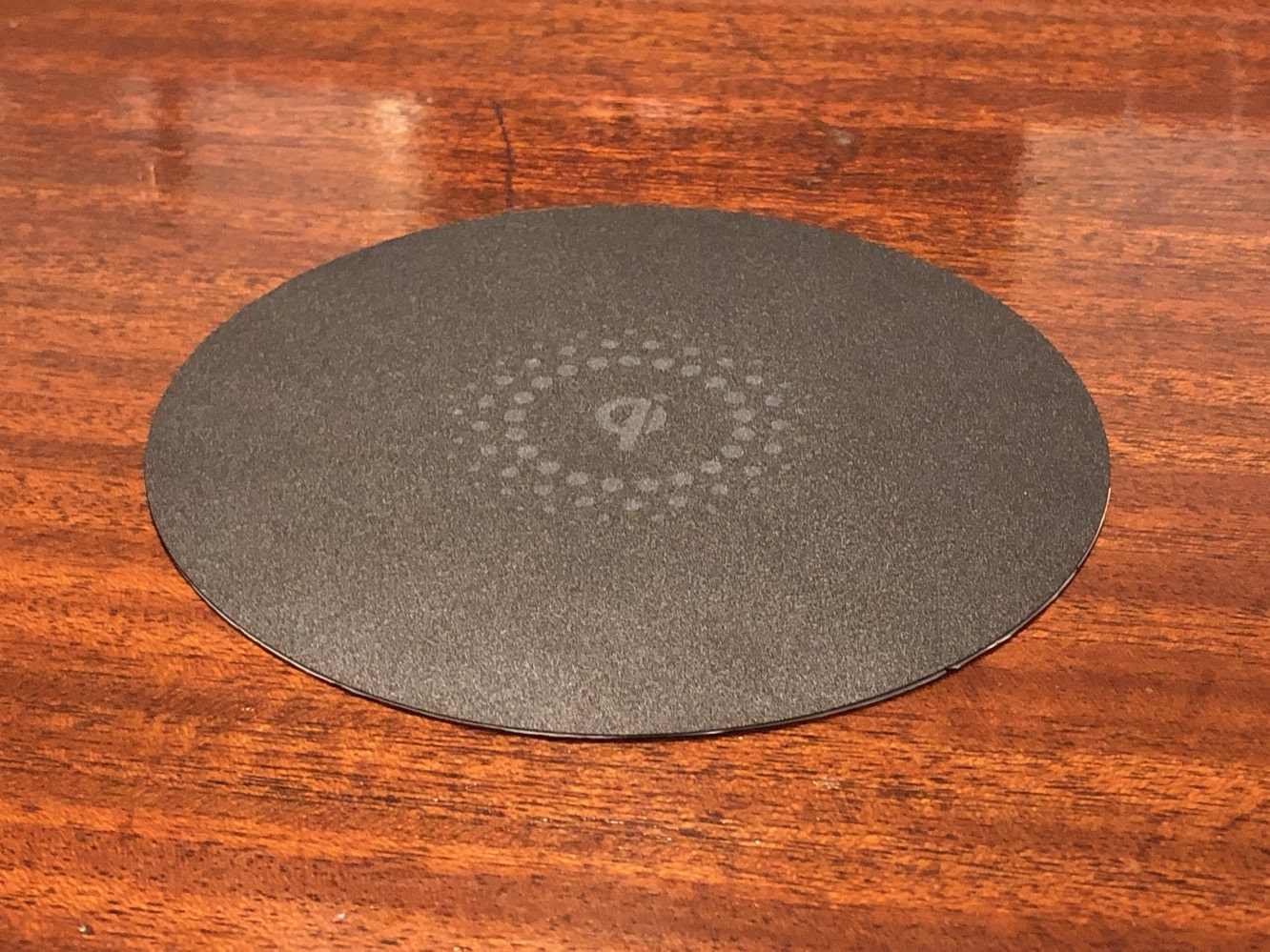
Funxim’s charger is currently still in the Kickstarter stage, so we can’t actually give it a rating yet, but the company has already produced two Qi-certified wireless chargers, and we were impressed enough with the idea that we felt it was worth taking a look at an early review unit. In the package, Funxim includes the wireless charging unit itself — a round disc about five inches in diameter and one inch thick — along with a pad for the top of your desk or table, and a standard AC power adapter.
The box also contains two cardboard templates and a set of neodymium magnets to help you align the charger and charging pad on opposite sides of whatever you’ll be using as a charging surface.

Actually installing Funxim’s Wireless Pro is very straightforward, and requires no tools at all; it’s basically a “peel-and-stick” process to attach the charger to the bottom of your table and the charging pad on the top. If you’re installing near the edge of a desk where you can easily ensure alignment, that’s really all there is to it, but if you plan to go further in from the edge, the included templates and magnets will help you get the perfect alignment; simply place the magnets on the top and bottom of the surface, stick the templates with the magnets in the centre, and then remove the magnets and attach the charger in the centre of the template frame. That said, we’ll note that the templates and magnets confused us at first, but only because the included documentation was in Chinese, so we were forced to rely on the diagrams and read the English instructions on the templates themselves. This is something that we presume Funxim will have rectified by the time Wireless Pro begins shipping to the public.
It’s also worth mentioning that the top charging pad is completely optional — it’s used only to provide a visual indicator of where to place your iPhone for charging, but Funxim’s charger will work just fine without it if you’d prefer a cleaner look for your desk or table and either already have a space indicated in some other way, or don’t mind a bit of guesswork when putting your iPhone down to charge.

In practice, Funxim’s Wireless Pro works exactly as advertised, although it’s important to note that due to its need to work through a thick tabletop, it actually has a minimum range as well; you won’t be able to put an iPhone directly onto Wireless Pro and expect it to charge — it needs to be 22 millimetres (0.87 inches) away from the charging surface. On the other end of the spectrum, however, Wireless Pro can deliver a charge through a surface up to 32 millimetres (1.3 inches) thick — more than enough to accommodate most desks and tables, and still charge through most iPhone cases as well. In this respect, Funxim performs significantly better than the charger built into the FurniQi side table, which was distinctly tricky to use with any case thicker than Apple’s leather iPhone cases.

Once the charger has been installed, however, the experience of using it is quite magical, as you simply need to place your iPhone on top of the table in the space indicated by the pad, and charging will begin. There are no status LEDs on the Funxim charger, for obvious reasons, but it does emit a loud beep when charging begins.











