
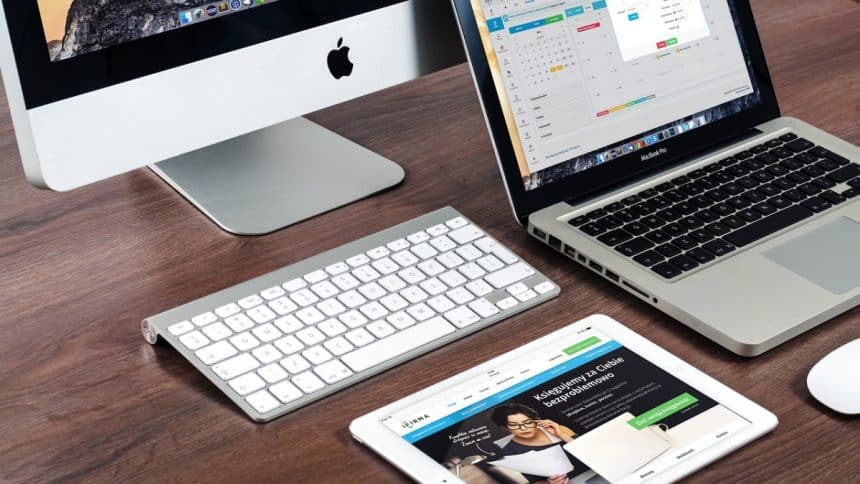
Frequently feeling that your Apple device has untapped potential? Often, the key lies in uncovering hidden utilities. Think of a mechanic fine-tuning an engine – except here, the tools are specialized apps that can transform your daily grind into a symphony of efficiency.
Enter the realm where task managers and system monitors are kings and security isn’t just an afterthought but part of the performance. If mastering this craft on macOS or iOS devices echoes your ambitions, let’s navigate through some lesser-known utilities that might just be your missing puzzle pieces.
Unearthing Hidden Gems: Task Management Wonders
Maximizing each moment of your day hinges on effective task management. Apple’s ecosystem brims with applications designed to streamline this very purpose, yet some of the most robust options slip under the radar.
Spotlighting these can significantly upgrade how you orchestrate your daily tasks. Consider an app that intuitively categorizes your workflow, adapting to the nuances of your schedule with almost clairvoyant precision.
Another might integrate seamlessly into existing software suites used across various industries, fostering a symbiotic relationship between utility and user experience. Embrace these tools, and witness a convergence of simplicity and sophistication in managing your time and tasks.
Cross-Platform Performance Checks: Linux Wisdom for Apple Devices
Professionals who frequently transition between operating systems recognize the crucial role of system health, particularly CPU utilization. For instance, specific methods to check CPU utilization in Linux, such as using ‘htop’, offer a granular look at how processes consume resources. This level of insight proves invaluable when managing multiple platforms.
Transposing these methodologies to an Apple environment unveils a suite of similar tools. macOS counterparts like ‘iStat Menus’ or the built-in ‘Activity Monitor’ provide an interface that’s both familiar to Linux experts and accessible to newcomers. By exploring these applications, Apple users gain robust oversight over their device’s performance.
Mastering such tools across different systems isn’t merely a technical exercise – it translates into smoother workflows and optimized operations. For professionals seeking peak efficiency, bridging this knowledge gap is akin to learning a second language; it opens up new possibilities and allows for deeper interaction with technology.
Communicate Smarter, Not Harder: Revolutionary Tools
In the sphere of communication, efficiency is paramount. Apple users have a vast array of tools at their disposal, yet often it’s the lesser-known apps that redefine productivity. These specialized utilities streamline conversations and enhance collaboration.
One such tool may offer smart sorting of messages and emails, prioritizing them based on your workflow. Another could seamlessly sync your conversation across devices, ensuring you never miss a beat no matter where you are working from. With these innovative solutions integrated into your communication stack, every interaction becomes a step toward greater achievement.
By selecting the right tools for communication, tasks become less about managing an inbox and more focused on meaningful engagement. This shift has the power to transform not just your workflow but also how you connect with colleagues and clients alike.
Locking Down Your Digital Fort: Advanced Security Audits
Security is not merely a feature; it’s the backbone that can boost your productivity by ensuring peace of mind. For Apple device users, diving into advanced security audits means assessing risks before they escalate into problems. These specialized tools go far beyond basic antivirus software.
One such utility might conduct automated sweeps for vulnerabilities in your system, alerting you to potential breaches with intricate detail. Another could offer encryption services that work silently in the background, protecting your data without interrupting your workflow. Employing these sophisticated measures fortifies your digital space against threats.
By proactively securing your devices with advanced utilities, you are free to focus on what matters most – your work, unhindered by concerns of digital security breaches. This sense of assurance is invaluable for maintaining momentum in today’s fast-paced environments.
Under the Hood: System Monitoring Insights for Apple Users
The unseen segments of your Apple device hold the key to optimized performance. It’s in these depths that system monitoring tools thrive, providing insights essential for proactive maintenance. An informed user can pre-empt slowdowns and preserve longevity.
These specialized applications delve into real-time metrics like memory pressure, battery health, and disk usage. Some offer elegant dashboards with customizable widgets, giving you control over which data points to monitor closely. Such immediate access to system vitals allows users to make adjustments on the fly.
Embracing these insights equips you with a comprehensive view under your Apple device’s hood – where informed decisions lead to smoother operations and sustained peak performance.
Sealing the Deal on Device Efficiency
With the right set of tools, your Apple device becomes more than a gadget – it’s an ally in your quest for peak efficiency. Harness these utilities to tailor your tech environment exactly to your needs and watch as productivity follows suit.











