
Facebook has become an integral part of our lives, and encountering an error message like “No Internet Connection” can be frustrating.
In this article, we will delve into the reasons behind this issue and provide you with effective solutions to get your Facebook up and running smoothly again.
Understanding Why Is Facebook Saying ‘No Internet Connection’
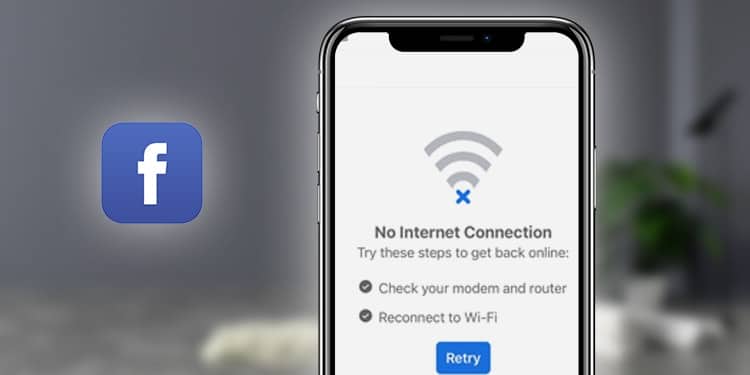
When you see the prompt stating “No Internet Connection” on Facebook, it actually means that your internet connection is too slow to retrieve data from Facebook servers. Fortunately, there are straightforward steps you can take to troubleshoot and resolve this problem.
1. Connect to a High-Speed Internet Network
The simplest solution is to connect to a high-speed internet network. If you are using a slow Wi-Fi connection, consider switching to a faster 4G or 5G LTE network to ensure a stable and reliable internet connection.
2. Update the Facebook App
If the issue persists despite having a strong internet connection, try updating the Facebook app from your device’s app store. Keeping your app up to date ensures that you have the latest bug fixes and improvements, which may resolve connectivity issues.
3. Uninstall and Reinstall the Facebook App
If updating the app doesn’t fix the problem, try uninstalling and then reinstalling the Facebook app. This process can clear any corrupted data and provide a fresh installation, often resolving issues related to connectivity.
Common Solutions to Resolve the ‘No Internet Connection’ Issue
1. Test Other Apps or Programs
Before taking any drastic measures, ensure that the issue is specific to Facebook. Test other applications or programs on your device to confirm if the error persists across all platforms.
2. Try Another Browser
If the issue remains limited to the Facebook app, consider using a different browser. Switch from Safari, Brave, Opera, or Firefox to Chrome, as different browsers may have varying levels of compatibility with Facebook.
3. Reset Your Password
Resetting your Facebook password can sometimes resolve recurring connectivity issues. Follow the instructions provided by Facebook, enter the new code, and confirm your new password to ensure a secure login.
4. Check Your Internet Speed
If the problem persists, it is essential to check your network speed. Access the settings section of your device, navigate to “Network,” select “Mobile Data,” and adjust the download limit to 3G/4G. Sometimes, unexpected Wi-Fi outages can cause connection problems.
5. Change Your Facebook App Settings
After adjusting your mobile data settings, proceed to modify your Facebook app settings. Click on the menu icon in the top right corner, select “Settings,” and navigate to “General Account Settings.” Review the apps and websites linked to your Facebook profile, removing any unnecessary ones.
6. Try Logging Out of Facebook
If you have followed all the above steps and are still experiencing issues, try logging out of Facebook completely. Tap the “Logout” button located at the bottom left corner of your screen. When you log back in, the problem might be resolved.
Additional Measures
In some cases, clearing cache and data, deleting cookies, or even uninstalling and reinstalling the Facebook app on iOS or Android can rectify persistent connection problems. It’s advisable to try these steps if the earlier solutions didn’t provide the desired outcome. Remember to test Facebook on another device to determine if the issue is specific to your device.
Conclusion
Encountering a “No Internet Connection” error message on Facebook can be a temporary setback. By following the effective troubleshooting steps outlined above, you can regain access to Facebook and continue enjoying its features seamlessly.











