
Snapchat is a popular photo and short-video sharing app available for both Android and iOS devices. It not only allows you to send and receive messages but also provides various features like filters and lenses to enhance your snaps.
One of the widely known lenses on Snapchat is the Butterflies Lens, which adds a delightful touch to your photos and videos. If you’re interested in unlocking the Butterflies Lens on Snapchat, this guide will walk you through the process.
Snapchat Lenses
Snapchat Lenses are a unique feature that lets you add amusing and sometimes silly effects to your snaps. By utilizing facial recognition technology, Snapchat accurately detects your face and applies real-time effects to your snaps. Since its introduction in 2015, Snapchat Lenses have gained immense popularity among users.
There are numerous lenses available, including favorites like the Puking Rainbow, Face Swap, and Rosy Cheeks Retouch. Currently, there are over 30 million lenses created by more than 250,000 lens creators.
Butterflies Lens on Snapchat
The Butterflies Lens is a highly sought-after Snapchat Lens that adds a swarm of butterflies flying around your face in the snaps you capture. Whether you’re taking a photo or recording a video, this lens brings animated butterflies to life, creating a visually appealing effect.
Moreover, you can even make the butterflies fly around your entire body if desired. However, before you can use the Butterflies Lens, you need to unlock it on your Snapchat app.
Methods to Unlock the Butterflies Lens on Snapchat
Here are several methods you can use to unlock the Butterflies Lens on Snapchat:
Ask a Friend to Share the Lens Link
The easiest way to unlock the Butterflies Lens is to request a friend who already has it to share the lens with you via a special link.
They can open the Butterflies Lens, select the “Share” option, and provide you with the generated link. By clicking on the link, Snapchat will automatically unlock the Butterflies Lens, allowing you to use it.
Scan the Butterflies Lens Snap Code
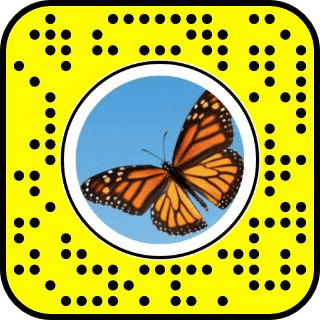
Snapchat uses Snap Codes, which are QR codes, to share lenses and other content. If you come across a Butterflies Lens Snap Code, you can open your Snapchat app, tap the lens icon, and scan the Snap Code using your device’s camera. Once scanned, you can access and use the Butterflies Lens with the fluttering butterflies.
Search for the Butterflies Lens within Snapchat
If the above methods don’t work, you can try searching for the Butterflies Lens directly within the Snapchat app. Open Snapchat, access the Snap Tab (camera screen), and tap on the search icon located in the top left corner. Type “Butterfly Lens” in the search bar and browse through the results to find a suitable lens that meets your requirements. Select the lens you prefer, and you’ll be able to use it to capture snaps.
Unlock from URL
If someone shares a URL with you, you can click on it to unlock the Butterflies Lens. On a smartphone, the link will automatically open the Snapchat app and prompt you to unlock the lens. If you’re using a non-smartphone device, the link will open in a browser, displaying a webpage with the Snap Code for the Butterfly Lens. In this case, you can scan the Snap Code using your Snapchat app to unlock the lens.
Conclusion
Snapchat offers a fun and interactive way to communicate with friends and family through photos and short videos. With its range of features including filters, effects, and lenses, Snapchat allows you to add an extra touch of creativity to your snaps. Among these features, the Butterflies Lens has become particularly popular for its ability to infuse your videos with flying butterflies.
While unlocking the Butterflies Lens is necessary before using it, this guide has provided you with various methods to do so. Now, you can captivate your friends and followers with the enchanting Butterflies Lens on Snapchat.











