
Students, web designers and creative professionals often use Photoshop for realistic designs, 3D artwork and editing photos. If you have experienced lost PSD files, then you know how it can be a real pain.
Like other file types, PSDs are susceptible to corruption and damage due to many reasons, including a virus, suddenly pulling out the disk drive where the PSD file is and when the operating system crashes, among others. When this happens, you’ll need the help of a reliable PSD repair software.
When starting over isn’t an option, then SFWare PSD repair software should be your first option. It’s one of the best apps around for restoring a PSD file to its original state.
Why Choose SFWare PSD Repair Software?
SFWare repair tool can be used to fix corrupt and broken PSD files. Aside from being able to restore PSDs, or Photoshop files, you can also recover data using SFWare from any type of storage on both the Mac and Windows platform.
If you’re constantly plagued by PSD files that will not open because of header corruption, you’re in luck. SFWare repair can restore these kind of files so you can continue on with what you were doing.
The software is unlike other PSD restore software or apps in that it uses a ‘read only’ mode, which guarantees the safety of your files. In short, no changes will be made while the tool works to bring the PSD back to a usable state. SFWare works via advanced repair algorithms and scans the damaged or corrupted PSD file to create a new, healthy PSD that contains all the original information as the old one. In short, a copy of the corrupted PSD file will be made, with properties exactly the same.
Given its robust, industry-leading scanning algorithm, SFWare allows users to repair their damaged PSD files and extract the necessary information to ‘save’ it from being completely lost.
SFWare is a robust PSD-saving tool that works in a variety of situations, including the following:
Large File Sizes. Photoshop users often make the mistake of making their PSDs too big to effectively handle. As such, the recipient may find himself unable to open the email attachment due to it being inaccessible.
Conversions. A Photoshop document may be converted into other formats, including TIFF, JPEG, SIF and others. Sometimes when your computer is busy or when you use unauthorized third party converters the process goes wrong and you end up with a corrupted and unusable file.
Layer Merging. PS users who want to reduce file size often turn to layer merging. Unfortunately, not every conversion is successful and sometimes you end up with a broken PSD file.
SFWare PSD Repair Tool Features
Repair Any PSD Error
SFWare can fix any and all errors involving corrupted PSD files without changing its image quality. The ‘read only’ mode ensures zero changes while the software fixes the error.
Complete Recovery with Elements Intact
PDD and PSD files will be repaired, including essential layers such as color modes, paths, adjustments, filters, channels, masks and more. The powerful PSD recovery software can retrieve all property layers with elements intact.
Channel Depth and Color Mode Support
You won’t have to spend time restoring color modes, e.g., CMYK, duotone, lab color, indexed, gray scale, bitmap and others.
24/7 Technical Support
If you ever run into any problems, the SFWare support team can help. They’re available 24/7 and are knowledgeable experts in all things Photoshop and SFWare.
How to Repair PSD File with Any Error Using SFWare
If you need help retrieving a corrupted PSD file right away, we can help. Here are the steps you need to do so you can end up with a fully recovered PSD file with all its original properties.
First, you will need to download SFWare PSD Repair Tool and install it on your Mac or Windows computer. Launch the software and wait for it to load.
Step 1. Browse
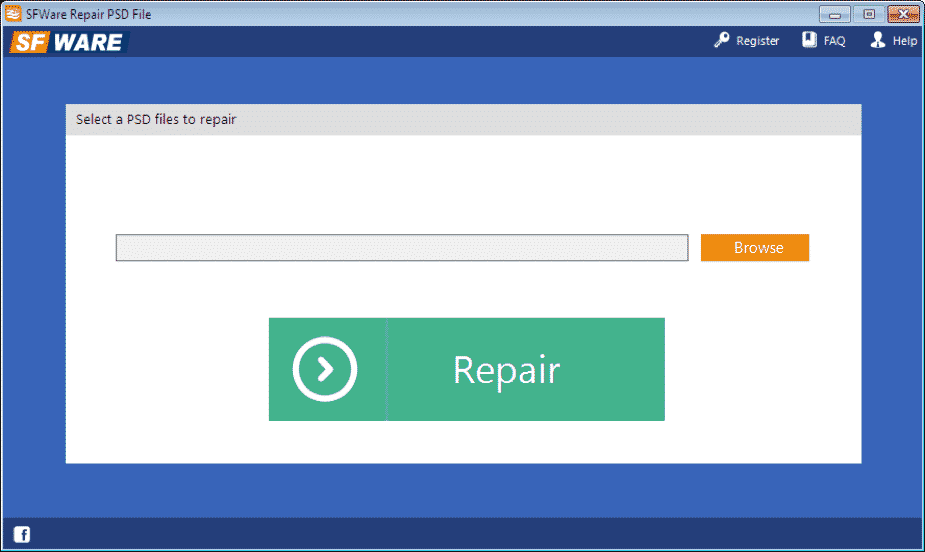
SFWare has a no-frills interface that’s clean and very intuitive. In just a few minutes, you should become familiar with the layout and where to go to recover your lost PSD documents. What we like about the tool is that it takes up little resources and space in your storage drive.
Click on the ‘Browse’ button to call up the broken PSD file. You may need to locate the file by going to its respective folder.
Step 2. Repair
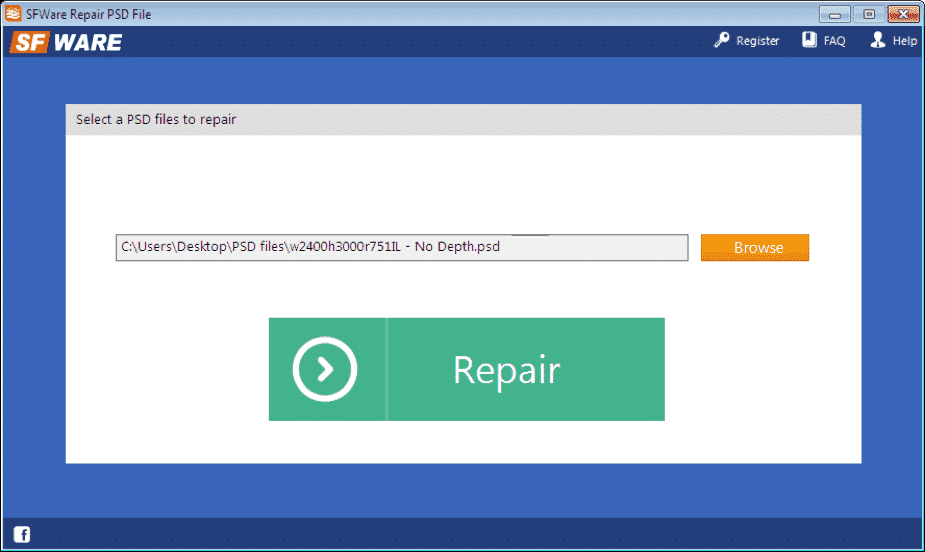
Locate and click on the ‘Repair’ button to allow SFWare to do its job. You’ll be prompted that the recovery tool is ‘repairing in process…’ Depending on the size and complexity, it may take a few minutes.
Step 3. Preview

After SFWare finishes retrieving the corrupted or broken file, you will be shown the PSD files in a preview. You can check the ones you want and proceed to the next step.
Fix Complete!
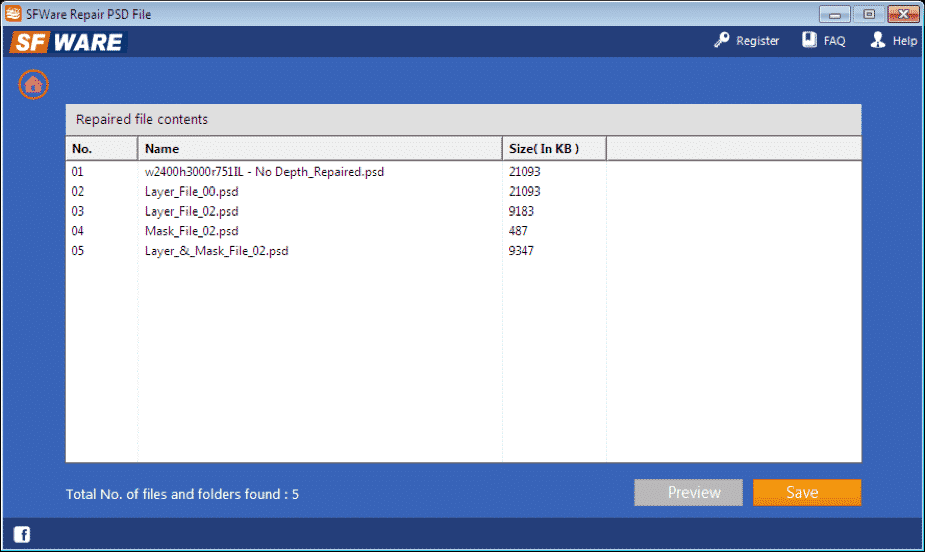
When you’re happy with the results, activate SFWare and continue to transfer the PSD file to your preferred location.
SFWare is one of the best PSD repair tools you can have in your arsenal. Why settle for inferior products that can only do a single thing, when you can get one that’s versatile and can make Photoshop file editing easy? Download it today!











