
iLoungeiLounge
  • News
    • Apple
      • AirPods Pro
      • AirPlay
      • Apps
        • Apple Music
      • iCloud
      • iTunes
      • HealthKit
      • HomeKit
      • HomePod
      • iOS 13
      • Apple Pay
      • Apple TV
      • Siri
    • Rumors
    • Humor
    • Technology
      • CES
    • Daily Deals
    • Articles
    • Web Stories
  • iPhone
    • iPhone Accessories
  • iPad
  • iPod
    • iPod Accessories
  • Apple Watch
    • Apple Watch Accessories
  • Mac
    • MacBook Air
    • MacBook Pro
  • Reviews
    • App Reviews
  • How-to
    • Ask iLounge
Font ResizerAa
iLoungeiLounge
Font ResizerAa
Search
  • News
    • Apple
    • Rumors
    • Humor
    • Technology
    • Daily Deals
    • Articles
    • Web Stories
  • iPhone
    • iPhone Accessories
  • iPad
  • iPod
    • iPod Accessories
  • Apple Watch
    • Apple Watch Accessories
  • Mac
    • MacBook Air
    • MacBook Pro
  • Reviews
    • App Reviews
  • How-to
    • Ask iLounge
Follow US

Reviews

Reviews

ReiBoot Recovery Tool Review

Last updated: Aug 27, 2019 5:53 pm UTC
By Haider Ali Khan
ReiBoot Recovery Tool

There’s probably nothing more horrifying than seeing your iPhone stuck in Recovery Mode. An iPhone that won’t boot up is pretty much considered a ‘brick’. But don’t despair, as Tenorshare’s ReiBoot can bring those iOS devices back to life.


So the next time you find that your iPhone wont turn on, resist the urge to panic. Download ReiBoot and follow the instructions so you can get back to your daily routine.
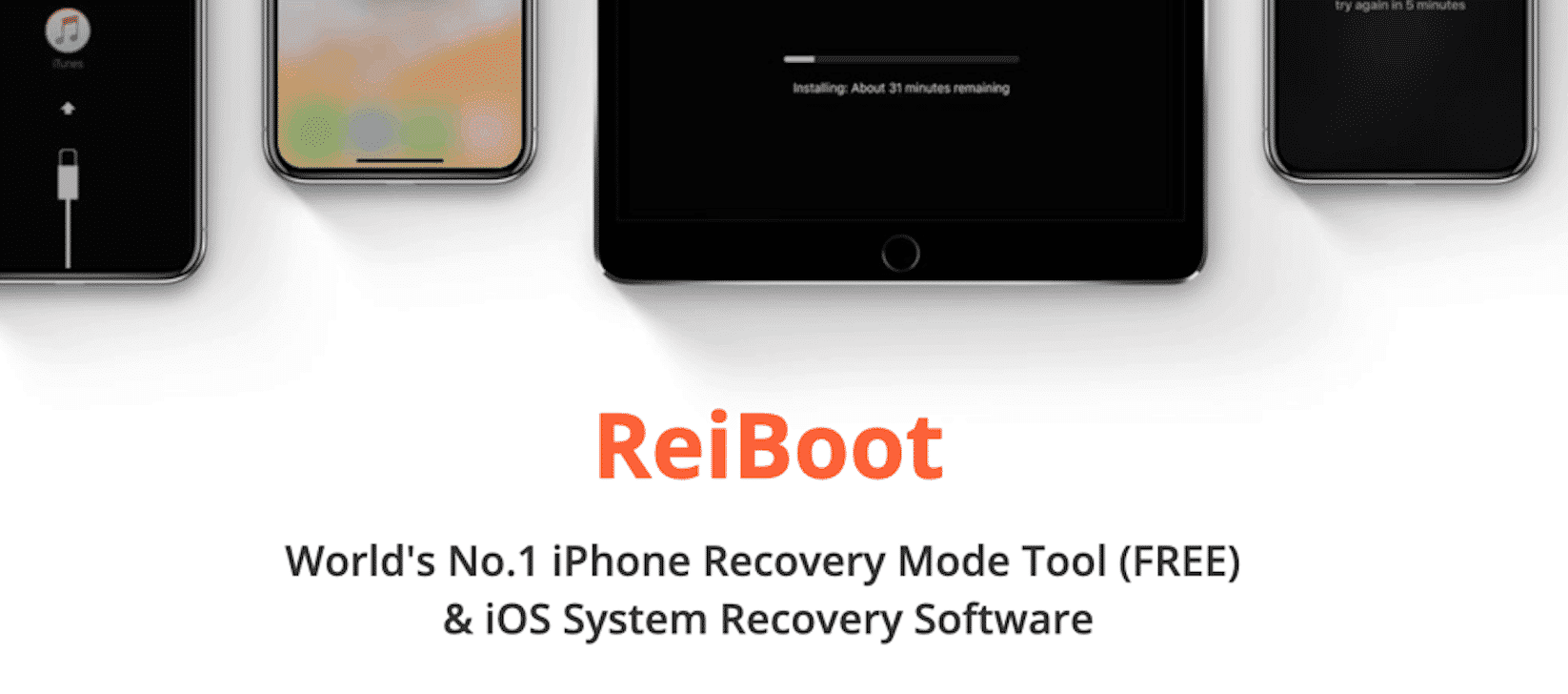
ReiBoot Recovery Tool

What is ReiBoot?

ReiBoot is one of the best iPhone recovery software that can get your iPhone out of ‘Recovery Mode’

The software allows users to get out of various iPhone issues, including a frozen screen, a black screen, white screen, the Apple logo, iphone software update failed without having to lose crucial data or resort to iTunes recovery.


ReiBoot when installed, is small enough that it won’t take up too much space on your computer, yet powerful enough that it can solve iPod Touch, iPad and iPhone issues in just a few minutes.

The interface of ReiBoot is intuitive and any iPhone user should be able to carry out a recovery fix in just a few minutes after installing the software. When it comes down to it, all you need to do is connect your iPhone, click on ‘Fix Now’ and wait for ReiBoot to diagnose and get your device back to normal.


What Can ReiBoot Do?

Fixes iPhone Recovery State. Seeing a support.apple.com/iphone/restore error? ReiBoot can fix that with just one click.

Versatile Tool. With the software, you can also fix a number of Apple TV issues, e.g., stuck on AirPlay, recovery and Apple logo, custom IPSW restore, downgrade iOS without using iTunes and the dreaded error 4013/4005.

Zero Data Loss. With ReiBoot, you won’t have to give up your precious photos, videos and files just to see your iOS device work again. Simply load it up, find the suitable solution and allow the software to do its magic.


Broad Compatibility. ReiBoot supports all iOS versions and devices, including iOS 7 through 12, the iPod Touch 1 to 6, the iPad 4, iPad Air to Air 2, iPad Mini 2 to 4, the iPad Pro and iPhone 4 or 4s to the iPhone X.

The latest version of ReiBoot can now fix 50+ iOS system issues. It’s a free iOS repair software that’s unmatched by other iPhone restore apps out there.

How to Use ReiBoot Software?

Step 1. Download for free at the official Tenorshare ReiBoot website.


Step 2. Plug the iOS device via USB cable.
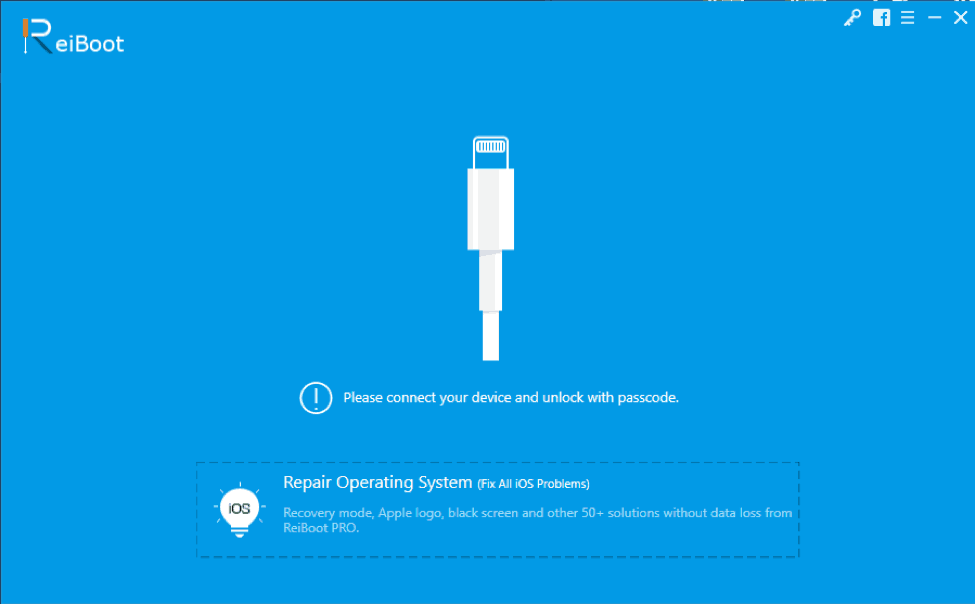
ReiBoot

Step 3. Install, then click on ‘Enter Recovery Mode’
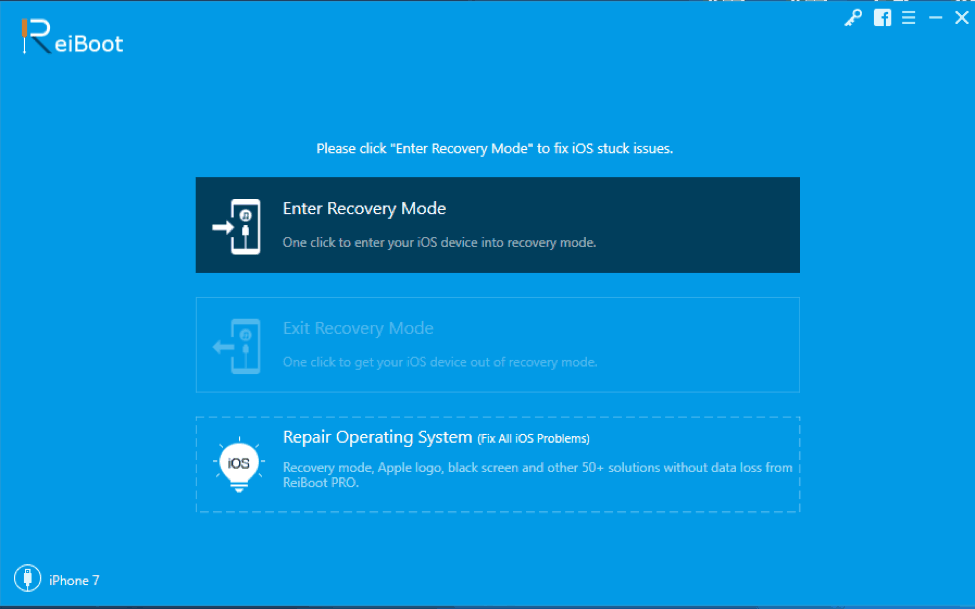
Enter Recovery Mode

Step 4. Choose ‘Screen Stuck’, ‘iOS Mode Stuck’ or ‘iTunes Bugs’, then choose from the options below.
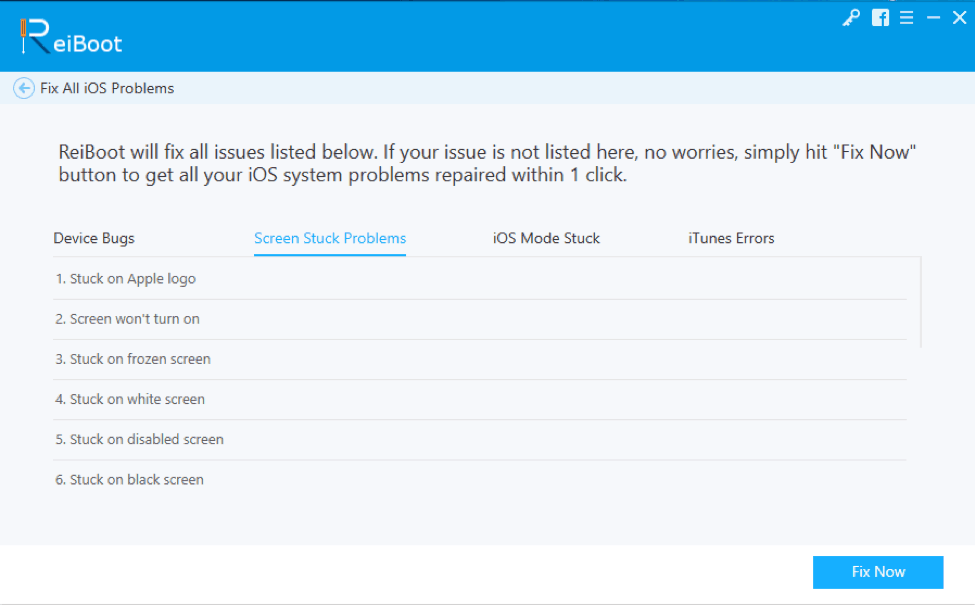
iOS Mode Stuck

Step 5. Click Fix Now and wait for the software to be completed.
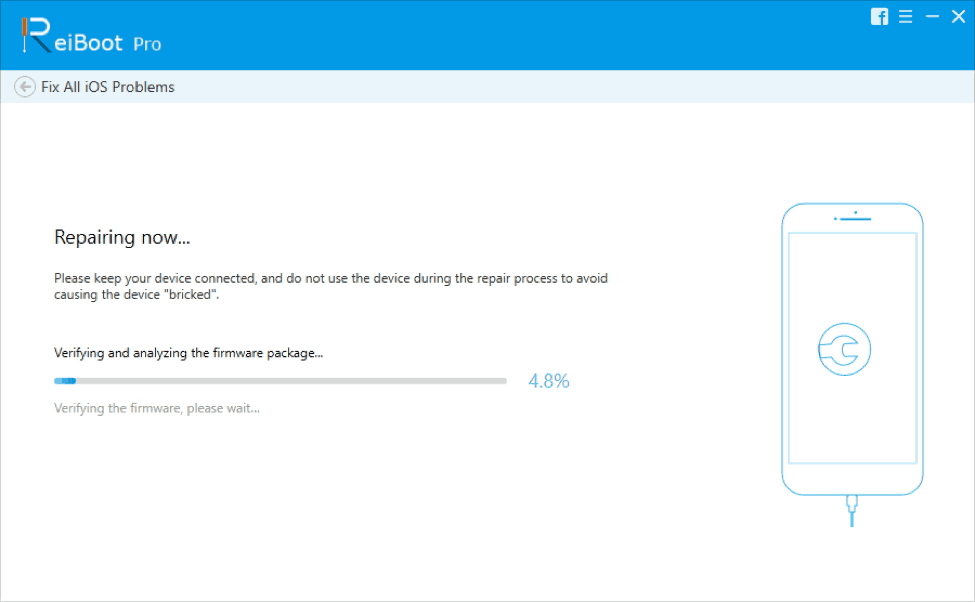
Fix All iOS Problems

Get Tenorshare ReiBoot iPhone Recovery Software Today

ReiBoot can be downloaded for free on Tenorshare’s official website, which gives you the ability to get your iPhone or iPad in or out of Recovery Mode 100% free.

For a low price of $39.95 you can upgrade to the Pro version and unlock more features, including getting fixes for other common issues such as black screen, frozen screen, iTunes update error, stuck on loading, disabled screens and factory reset without iTunes.



Latest News
The Apple Watch Series 11 46mm GPS Is $100 Off
1 Min Read
Clamshell Style iPhone Being Looked Into By Apple
1 Min Read
Foldable iPhones May Have the Largest Battery Ever
1 Min Read
Apple and TSMC’s 10-Year Collaboration May Be Ending
1 Min Read
The 13-inch M5 iPad Pro 256GB Wi-Fi Is $149 Off
1 Min Read
M5 Pro and M5 Max Chips for the MacBook Pro could Roll Out with macOS 26.3
1 Min Read
Mac Ordering Process Revamped
1 Min Read
Check Signed By Steve Wozniak and Steve Jobs Sold For $2.4 Million
1 Min Read
The Anker 140W 4-Port GaN USB-C Charger is $35 Off
1 Min Read
No iPhone Air 2 This Year, according to Latest Report
1 Min Read
New Report Corroborates Split iPhone Release Dates
1 Min Read
Apple Losing More Researchers As They Plan To Release 2 Siri Versions
1 Min Read

iLounge logo

iLounge is an independent resource for all things iPod, iPhone, iPad, and beyond. iPod, iPhone, iPad, iTunes, Apple TV, and the Apple logo are trademarks of Apple Inc.

This website is not affiliated with Apple Inc.
iLounge © 2001 - 2025. All Rights Reserved.
  • Contact Us
  • Submit News
  • About Us
  • Forums
  • Privacy Policy
  • Terms Of Use
Welcome Back!

Sign in to your account

Lost your password?








