iLoungeiLounge
  • News
    • Apple
      • AirPods Pro
      • AirPlay
      • Apps
        • Apple Music
      • iCloud
      • iTunes
      • HealthKit
      • HomeKit
      • HomePod
      • iOS 13
      • Apple Pay
      • Apple TV
      • Siri
    • Rumors
    • Humor
    • Technology
      • CES
    • Daily Deals
    • Articles
    • Web Stories
  • iPhone
    • iPhone Accessories
  • iPad
  • iPod
    • iPod Accessories
  • Apple Watch
    • Apple Watch Accessories
  • Mac
    • MacBook Air
    • MacBook Pro
  • Reviews
    • App Reviews
  • How-to
    • Ask iLounge
Font ResizerAa
iLoungeiLounge
Font ResizerAa
Search
  • News
    • Apple
    • Rumors
    • Humor
    • Technology
    • Daily Deals
    • Articles
    • Web Stories
  • iPhone
    • iPhone Accessories
  • iPad
  • iPod
    • iPod Accessories
  • Apple Watch
    • Apple Watch Accessories
  • Mac
    • MacBook Air
    • MacBook Pro
  • Reviews
    • App Reviews
  • How-to
    • Ask iLounge
Follow US

Reviews › App Reviews

App Reviews

HomePage Smart Contact App Review

Last updated: Dec 4, 2020 6:11 pm UTC
By Haider Ali Khan
HomePage Smart Contact logo

Today we’ll be reviewing a smart contact, messaging, and networking list app called HomePage, which allows you to sync all your contacts across all platforms easily.


What is HomePage?

HomePage is a smart contact list app that effectively replaces your smartphone’s default contacts app.

HomePage Smart Contact logo

It’s cloud-based, which means all your list will be sent and kept updated so you won’t ever experience a wrong number ever again.
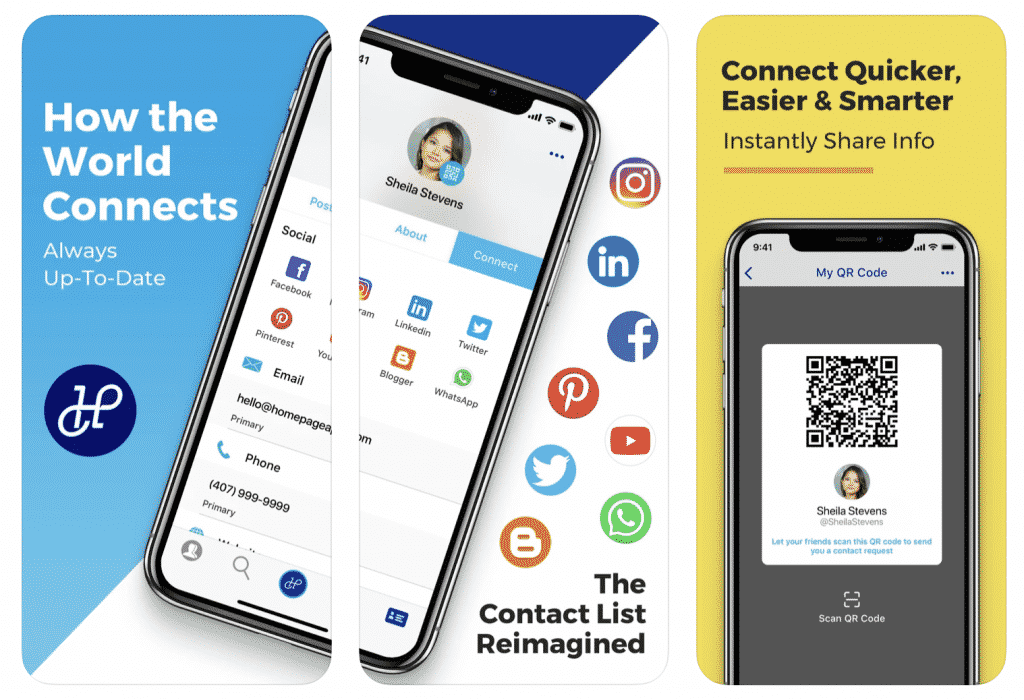
HomePage Smart Contact in screenshots

Contact information will be consolidated into one platform, which means your business and personal cell numbers, work and personal email, connections and contacts are kept in one universal storage. It’s convenient, easy to use and gives you a few extra useful features.


HomePage Features

Contacts Manager

All contacts from all networks and lists will be kept under one platform. It’s constantly updated and goes both ways- your contacts will be able to see your number and email address as you change them. Furthermore, you will now be able to connect via MyCard QR Code.

Connections

HomePage is somewhat a mini social media manager in that your connections will be able to see updates and posts you put in your wall.

Text Messenger

HomePage also has a built-in messaging system for chatting and conversing with the people in your contact list.


The app allows for a variety of functions, including being able to mark a conversation as important, flag for inappropriate or delete them altogether.
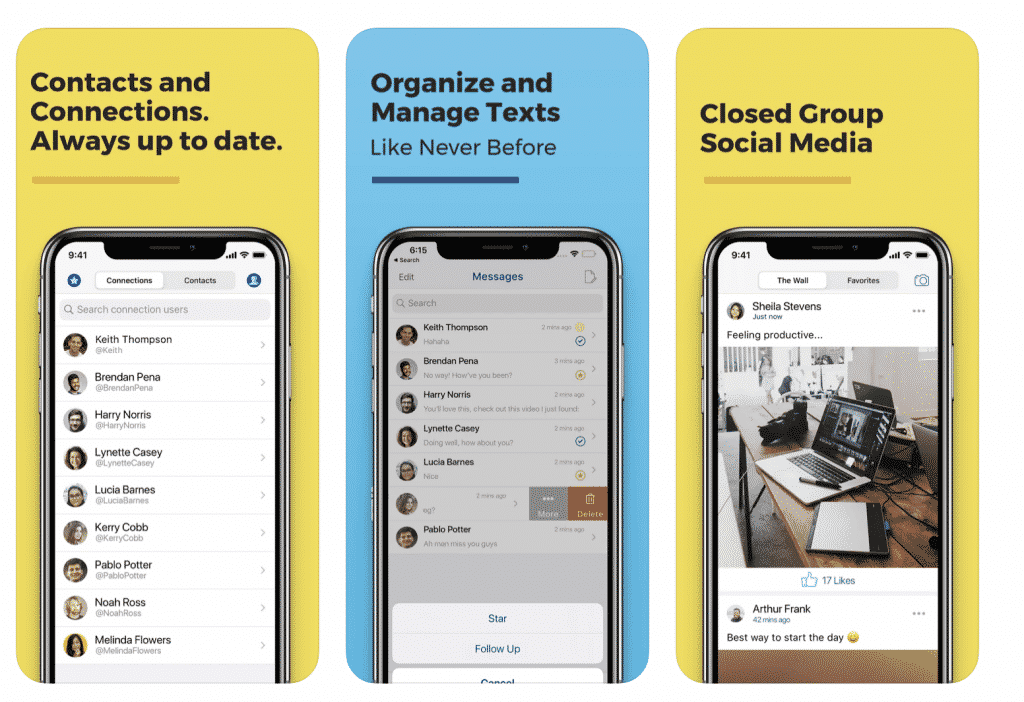
HomePage Smart Contact information

Network

As an all-in-one app HomePage allows for quick and easy collaboration. You can add connections or contacts and network within classmates, colleagues and others.

HomePage can be as personal or as businesslike as you want. Your Wall can be used as a bridge to connect with friends and family or to establish a professional network within your industry.

HomePage is less than 100MB and won’t take up a lot of space in your smartphone. It’s available on Google Play for Android mobiles and App Store for iPhones, iPads and iOS devices.

Is HomePage a Worthy App Download?

HomePage isn’t just for business people who want a consolidated contacts list. It’s also useful for those who want to keep a close relationship with the people who matter to them. 

Download HomePage Smart Contact App from Apple App Store
Download HomePage Smart Contact App from Google Play Store

Latest News
The Apple Watch Series 11 46mm GPS Is $100 Off
1 Min Read
Clamshell Style iPhone Being Looked Into By Apple
1 Min Read
Foldable iPhones May Have the Largest Battery Ever
1 Min Read
Apple and TSMC’s 10-Year Collaboration May Be Ending
1 Min Read
The 13-inch M5 iPad Pro 256GB Wi-Fi Is $149 Off
1 Min Read
M5 Pro and M5 Max Chips for the MacBook Pro could Roll Out with macOS 26.3
1 Min Read
Mac Ordering Process Revamped
1 Min Read
Check Signed By Steve Wozniak and Steve Jobs Sold For $2.4 Million
1 Min Read
The Anker 140W 4-Port GaN USB-C Charger is $35 Off
1 Min Read
No iPhone Air 2 This Year, according to Latest Report
1 Min Read
New Report Corroborates Split iPhone Release Dates
1 Min Read
Apple Losing More Researchers As They Plan To Release 2 Siri Versions
1 Min Read

iLounge logo

iLounge is an independent resource for all things iPod, iPhone, iPad, and beyond. iPod, iPhone, iPad, iTunes, Apple TV, and the Apple logo are trademarks of Apple Inc.

This website is not affiliated with Apple Inc.
iLounge © 2001 - 2025. All Rights Reserved.
  • Contact Us
  • Submit News
  • About Us
  • Forums
  • Privacy Policy
  • Terms Of Use
Welcome Back!

Sign in to your account

Lost your password?