
iLoungeiLounge
  • News
    • Apple
      • AirPods Pro
      • AirPlay
      • Apps
        • Apple Music
      • iCloud
      • iTunes
      • HealthKit
      • HomeKit
      • HomePod
      • iOS 13
      • Apple Pay
      • Apple TV
      • Siri
    • Rumors
    • Humor
    • Technology
      • CES
    • Daily Deals
    • Articles
    • Web Stories
  • iPhone
    • iPhone Accessories
  • iPad
  • iPod
    • iPod Accessories
  • Apple Watch
    • Apple Watch Accessories
  • Mac
    • MacBook Air
    • MacBook Pro
  • Reviews
    • App Reviews
  • How-to
    • Ask iLounge
Font ResizerAa
iLoungeiLounge
Font ResizerAa
Search
  • News
    • Apple
    • Rumors
    • Humor
    • Technology
    • Daily Deals
    • Articles
    • Web Stories
  • iPhone
    • iPhone Accessories
  • iPad
  • iPod
    • iPod Accessories
  • Apple Watch
    • Apple Watch Accessories
  • Mac
    • MacBook Air
    • MacBook Pro
  • Reviews
    • App Reviews
  • How-to
    • Ask iLounge
Follow US

News

News

You Won’t Realize How Much Time You’re Wasting Until You Have a PDF Editor

Last updated: Jun 4, 2019 5:41 pm UTC
By Haider Ali Khan
Women using PDF Editor

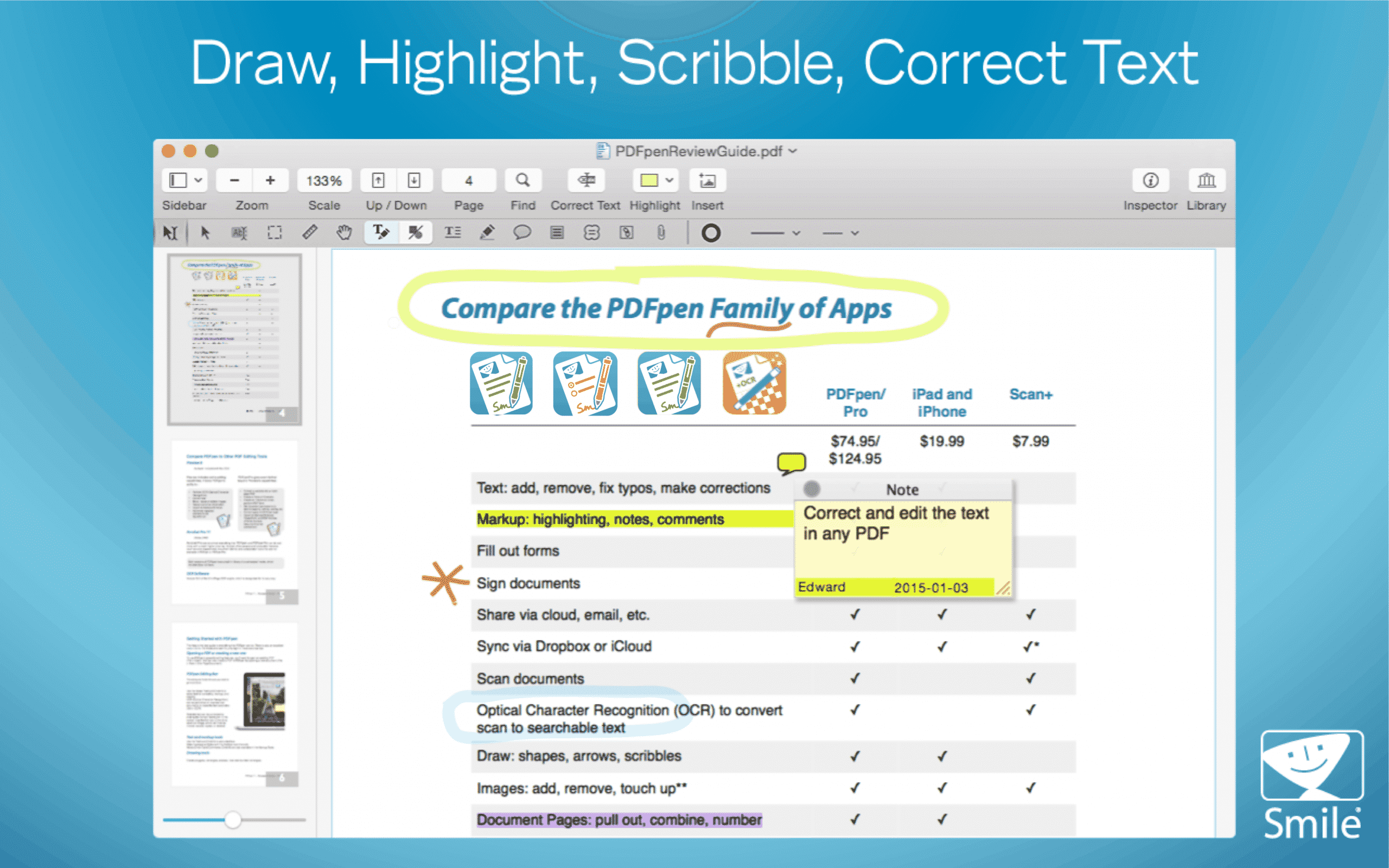
If you work in a collaborative business environment, one of the file types you likely use often is PDF. It’s a no-brainer — they’re ideal for word documents, page scans, brochures, and even contracts. Unfortunately, your standard PDF reader, such as Preview or Adobe Reader, has far too many limitations when it comes to your reading and editing experience, leaving more users frustrated more than occasionally.


The solution? A highly rated, full-featured PDF editor for Mac-based professionals like PDFpenPro. Here’s why downloading PDFpenPro is well worth the free trial and beyond.

Women using PDF Editor

PDF Editor

Using OCR on Scanned Pages and Images
OCR PDF Editor

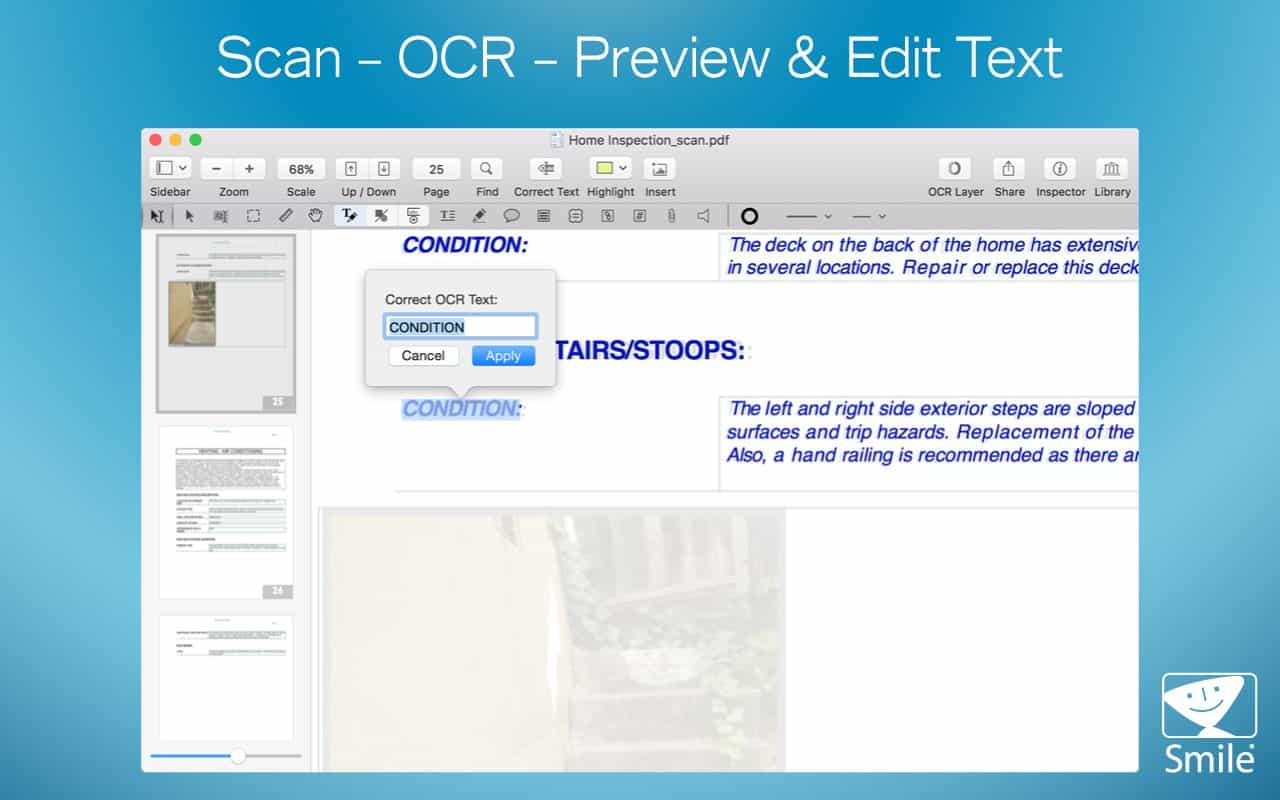
One of the biggest features macOS PDF readers miss out on is the ability to search for characters, words, or lines of text. Without it, you’ll need to pore over scanned documents for hours just to find exactly what you’re looking for.

Stock PDF readers often lack optical character recognition software (OCR), which instantly recognizes the text on PDFs of scanned pages or images. OCR technology will save you a ton of time if you need to track down the perfect quote from a scanned book for a college paper — and PDFpenPro gives you that capability and much more. Increase your efficiency by turning multiple scans into searchable documents all at once with PDFpenPro’s batch OCR feature.


Generating and Filling Form Fields
Filling Form Fields PDF Editor

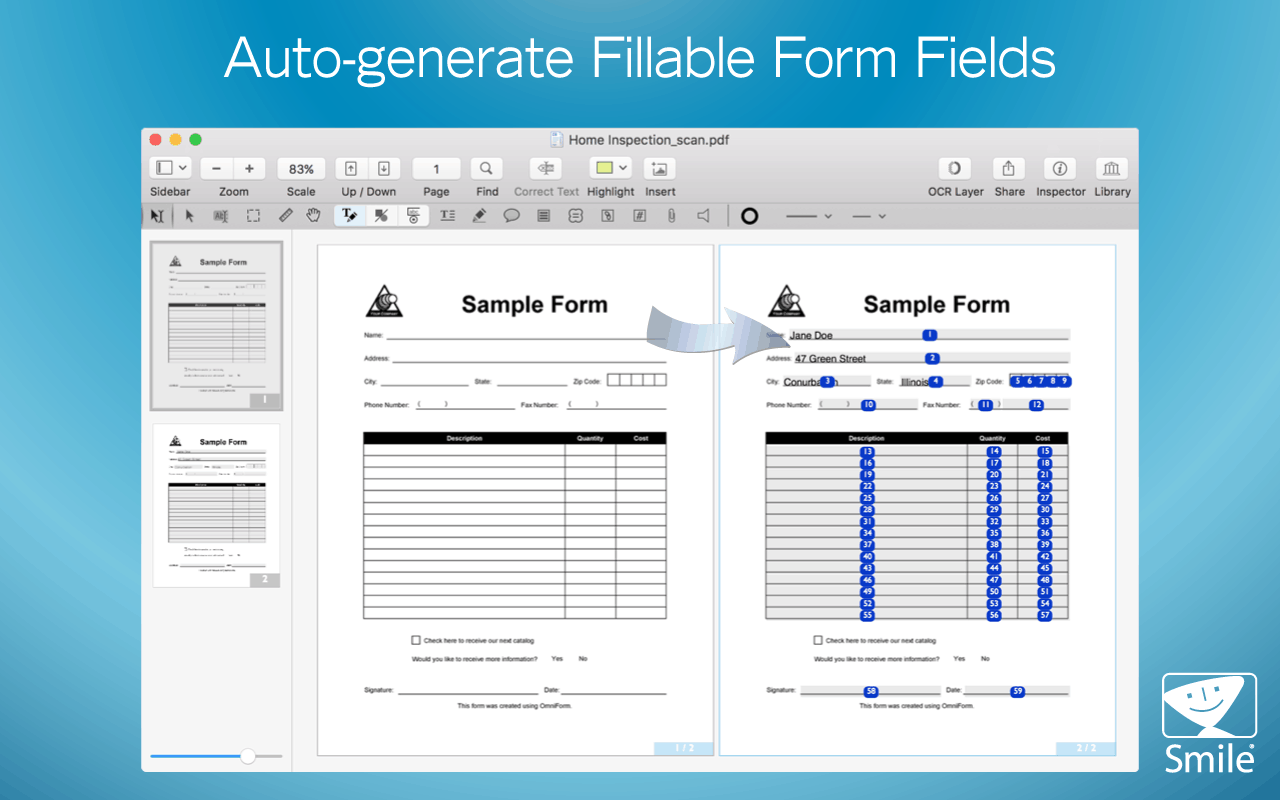
PDFs are the format of choice for any sort of document with fillable form fields such as employment or identification forms. PDF readers simply allow you to view these pages but don’t feature the tools necessary to fill forms or create new fields.

Without the proper software, you’ll have to print these pages out, fill in the form out by hand, and scan them again before sending it off, which is a waste of both time and paper. PDFpenPro not only allows you to fill in form fields straight from your computer, but it also lets you create fillable form fields in existing PDF files— even automatically.
Sign Form with PDF Editor

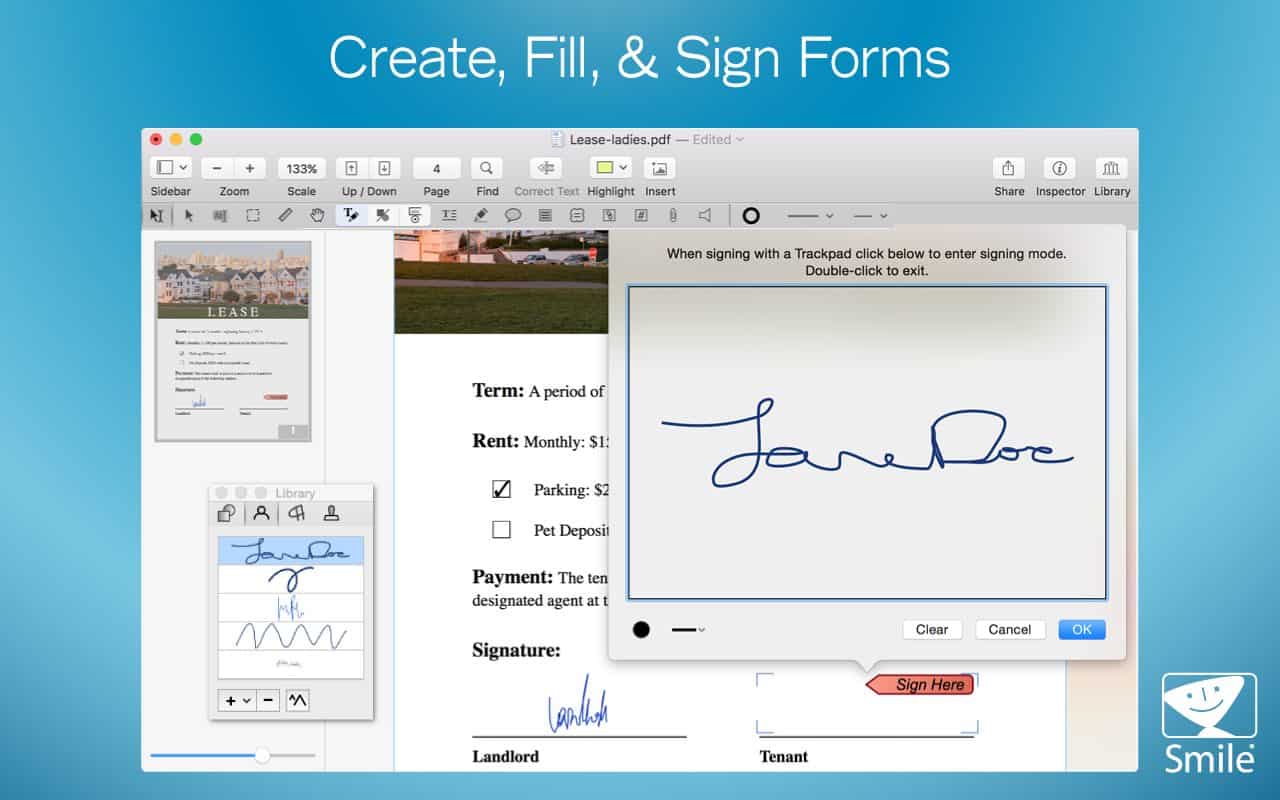
If you rely on an average PDF reader such as Preview or Adobe Reader you’re missing out on OCR and form generation. These tools are a necessity if you handle PDFs often, so much so that finding workarounds can waste hours of your time. With PDFpenPro for Mac, you’ll get OCR, form generation, and dozens of additional high quality, professional-level tools to make your user experience more streamlined. Sign up for a free trial here.



Latest News
The 14-inch MacBook Pro with M5 Chip 16GB RAM/512GB is $250 Off
1 Min Read
Noise and Static on AirPods Pro 3 Still Unfixed
1 Min Read
New iMac with 24-inch OLED Display May be Brighter With 600 Nits
1 Min Read
The 15-inch M4 MacBook Air 256GB Is $250 Off
1 Min Read
Internal Kernel Debug Kit from Apple Reveals Tests for a MacBook with A15 Chip
1 Min Read
Apple Currently In Talks With Suppliers for Chip Assembly & Packaging of iPhones in India
1 Min Read
Apple Allows Easier Battery Replacement For M5 MacBook Pro with 14-inch Display
1 Min Read
The Apple Watch SE 3 44mm GPS is $50 Off
1 Min Read
20th Anniversary iPhone May Launch in Two Years
1 Min Read
Better Image Generation Capabilities and Apple Music Integration Coming to ChatGPT
1 Min Read
A20 Pro Chip Coming to Next Gen iPad Mini OLED
1 Min Read
Amazon has the AirTag 4 Pack Marked $29 off
1 Min Read

iLounge logo

iLounge is an independent resource for all things iPod, iPhone, iPad, and beyond. iPod, iPhone, iPad, iTunes, Apple TV, and the Apple logo are trademarks of Apple Inc.

This website is not affiliated with Apple Inc.
iLounge © 2001 - 2025. All Rights Reserved.
  • Contact Us
  • Submit News
  • About Us
  • Forums
  • Privacy Policy
  • Terms Of Use
Welcome Back!

Sign in to your account

Lost your password?








