iLoungeiLounge
  • News
    • Apple
      • AirPods Pro
      • AirPlay
      • Apps
        • Apple Music
      • iCloud
      • iTunes
      • HealthKit
      • HomeKit
      • HomePod
      • iOS 13
      • Apple Pay
      • Apple TV
      • Siri
    • Rumors
    • Humor
    • Technology
      • CES
    • Daily Deals
    • Articles
    • Web Stories
  • iPhone
    • iPhone Accessories
  • iPad
  • iPod
    • iPod Accessories
  • Apple Watch
    • Apple Watch Accessories
  • Mac
    • MacBook Air
    • MacBook Pro
  • Reviews
    • App Reviews
  • How-to
    • Ask iLounge
Font ResizerAa
iLoungeiLounge
Font ResizerAa
Search
  • News
    • Apple
    • Rumors
    • Humor
    • Technology
    • Daily Deals
    • Articles
    • Web Stories
  • iPhone
    • iPhone Accessories
  • iPad
  • iPod
    • iPod Accessories
  • Apple Watch
    • Apple Watch Accessories
  • Mac
    • MacBook Air
    • MacBook Pro
  • Reviews
    • App Reviews
  • How-to
    • Ask iLounge
Follow US

News

News

Upcoming iOS YouTube app to have rewind, zoom and ambient mode

Last updated: Oct 26, 2022 2:49 pm UTC
By Samantha Wiley
YouTube App

Video platform giant YouTube is promising new features and functions on its newest iOS app update.


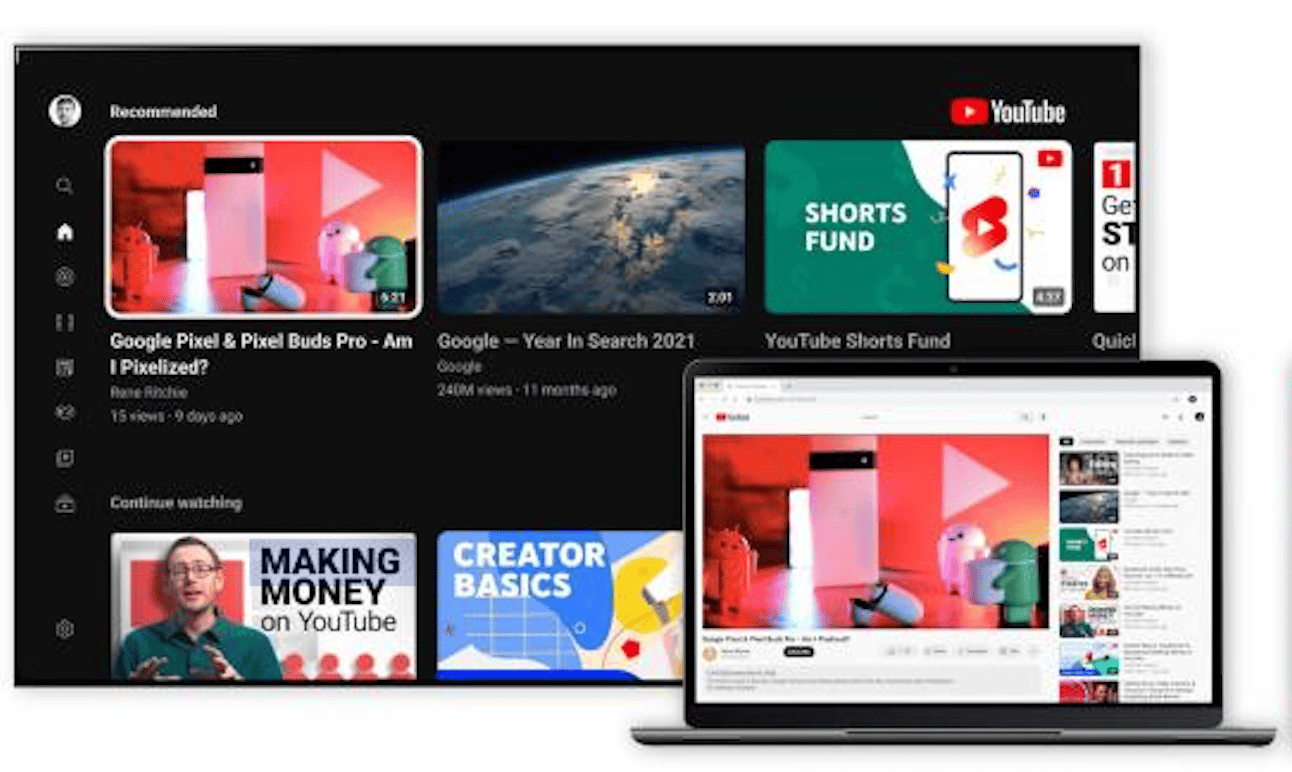
YouTube recently announced a refreshed look for the way users watch videos. It’s currently in the rollout phase, and the company mentioned that both iOS and Android ports have the new gesture features.
YouTube App

Nate Koechley, YouTube’s User Interface and Experience Director tweeted the ‘new look’, and boasted that there have been several improvements to provide a more immersive experience.

Some new @YouTube updates including ambient mode, updated dark theme, pinch to zoom (up to 8x!) and precise seeking to help you get to an exact part in a video https://t.co/p6N4rlLWbU

— Sundar Pichai (@sundarpichai) October 24, 2022

Along with the modern look and refreshed interface, YouTube pointed out the inclusion of Ambient Mode, where the background color matches the video.

iOS users can ‘pinch to zoom’ in landscape mode to get a closer look, and there’s also ‘precision seeking’, where users can swipe up or drag to show thumbnails within the video player. These functions work on both mobile devices and desktop computers.

The iOS update is available now but it might take a while to cover all devices.


Latest News
The Powerbeats Pro 2 is $50 Off
1 Min Read
Limited Edition AirTag Will Be Given Away By Apple
1 Min Read
New Ads Shared By Apple
1 Min Read
Other Roomba Vacuums Receive Matter Support
1 Min Read
The Beats iPhone 17 Pro Kickstand Case Is $26 Off
1 Min Read
Track Santa's Journey From the North Pole Using Google's Santa Tracker
Track Santa’s Journey From the North Pole Using Google’s Santa Tracker
1 Min Read
Prototype For AirPods with Bright Colors Revealed
1 Min Read
Tesla May Be Adding Support for Apple Car Keys
1 Min Read
The AirPods Pro 3 is $50 Off
1 Min Read
Camera Sensor for iPhone 18 Camera to be Made by Samsung in Austin, TX Facility
1 Min Read
Apple Changing the Structure Of App Store Fees in Brazil
1 Min Read
iPhone Air 2 Could Launch Next Year
1 Min Read

iLounge logo

iLounge is an independent resource for all things iPod, iPhone, iPad, and beyond. iPod, iPhone, iPad, iTunes, Apple TV, and the Apple logo are trademarks of Apple Inc.

This website is not affiliated with Apple Inc.
iLounge © 2001 - 2025. All Rights Reserved.
  • Contact Us
  • Submit News
  • About Us
  • Forums
  • Privacy Policy
  • Terms Of Use
Welcome Back!

Sign in to your account

Lost your password?