iLoungeiLounge
  • News
    • Apple
      • AirPods Pro
      • AirPlay
      • Apps
        • Apple Music
      • iCloud
      • iTunes
      • HealthKit
      • HomeKit
      • HomePod
      • iOS 13
      • Apple Pay
      • Apple TV
      • Siri
    • Rumors
    • Humor
    • Technology
      • CES
    • Daily Deals
    • Articles
    • Web Stories
  • iPhone
    • iPhone Accessories
  • iPad
  • iPod
    • iPod Accessories
  • Apple Watch
    • Apple Watch Accessories
  • Mac
    • MacBook Air
    • MacBook Pro
  • Reviews
    • App Reviews
  • How-to
    • Ask iLounge
Font ResizerAa
iLoungeiLounge
Font ResizerAa
Search
  • News
    • Apple
    • Rumors
    • Humor
    • Technology
    • Daily Deals
    • Articles
    • Web Stories
  • iPhone
    • iPhone Accessories
  • iPad
  • iPod
    • iPod Accessories
  • Apple Watch
    • Apple Watch Accessories
  • Mac
    • MacBook Air
    • MacBook Pro
  • Reviews
    • App Reviews
  • How-to
    • Ask iLounge
Follow US

News

News

Turn a Monitor or TV Into a Smart One and Save 27%

Last updated: Feb 12, 2022 10:34 am UTC
By Samantha Wiley
Roku Express

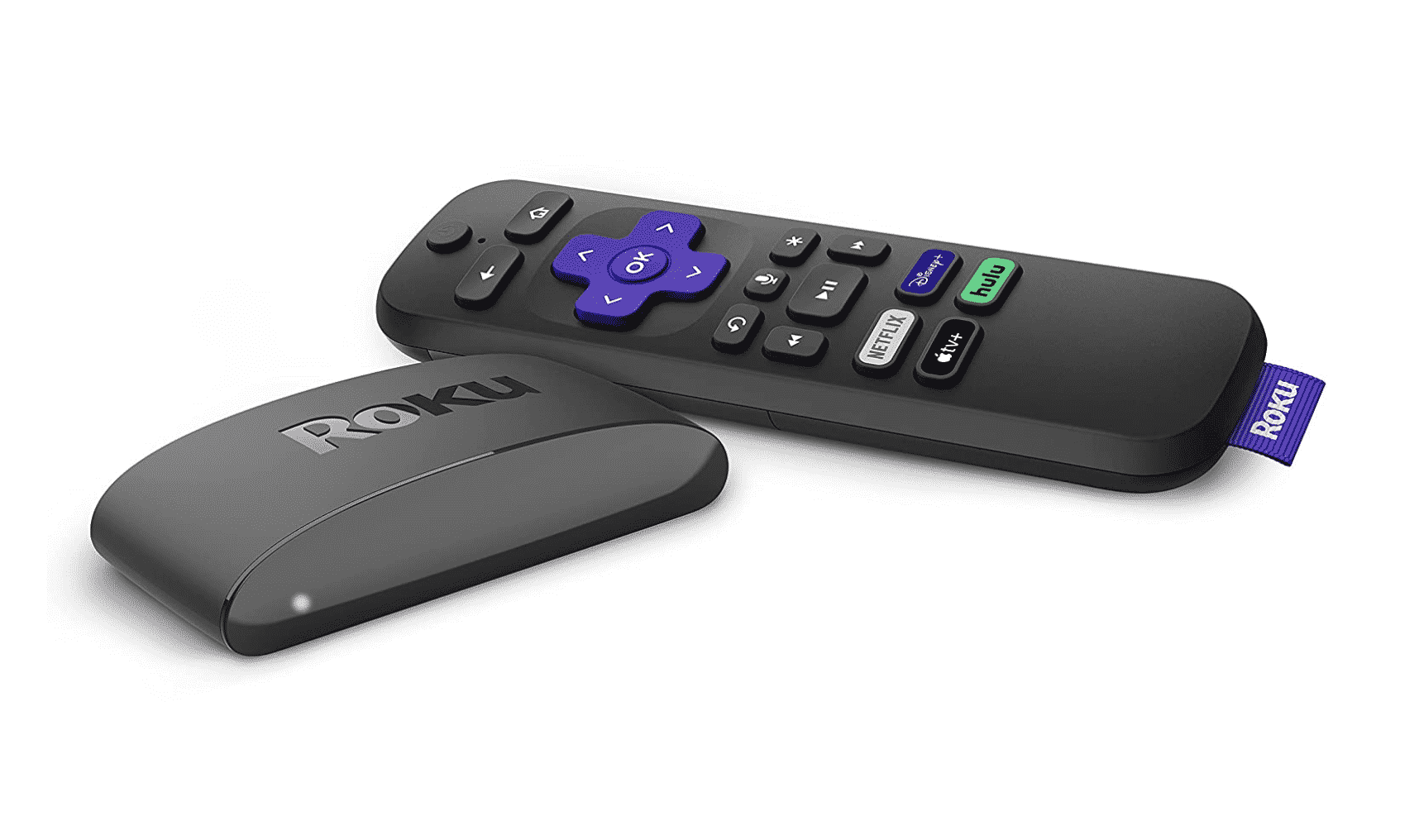
Have a monitor or TV lying around and want to watch Netflix or Apple TV+, or TV channels on it? Plug in a streaming media player device via HDMI and your problem is solved. Today, you can get the Roku Express 4K with Voice Remote, which is down to just $29 from its original price of $40 on Amazon.


Preview Product Price
Roku Express 4K+ | Roku Streaming Device 4K/HDR with Voice Remote, Free & Live TV Roku Express 4K+ | Roku Streaming Device 4K/HDR with Voice Remote, Free & Live TV $39.99 $31.50Amazon Prime Buy on Amazon

Roku’s streaming stick works with Alexa and comes with a remote so you can just lean back, watch videos and change live TV channels or platforms from a distance. The Express 4K can be connected via wi-fi and streams quality video on up to 4K resolution, and it supports AirPlay for streaming videos, music and photos from your iPhone or iPad.
Roku Express

Making the Roku 4K Express work is just a matter of locating the TV or monitor’s HDMI input, then plugging the stick in. Turn it on and you can navigate via voice or the included remote. Get it today!



Latest News
The Beats iPhone 17 Pro Kickstand Case Is $26 Off
1 Min Read
Track Santa's Journey From the North Pole Using Google's Santa Tracker
Track Santa’s Journey From the North Pole Using Google’s Santa Tracker
1 Min Read
Prototype For AirPods with Bright Colors Revealed
1 Min Read
Tesla May Be Adding Support for Apple Car Keys
1 Min Read
The AirPods Pro 3 is $50 Off
1 Min Read
Camera Sensor for iPhone 18 Camera to be Made by Samsung in Austin, TX Facility
1 Min Read
Apple Changing the Structure Of App Store Fees in Brazil
1 Min Read
iPhone Air 2 Could Launch Next Year
1 Min Read
The Apple Watch Series 11 42mm GPS Is 25% Off
1 Min Read
New Promo Grants 20% Off On Adidas Gear Using Apple Pay
1 Min Read
iPhone 18 Pro May Launch with 12 Features
1 Min Read
$3 Million Nike Shares Brought By Tim Cook
1 Min Read

iLounge logo

iLounge is an independent resource for all things iPod, iPhone, iPad, and beyond. iPod, iPhone, iPad, iTunes, Apple TV, and the Apple logo are trademarks of Apple Inc.

This website is not affiliated with Apple Inc.
iLounge © 2001 - 2025. All Rights Reserved.
  • Contact Us
  • Submit News
  • About Us
  • Forums
  • Privacy Policy
  • Terms Of Use
Welcome Back!

Sign in to your account

Lost your password?