
iLoungeiLounge
  • News
    • Apple
      • AirPods Pro
      • AirPlay
      • Apps
        • Apple Music
      • iCloud
      • iTunes
      • HealthKit
      • HomeKit
      • HomePod
      • iOS 13
      • Apple Pay
      • Apple TV
      • Siri
    • Rumors
    • Humor
    • Technology
      • CES
    • Daily Deals
    • Articles
    • Web Stories
  • iPhone
    • iPhone Accessories
  • iPad
  • iPod
    • iPod Accessories
  • Apple Watch
    • Apple Watch Accessories
  • Mac
    • MacBook Air
    • MacBook Pro
  • Reviews
    • App Reviews
  • How-to
    • Ask iLounge
Font ResizerAa
iLoungeiLounge
Font ResizerAa
Search
  • News
    • Apple
    • Rumors
    • Humor
    • Technology
    • Daily Deals
    • Articles
    • Web Stories
  • iPhone
    • iPhone Accessories
  • iPad
  • iPod
    • iPod Accessories
  • Apple Watch
    • Apple Watch Accessories
  • Mac
    • MacBook Air
    • MacBook Pro
  • Reviews
    • App Reviews
  • How-to
    • Ask iLounge
Follow US

News

News

PDFpenPro is the Ultimate Productivity Hack for Editing Your PDFs

Last updated: Oct 26, 2019 7:22 am UTC
By Haider Ali Khan
PDFpenPro

PDFs are practically inescapable. Now that we live in the digital age, PDFs have become the preferred way of sending documents from one individual or business to another. And even if your profession doesn’t require much use of computers, you most likely still encounter PDFs in your everyday life by way of utility bills, contracts, and even tax documents (remember sending that electronic 1040 not too long ago?)

The thing that makes PDFs so ubiquitous is that they can be accessed and viewed through almost any device without a hitch, along with the assurance that no page is compromised because the format is known to be extra secure. However, skimming, editing, and adding elements to them is an entirely different story — especially if you’re dealing with tens or even hundreds of pages.
PDFpenPro

PDFpenPro in Video

https://youtu.be/1OVaaLEbFH0

Free PDF tools exist but they all come with asterisks. First off, they’re generally not really free; they’re free to download but to get any editing or additional features, you need to make in-app purchases. Then, even after you pay, the tools you get aren’t nearly as robust or useful as the ones you’d get from a top-of-the-line program.

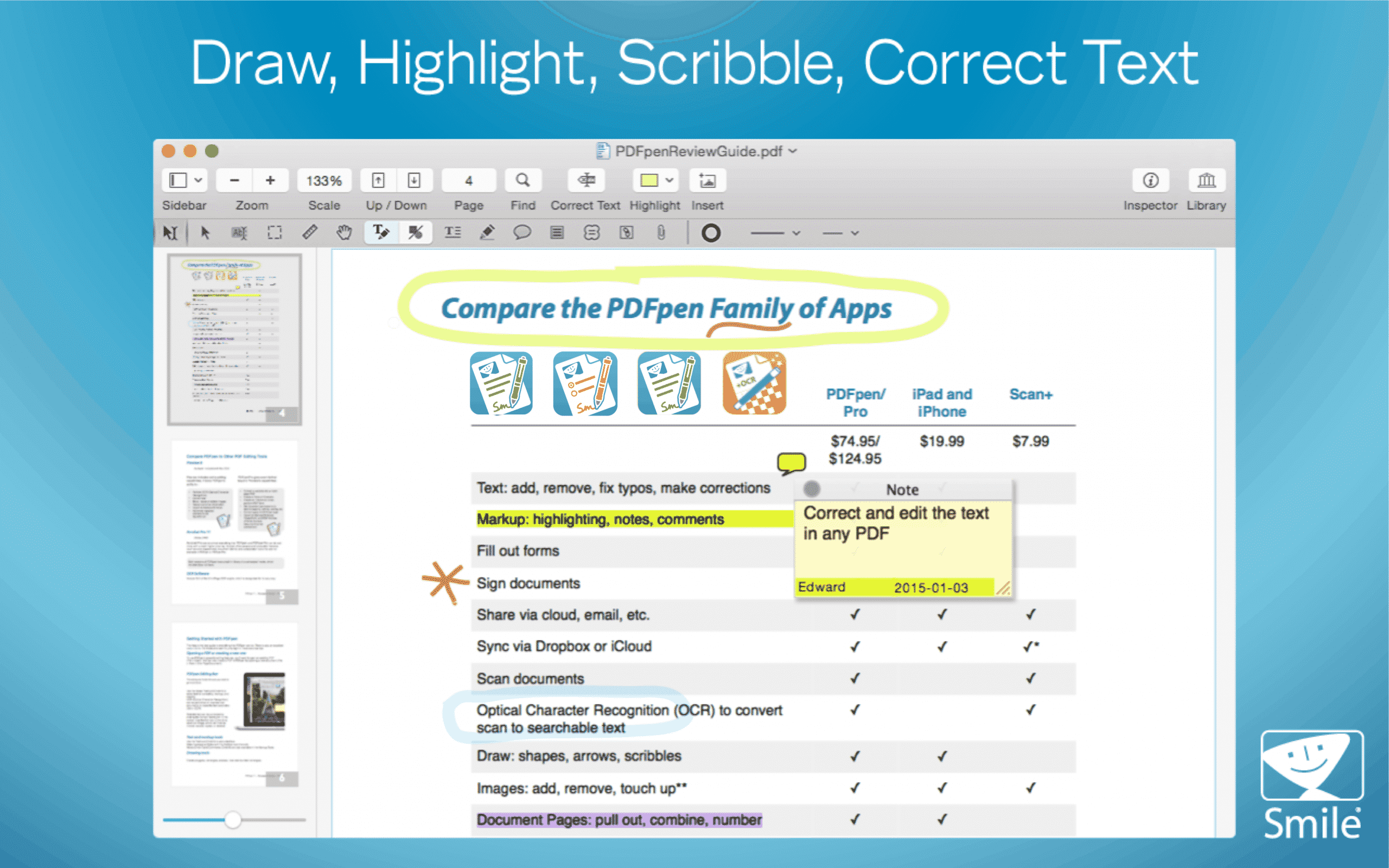
But a highly-rated tool like PDFPenPro will ensure that for one payment, you get all the industry-leading tools you need for no extra purchases. The ultimate professional-level tool for editing and annotating any PDF, it enables you to add text, signatures, watermarks, and images, make changes or correct typos, perform OCR on the scanned version, and so much more. Again, all included.
PDF Editor

With PDFPenPro, you can mark up documents with highlighting, add text, images, and watermarks, correct mistakes, more, resize, or delete images, add notes and comments, incorporate page numbers, headers and footers, and line numbers, all without purchasing extra features.

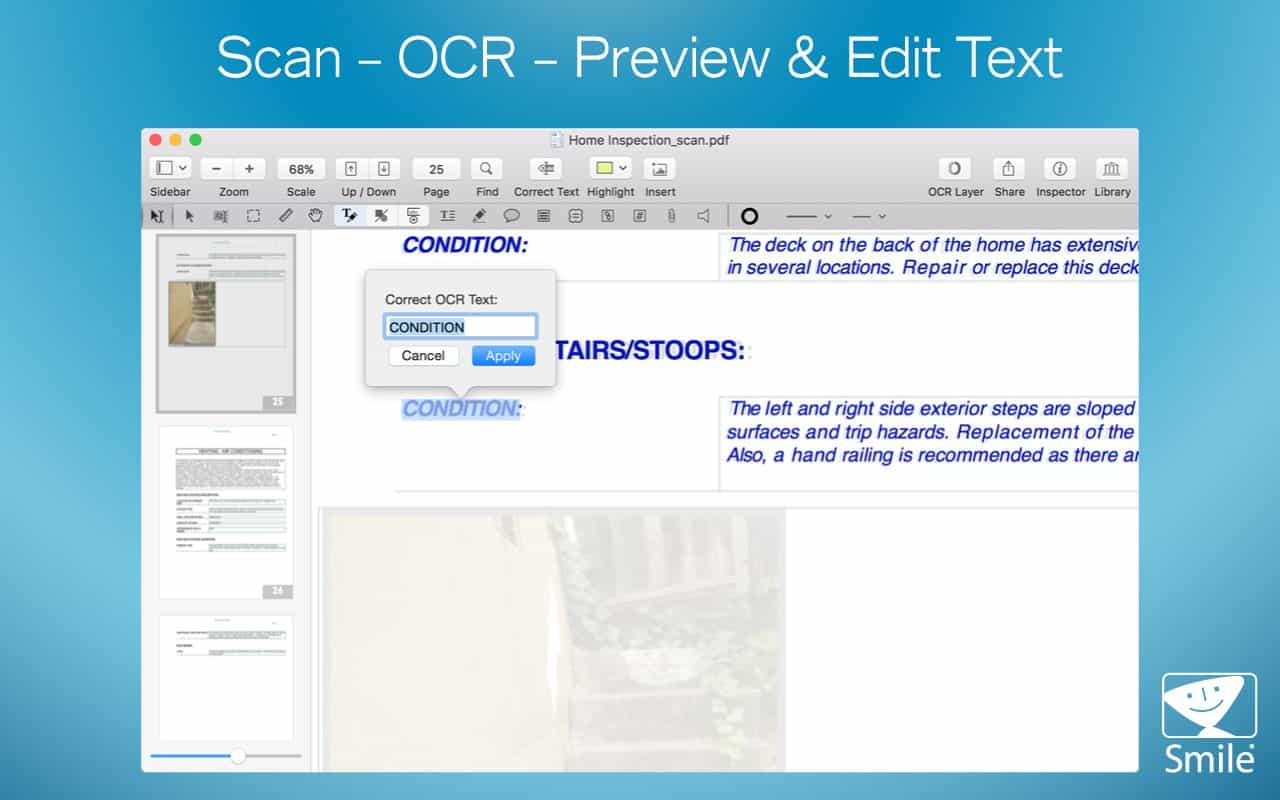
For non-editable PDF files, PDFPenPro employs optical character recognition (OCR) to convert them into fully modifiable documents. This excellent feature rids you of the burden of retyping the whole thing on a separate file. After scanning, you can leverage the powerful built-in tools of the app to edit your file further. Other apps may charge monthly fees for this service or set limits on how much you can use it — PDFPenPro makes it an essential inclusion in their product.
OCR PDF Editor

Perhaps most importantly, PDFPenPro comes with elite security features. If you want to make your document extra secure, the app allows you to redact or erase text, including those that were scanned and turned machine-readable via OCR. You can also protect it with a password with up to 256-bit AES encryption, and customize document permissions to limit saving, printing, copying, etc.
Filling Form Fields PDF Editor

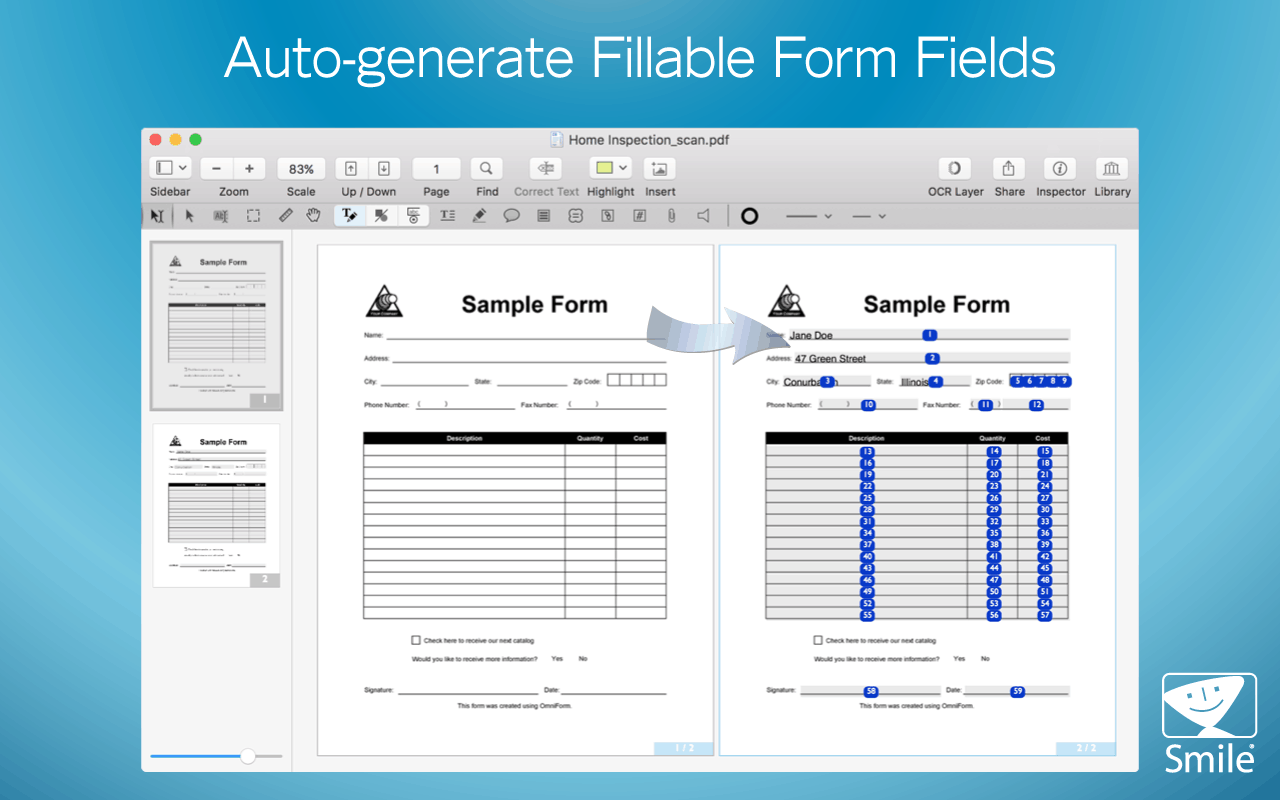
Want to create PDFs from HTML, scans or static files? That’s no problem either. PDFPenPro is designed to help you effortlessly turn web pages into PDFs, complete with clickable links. You can even make static forms interactive with text fields, checkboxes, radio buttons, signature fields and more.

Ready to experience PDFPenPro‘s magic? Sign up for a free trial today.

Latest News
The 14-inch MacBook Pro with M5 Chip 16GB RAM/512GB is $250 Off
1 Min Read
Noise and Static on AirPods Pro 3 Still Unfixed
1 Min Read
New iMac with 24-inch OLED Display May be Brighter With 600 Nits
1 Min Read
The 15-inch M4 MacBook Air 256GB Is $250 Off
1 Min Read
Internal Kernel Debug Kit from Apple Reveals Tests for a MacBook with A15 Chip
1 Min Read
Apple Currently In Talks With Suppliers for Chip Assembly & Packaging of iPhones in India
1 Min Read
Apple Allows Easier Battery Replacement For M5 MacBook Pro with 14-inch Display
1 Min Read
The Apple Watch SE 3 44mm GPS is $50 Off
1 Min Read
20th Anniversary iPhone May Launch in Two Years
1 Min Read
Better Image Generation Capabilities and Apple Music Integration Coming to ChatGPT
1 Min Read
A20 Pro Chip Coming to Next Gen iPad Mini OLED
1 Min Read
Amazon has the AirTag 4 Pack Marked $29 off
1 Min Read

iLounge logo

iLounge is an independent resource for all things iPod, iPhone, iPad, and beyond. iPod, iPhone, iPad, iTunes, Apple TV, and the Apple logo are trademarks of Apple Inc.

This website is not affiliated with Apple Inc.
iLounge © 2001 - 2025. All Rights Reserved.
  • Contact Us
  • Submit News
  • About Us
  • Forums
  • Privacy Policy
  • Terms Of Use
Welcome Back!

Sign in to your account

Lost your password?










