iLoungeiLounge
  • News
    • Apple
      • AirPods Pro
      • AirPlay
      • Apps
        • Apple Music
      • iCloud
      • iTunes
      • HealthKit
      • HomeKit
      • HomePod
      • iOS 13
      • Apple Pay
      • Apple TV
      • Siri
    • Rumors
    • Humor
    • Technology
      • CES
    • Daily Deals
    • Articles
    • Web Stories
  • iPhone
    • iPhone Accessories
  • iPad
  • iPod
    • iPod Accessories
  • Apple Watch
    • Apple Watch Accessories
  • Mac
    • MacBook Air
    • MacBook Pro
  • Reviews
    • App Reviews
  • How-to
    • Ask iLounge
Font ResizerAa
iLoungeiLounge
Font ResizerAa
Search
  • News
    • Apple
    • Rumors
    • Humor
    • Technology
    • Daily Deals
    • Articles
    • Web Stories
  • iPhone
    • iPhone Accessories
  • iPad
  • iPod
    • iPod Accessories
  • Apple Watch
    • Apple Watch Accessories
  • Mac
    • MacBook Air
    • MacBook Pro
  • Reviews
    • App Reviews
  • How-to
    • Ask iLounge
Follow US

News

News

Network Locations feature removed from macOS Ventura Beta

Last updated: Aug 17, 2022 6:49 am UTC
By Samantha Wiley
Network Locations

The latest beta version of macOS Ventura removes the Network Locations feature alongside a redesigned System Settings app.


Network Locations allows users to change their networks from Ethernet, Wi-Fi and other types of connections depending on location, e.g., work or home. Due to the nature of beta apps, macOS Ventura users may be seeing it in the future or when the public version is released.
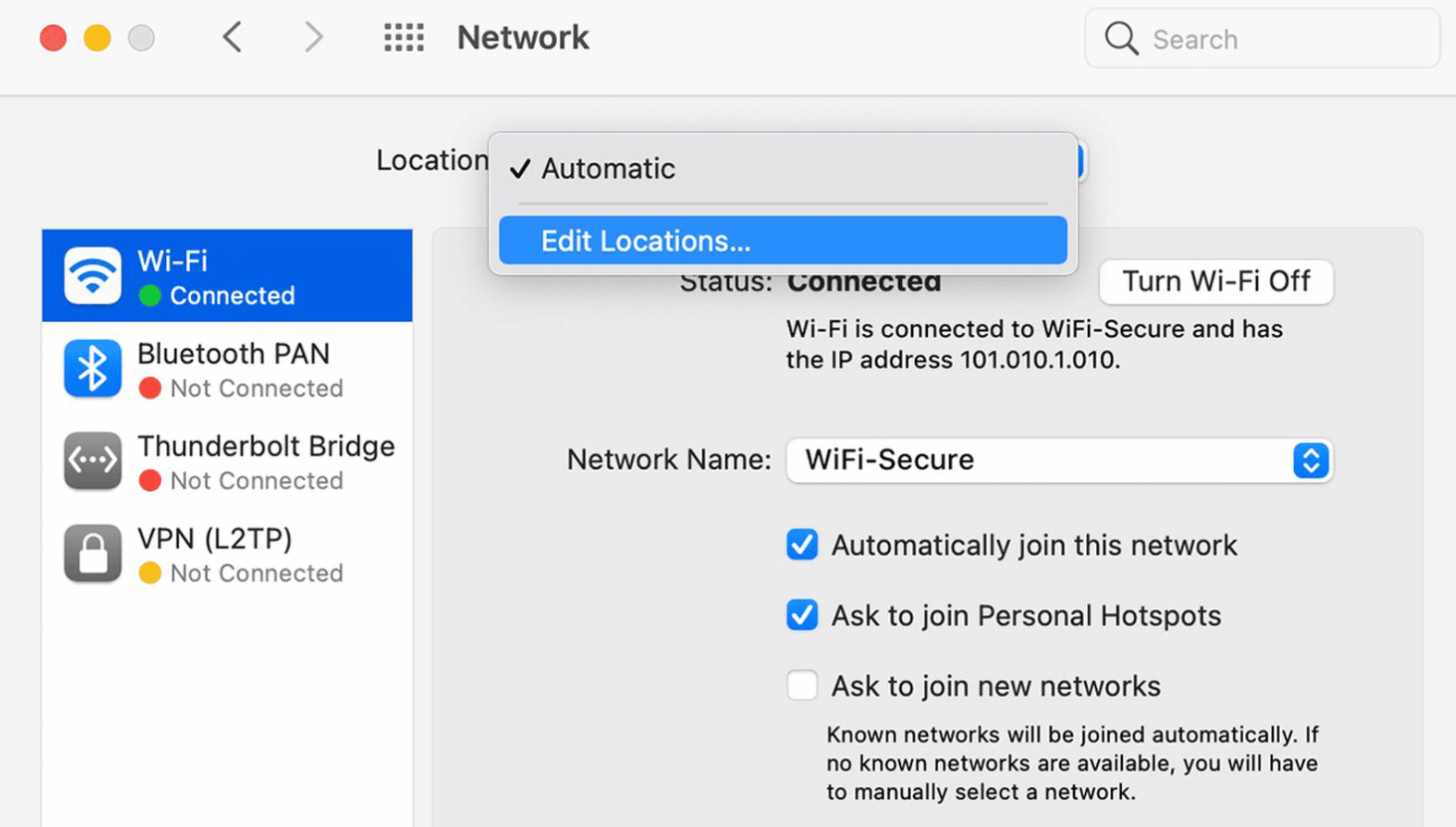
Network Locations

Apple released a support document, saying how Network Locations can be useful in certain scenarios. For instance, if you wish to have your Mac connect to ethernet first, then it can be done within Network Locations. Another convenience is that you can reset your current network settings without losing the original ones.

It’s believed that the Network Locations functionality may be restored via a third party developer since the command-line tool ‘networksetup’ is still in macOS Ventura. Whether or not Network Locations will remain or leave the upcoming macOS remains to be seen.



Latest News
The Powerbeats Pro 2 is $50 Off
1 Min Read
Limited Edition AirTag Will Be Given Away By Apple
1 Min Read
New Ads Shared By Apple
1 Min Read
Other Roomba Vacuums Receive Matter Support
1 Min Read
The Beats iPhone 17 Pro Kickstand Case Is $26 Off
1 Min Read
Track Santa's Journey From the North Pole Using Google's Santa Tracker
Track Santa’s Journey From the North Pole Using Google’s Santa Tracker
1 Min Read
Prototype For AirPods with Bright Colors Revealed
1 Min Read
Tesla May Be Adding Support for Apple Car Keys
1 Min Read
The AirPods Pro 3 is $50 Off
1 Min Read
Camera Sensor for iPhone 18 Camera to be Made by Samsung in Austin, TX Facility
1 Min Read
Apple Changing the Structure Of App Store Fees in Brazil
1 Min Read
iPhone Air 2 Could Launch Next Year
1 Min Read

iLounge logo

iLounge is an independent resource for all things iPod, iPhone, iPad, and beyond. iPod, iPhone, iPad, iTunes, Apple TV, and the Apple logo are trademarks of Apple Inc.

This website is not affiliated with Apple Inc.
iLounge © 2001 - 2025. All Rights Reserved.
  • Contact Us
  • Submit News
  • About Us
  • Forums
  • Privacy Policy
  • Terms Of Use
Welcome Back!

Sign in to your account

Lost your password?