iLoungeiLounge
  • News
    • Apple
      • AirPods Pro
      • AirPlay
      • Apps
        • Apple Music
      • iCloud
      • iTunes
      • HealthKit
      • HomeKit
      • HomePod
      • iOS 13
      • Apple Pay
      • Apple TV
      • Siri
    • Rumors
    • Humor
    • Technology
      • CES
    • Daily Deals
    • Articles
    • Web Stories
  • iPhone
    • iPhone Accessories
  • iPad
  • iPod
    • iPod Accessories
  • Apple Watch
    • Apple Watch Accessories
  • Mac
    • MacBook Air
    • MacBook Pro
  • Reviews
    • App Reviews
  • How-to
    • Ask iLounge
Font ResizerAa
iLoungeiLounge
Font ResizerAa
Search
  • News
    • Apple
    • Rumors
    • Humor
    • Technology
    • Daily Deals
    • Articles
    • Web Stories
  • iPhone
    • iPhone Accessories
  • iPad
  • iPod
    • iPod Accessories
  • Apple Watch
    • Apple Watch Accessories
  • Mac
    • MacBook Air
    • MacBook Pro
  • Reviews
    • App Reviews
  • How-to
    • Ask iLounge
Follow US

News

News

Keychain Password Manager for Windows Now Has 2FA Code Generator

Last updated: Jul 28, 2022 3:38 am UTC
By Samantha Wiley
Keychain Password Manager

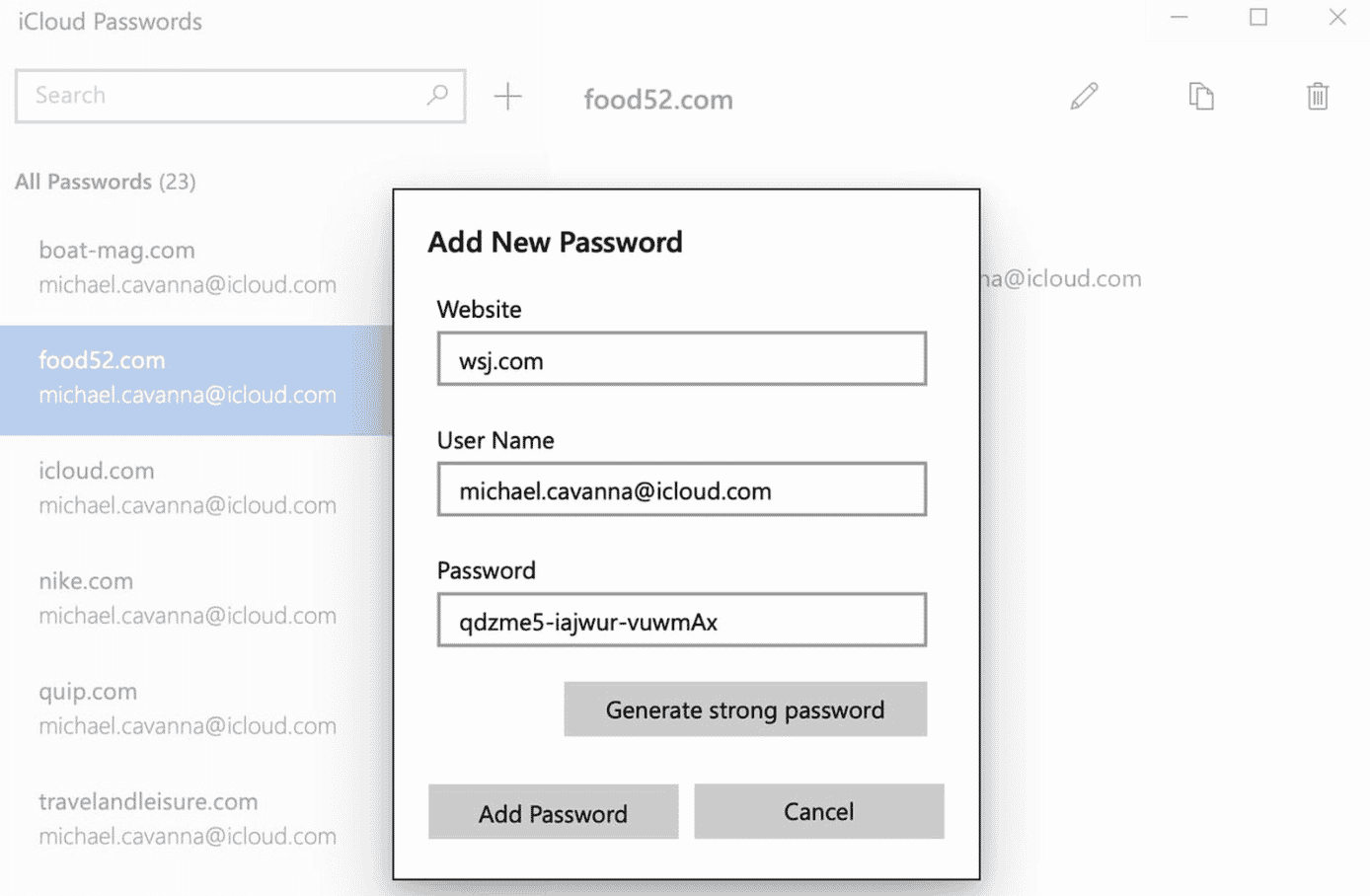
The Keychain password manager in iCloud can now generate two-factor authentication digits on the Windows app.


2FA, or two factor authentication is an extra degree of protection for securing online accounts. While logging in, a user may be requested for a specific line of numbers and letters that’s generated by the password manager. Apple has added 2FA code generation for iCloud Keychain on macOS Monterey and iOS 15 to eliminate the need to use a third party platform, and it seems that the Cupertino-based company is doing the same for its Windows utility.
Keychain Password Manager

The iCloud Keychain launched on Windows August last year, with users now able to access their Keychain passwords through cross-device technology. In November, Apple added a ‘strong password’ generator for people who wanted a more secure password for their online accounts.

iCloud Keychain users can use the platform to add, look up, delete and copy and paste usernames and passwords. It’s available to download at the Microsoft Store for free.



Latest News
The Powerbeats Pro 2 is $50 Off
1 Min Read
Limited Edition AirTag Will Be Given Away By Apple
1 Min Read
New Ads Shared By Apple
1 Min Read
Other Roomba Vacuums Receive Matter Support
1 Min Read
The Beats iPhone 17 Pro Kickstand Case Is $26 Off
1 Min Read
Track Santa's Journey From the North Pole Using Google's Santa Tracker
Track Santa’s Journey From the North Pole Using Google’s Santa Tracker
1 Min Read
Prototype For AirPods with Bright Colors Revealed
1 Min Read
Tesla May Be Adding Support for Apple Car Keys
1 Min Read
The AirPods Pro 3 is $50 Off
1 Min Read
Camera Sensor for iPhone 18 Camera to be Made by Samsung in Austin, TX Facility
1 Min Read
Apple Changing the Structure Of App Store Fees in Brazil
1 Min Read
iPhone Air 2 Could Launch Next Year
1 Min Read

iLounge logo

iLounge is an independent resource for all things iPod, iPhone, iPad, and beyond. iPod, iPhone, iPad, iTunes, Apple TV, and the Apple logo are trademarks of Apple Inc.

This website is not affiliated with Apple Inc.
iLounge © 2001 - 2025. All Rights Reserved.
  • Contact Us
  • Submit News
  • About Us
  • Forums
  • Privacy Policy
  • Terms Of Use
Welcome Back!

Sign in to your account

Lost your password?