
iLoungeiLounge
  • News
    • Apple
      • AirPods Pro
      • AirPlay
      • Apps
        • Apple Music
      • iCloud
      • iTunes
      • HealthKit
      • HomeKit
      • HomePod
      • iOS 13
      • Apple Pay
      • Apple TV
      • Siri
    • Rumors
    • Humor
    • Technology
      • CES
    • Daily Deals
    • Articles
    • Web Stories
  • iPhone
    • iPhone Accessories
  • iPad
  • iPod
    • iPod Accessories
  • Apple Watch
    • Apple Watch Accessories
  • Mac
    • MacBook Air
    • MacBook Pro
  • Reviews
    • App Reviews
  • How-to
    • Ask iLounge
Font ResizerAa
iLoungeiLounge
Font ResizerAa
Search
  • News
    • Apple
    • Rumors
    • Humor
    • Technology
    • Daily Deals
    • Articles
    • Web Stories
  • iPhone
    • iPhone Accessories
  • iPad
  • iPod
    • iPod Accessories
  • Apple Watch
    • Apple Watch Accessories
  • Mac
    • MacBook Air
    • MacBook Pro
  • Reviews
    • App Reviews
  • How-to
    • Ask iLounge
Follow US

News

News

How to trigger Burst Mode on iPhone 11?

Last updated: Sep 27, 2019 3:43 pm UTC
By Abhay Ram
How to trigger Burst Mode on iPhone 11?

After the unveiling of the iPhone 11 and the iPhone 11 Pro, we learned that in the iPhone camera app, holding the shutter down will no more capture multiple images (trigger the Burst Mode). The big new feature is being borrowed from Snapchat and Instagram, now holding the shutter button will start recording video.


It’s a nifty little feature which makes it easier to record video without having to change the camera mode. But what about the Burst Mode which people love? Burst Mode can come in handy in a lot of situations when you don’t know when exactly to hit the shutter button. In a situation where getting the exact moment is crucial, Burst Mode captures multiple images and the required images can be chosen from later on.
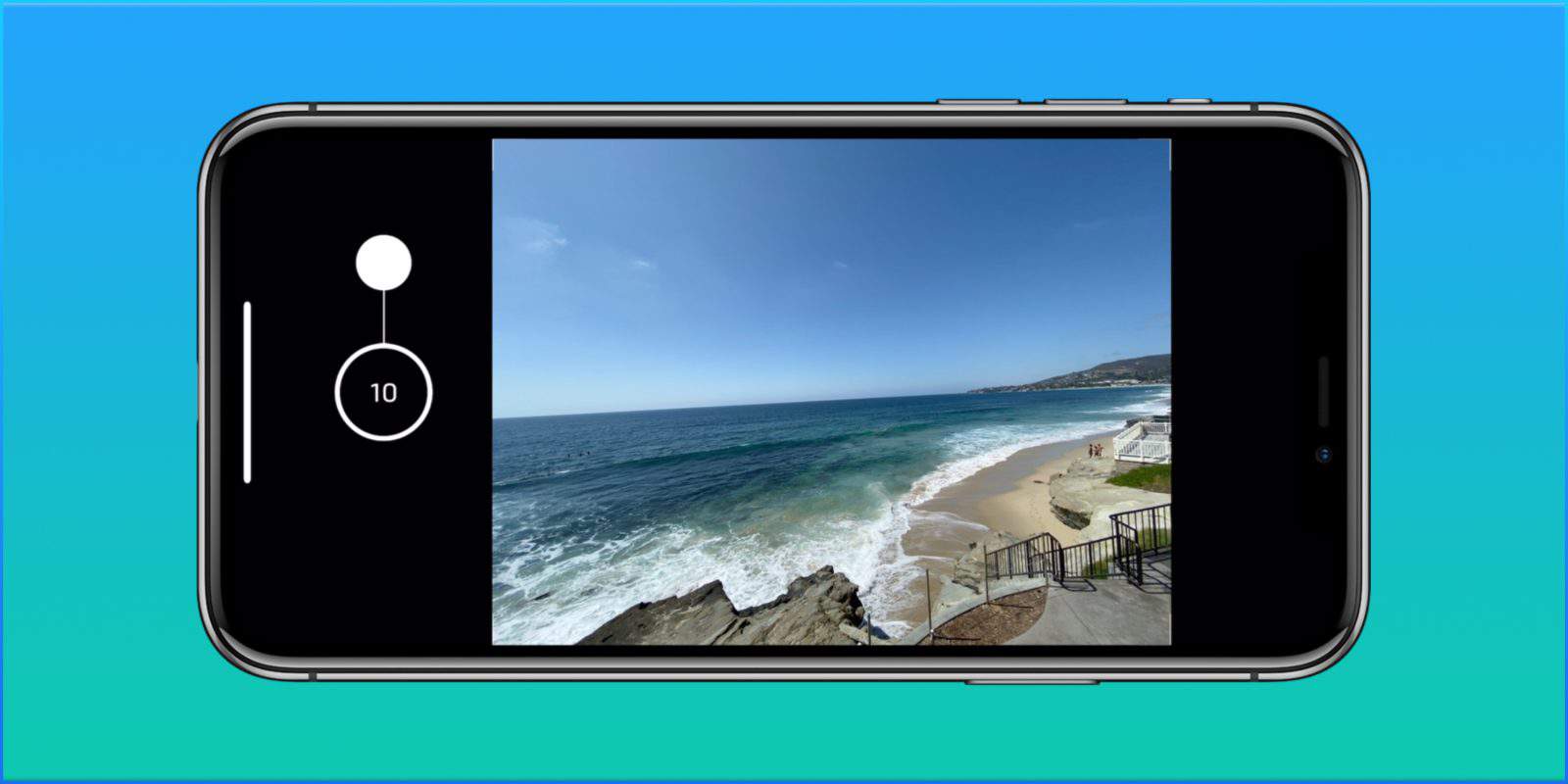
How to trigger Burst Mode on iPhone 11?

So how to take Burst Mode shots on the new iPhones? It’s pretty simple actually. To trigger Burst Mode, iPhone users should just drag the shutter button to the left (both in vertical and horizontal modes). When you’re done taking Burst Mode shots, just take the finger back and it’ll stop.


Greatly improved camera systems

Apple Shows Off The iPhone 11 Pro's Cameras in a 'Behind the Scenes' Video

Apple has also made another change in the camera app. When recording video by holding the shutter mode, users can now also drag the shutter button to the right to lock the camera app in video recording mode. By dragging the shutter button to the right, the iPhone will continue recording video without requiring the shutter button to be held onto.

The iPhone 11 and the iPhone 11 Pro improve image quality and video quality over the previous generation models. Apple is going head-to-head with Google with its Night Mode feature which rivals Google Pixel’s Night Sight feature. In just one year, it has become important to take good pictures in low-light conditions. The Pixel phones use machine learning (ML) to brighten up the images.



Latest News
The 14-inch MacBook Pro with M5 Chip 16GB RAM/512GB is $250 Off
1 Min Read
Noise and Static on AirPods Pro 3 Still Unfixed
1 Min Read
New iMac with 24-inch OLED Display May be Brighter With 600 Nits
1 Min Read
The 15-inch M4 MacBook Air 256GB Is $250 Off
1 Min Read
Internal Kernel Debug Kit from Apple Reveals Tests for a MacBook with A15 Chip
1 Min Read
Apple Currently In Talks With Suppliers for Chip Assembly & Packaging of iPhones in India
1 Min Read
Apple Allows Easier Battery Replacement For M5 MacBook Pro with 14-inch Display
1 Min Read
The Apple Watch SE 3 44mm GPS is $50 Off
1 Min Read
20th Anniversary iPhone May Launch in Two Years
1 Min Read
Better Image Generation Capabilities and Apple Music Integration Coming to ChatGPT
1 Min Read
A20 Pro Chip Coming to Next Gen iPad Mini OLED
1 Min Read
Amazon has the AirTag 4 Pack Marked $29 off
1 Min Read

iLounge logo

iLounge is an independent resource for all things iPod, iPhone, iPad, and beyond. iPod, iPhone, iPad, iTunes, Apple TV, and the Apple logo are trademarks of Apple Inc.

This website is not affiliated with Apple Inc.
iLounge © 2001 - 2025. All Rights Reserved.
  • Contact Us
  • Submit News
  • About Us
  • Forums
  • Privacy Policy
  • Terms Of Use
Welcome Back!

Sign in to your account

Lost your password?








