
In a sea of video editing apps, finding the perfect one can be a daunting task. The app marketplace is flooded with numerous options, each boasting high ratings and positive reviews. This abundance of choices leaves users in a state of confusion, unsure of which app to settle for. But fear not! We have delved into the world of video editing apps and discovered that KineMaster reigns supreme, effortlessly delivering on all essential functions.
While some advanced features may come at a cost, the basic functionalities are absolutely free. So, without wasting any more time, let’s explore what this app has to offer, from its intuitive interface to its extensive list of features.
What is KineMaster?
KineMaster is a fully-featured professional video editor for Android that supports multiple layers of video, images, and text. With cutting-edge capabilities such as multi-track audio, volume envelope control, 3D transitions, Chroma key, animations, effects, and VFX, KineMaster empowers you to create stunning videos with ease.
App Interface and Usability
Upon launching KineMaster, you are greeted with three options: creating a new video, accessing the app’s YouTube channel, or exploring their store for additional font styles, themes, animations, and assets. For first-time users, diving into the asset section can be skipped, allowing you to jump right into your project by tapping the central icon.
Mastering the Basics
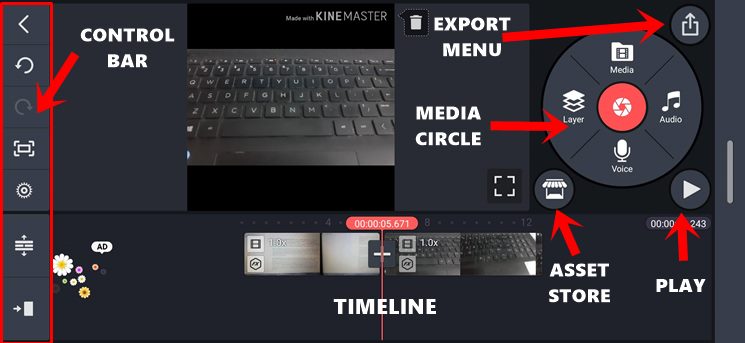
To begin, select your preferred aspect ratio for the video, such as 16:9 for landscape mode, 9:16 for portrait mode, or customize it to 1:1. The next menu splits your screen into two halves, with the upper half being your focus. Choose the video or videos you want to work with, and they will appear in the bottom half. Further actions can be performed on each selected video individually.
Unleashing Your Creativity
KineMaster offers a range of editing options to enhance your videos. Trim, strip, pan, zoom, or adjust audio – the possibilities are endless. Additionally, you have access to Clip Graphics, Speed, and Reverse features. While the stock effects are impressive, the Store contains even more exciting options, both free and paid, to take your editing to new heights.
KineMaster Video Layer Support
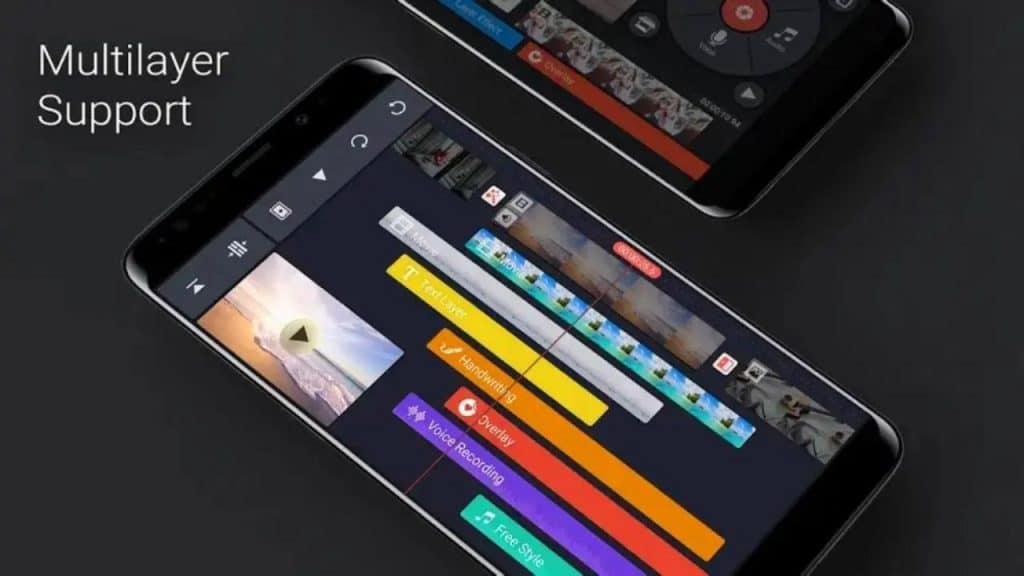
The Layer feature is where KineMaster truly shines. By applying layers on top of your videos, you can unlock a world of possibilities. Customize your added video with a variety of features, including Out and In Animations, Chroma Key, Cropping Reverse, Opacity, Color Filter, Reverb, Voice Changer, Mirroring, and much more. The Store offers a vast selection of assets for further customization.
Miscellaneous Features
Once you’ve completed your customisations, preview your video by hitting the Play icon. When satisfied, tap the Share icon to access the Export and Share window. Select the desired resolution, frame rate, and bitrate, then hit Export to save your masterpiece. For example: Select Resolution (from SD 540P up to 4K 2160p quality), Frame Rate (from 12 to 30), and Bitrate, then hit Export to save. KineMaster provides seamless integration with popular social media platforms, making it effortless to share your creations directly.
Discover Chroma Key
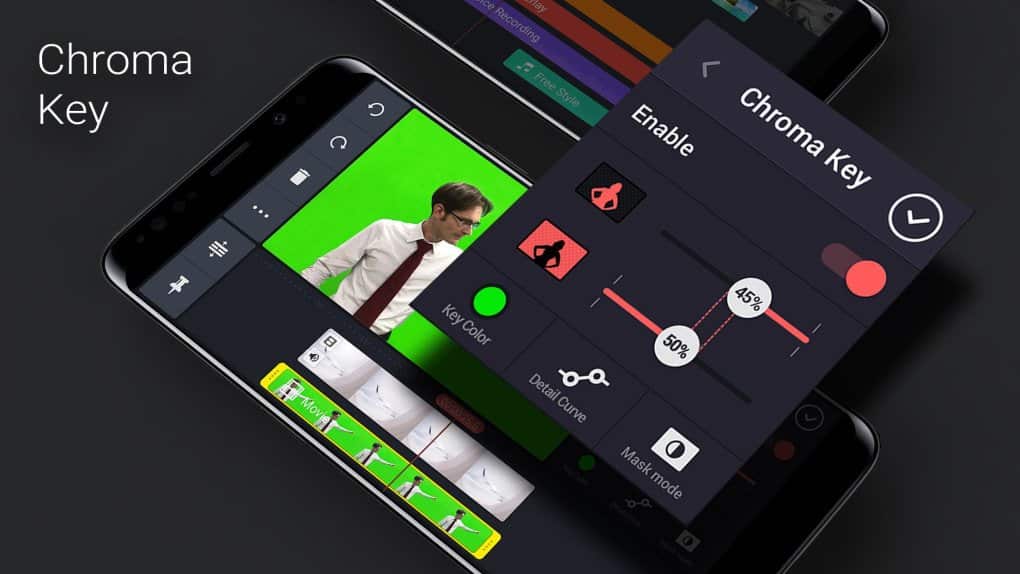
Elevate your videos with stunning visual effects through the Chroma Key feature. Compositing two images or video streams has never been easier, allowing you to superimpose layers seamlessly and create high-quality VFX effects directly on your mobile device.
Enhance Your Audio with KineMaster
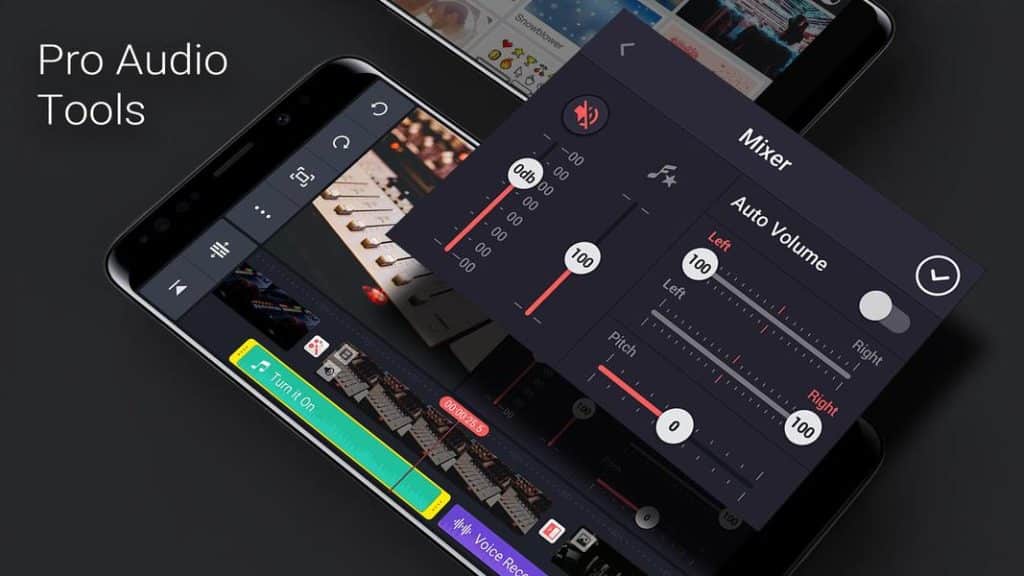
Enjoy enhanced audio output with KineMaster’s audio enhancers, voice-over capabilities, audio envelope control, pitch settings, audio mixer, template mixer, bass settings, equalizer, and more. Fine-tune every aspect of your audio for a truly immersive experience.
KineMaster Premium Features: Pricing Strategy
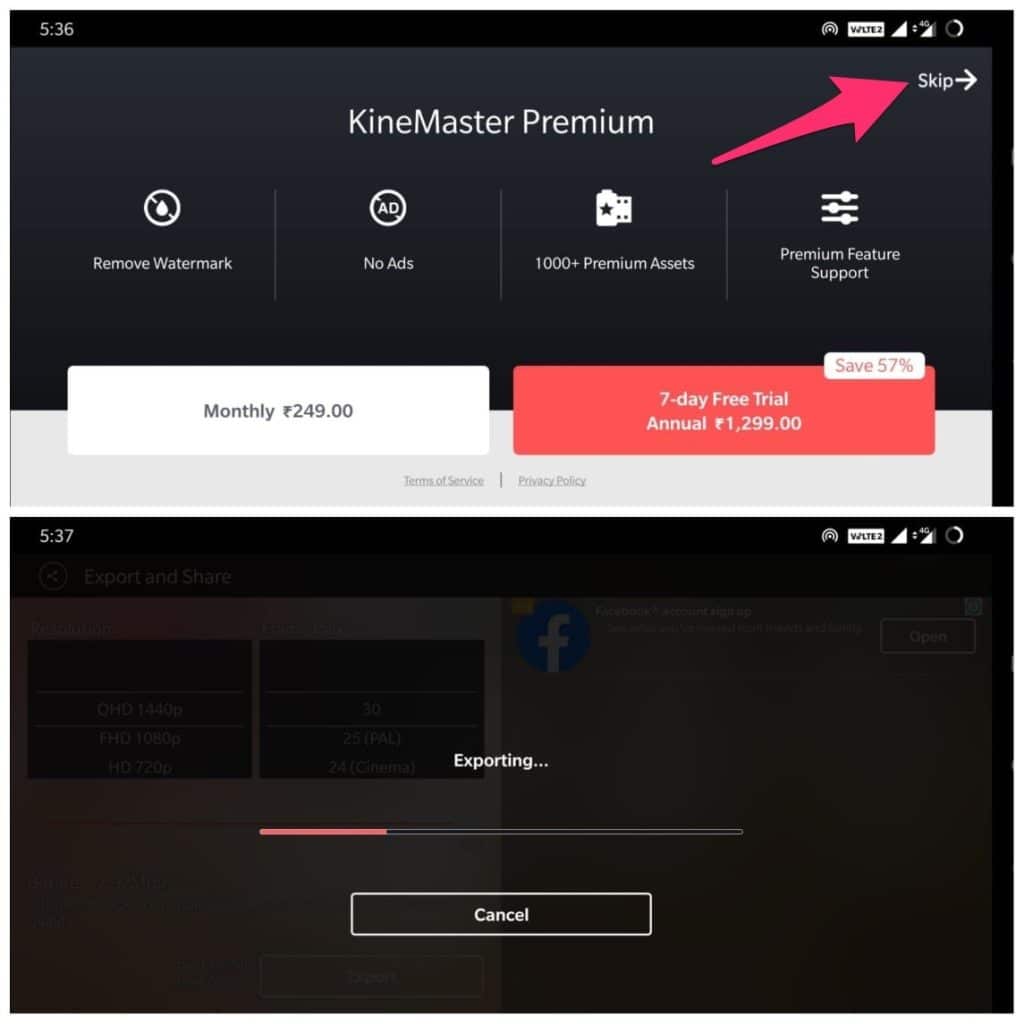
Remove the KineMaster watermark and enjoy an ad-free experience by subscribing to the premium version. Gain access to over 1000+ Premium Assets and receive dedicated support. Choose between a monthly plan of around 249 or opt for the yearly subscription priced around Rs 1299. Skip the premium version if desired, and proceed with the export process.
Other Noteworthy Features
Let’s explore other impressive array of features.
Elegant User Interface
It offers an elegant user interface designed to balance an abundance of features with a clean layout. The Media Circle allows easy addition of video, audio, and layered media, while the Control Bar provides advanced functionality. The timeline displays your videos, their durations, and added edits and layers for convenient editing.
Real-Time Editing Made Easy
Edit audio and videos on the fly with KineMaster’s real-time editing capabilities. Record videos while simultaneously exploring the app’s editing features. Add a second layer of audio or clips effortlessly, without interrupting your recording.
Video Adjustment Tools
Utilize an array of video adjustment tools to fine-tune your videos. Easily adjust brightness, saturation, warmth, and color correction, giving your videos a visually appealing and consistent look.
Asset Store
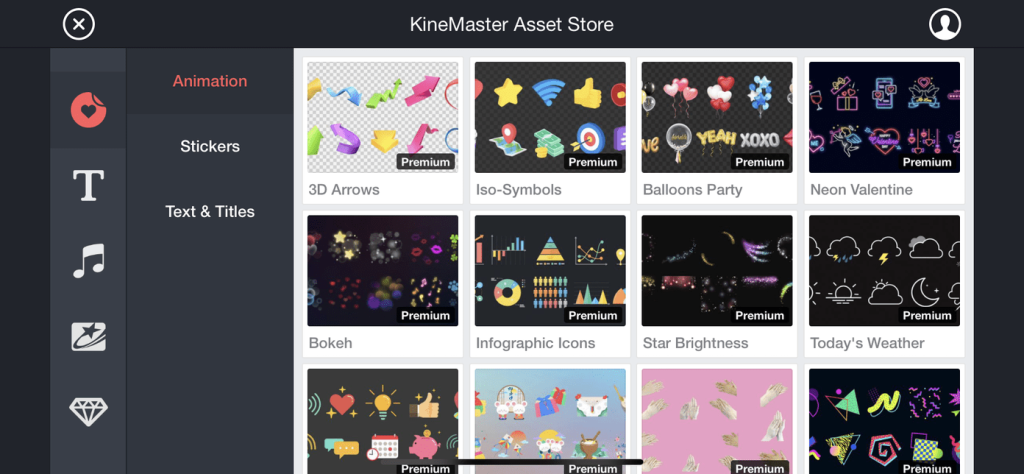
Visit the Asset Store to further expand your customization options. Discover a wide range of assets, both free and paid, to enhance your projects without breaking the bank.
Layered Editing Excellence
Add a secondary layer of video or audio to your primary content and unlock a world of possibilities. Adjust size, position, animations, sounds, visual effects, and transitions for the second layer, giving each video a unique identity. Use the Handwriting tool or stylized text feature to add personalized touches. Be mindful of the number of transitions to maintain balance and avoid excessive animation.
Social Media Integrations
Share your creations effortlessly across various social media platforms directly from the app. Whether it’s YouTube, Instagram, WhatsApp, or other popular apps, KineMaster simplifies the sharing process, saving you valuable time and effort.
In Conclusion: KineMaster is an Unignorable Video Editor App
KineMaster stands out among its competitors with its vast feature set, user-friendly interface, and seamless editing capabilities. Despite the multitude of options, the app maintains a clutter-free experience, making it the go-to choice for video editing enthusiasts.











