
iLoungeiLounge
  • News
    • Apple
      • AirPods Pro
      • AirPlay
      • Apps
        • Apple Music
      • iCloud
      • iTunes
      • HealthKit
      • HomeKit
      • HomePod
      • iOS 13
      • Apple Pay
      • Apple TV
      • Siri
    • Rumors
    • Humor
    • Technology
      • CES
    • Daily Deals
    • Articles
    • Web Stories
  • iPhone
    • iPhone Accessories
  • iPad
  • iPod
    • iPod Accessories
  • Apple Watch
    • Apple Watch Accessories
  • Mac
    • MacBook Air
    • MacBook Pro
  • Reviews
    • App Reviews
  • How-to
    • Ask iLounge
Font ResizerAa
iLoungeiLounge
Font ResizerAa
Search
  • News
    • Apple
    • Rumors
    • Humor
    • Technology
    • Daily Deals
    • Articles
    • Web Stories
  • iPhone
    • iPhone Accessories
  • iPad
  • iPod
    • iPod Accessories
  • Apple Watch
    • Apple Watch Accessories
  • Mac
    • MacBook Air
    • MacBook Pro
  • Reviews
    • App Reviews
  • How-to
    • Ask iLounge
Follow US

News

MacMacBook ProNews

Apple should discard the TouchBar from MacBook Pros

Last updated: Dec 18, 2020 12:33 pm UTC
By Abhay Ram
Apple should discard the TouchBar from MacBook Pros

Apple last updated the design of the MacBook Pro in 2016. Last year, the company did ditch the 15” MacBook Pro in favour of a larger 16” MacBook Pro with smaller bezels and thicker body for better airflow to keep the machine cool. However, the 13” MacBook Pro has largely remained the same which is not bad but it will be good to have smaller bezels though.


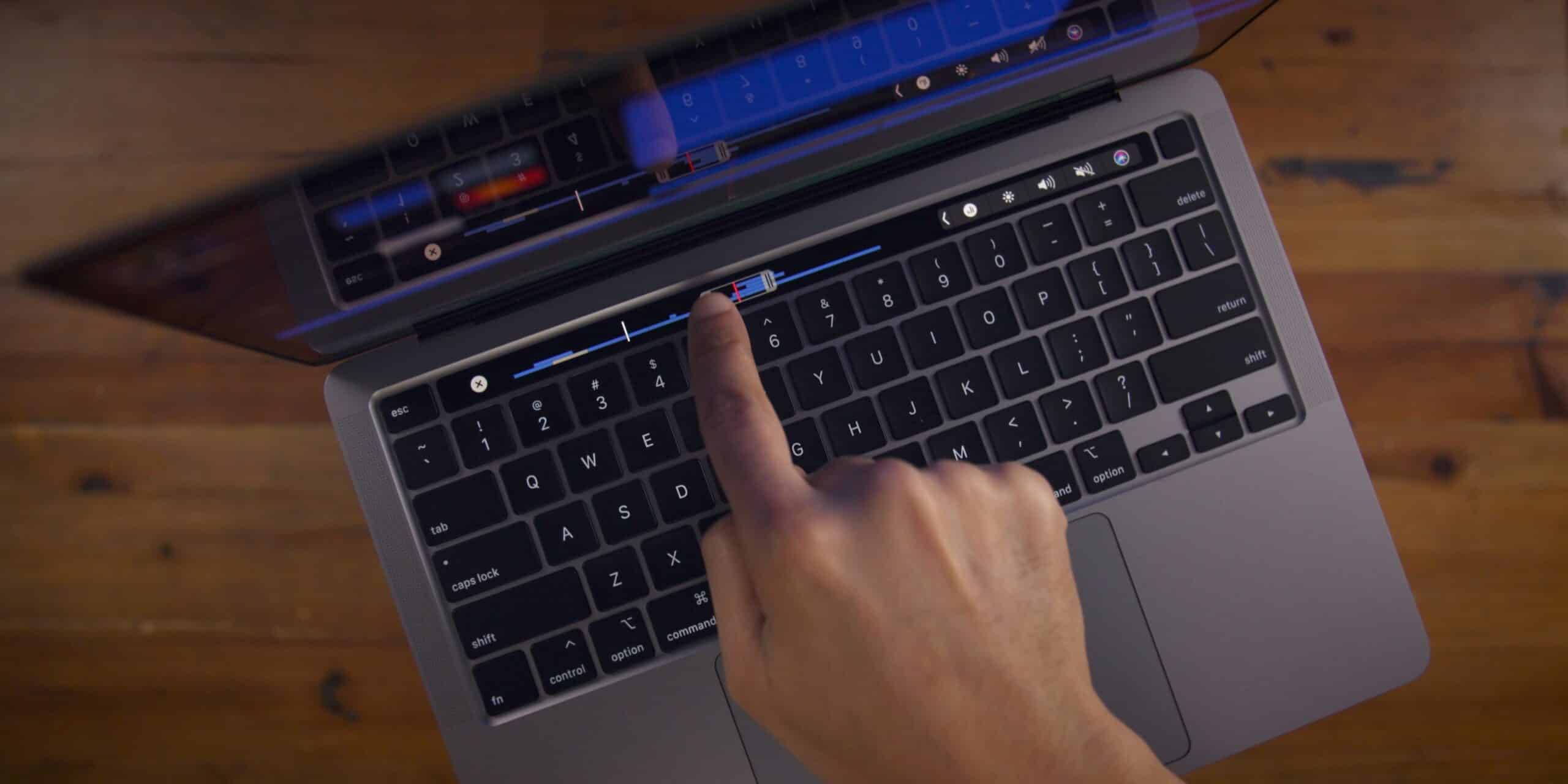
The major problem with both 13” MacBook Pro and 16” MacBook Pro is the TouchBar. Apple introduced the thin strip of touch input display atop the keyboard by removing the function keys. Majority of the people do not like the TouchBar as it seldom improves a user’s workflow. 
Apple should discard the TouchBar from MacBook Pros

TouchBar is not “pro” for most

Most professional users like to make keyboard actions while looking at the screen. Whereas the TouchBar requires users to look below and touch the variable display for a specific action such as adjusting volume, adjusting brightness, and many other such actions.
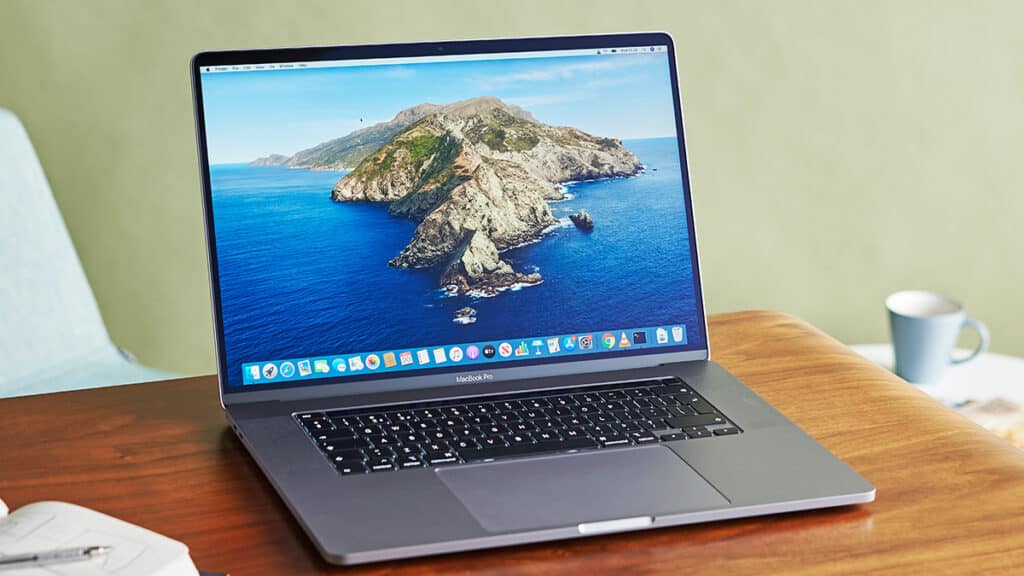

14.1" MacBook Pro with Mini-LED
16″ MacBook Pro

Over the years, a lot of MacBook Pro with TouchBar users have reported issues such as the TouchBar freezing and hanging. It’s an imperfect part of the MacBook Pro which is largely disliked by the majority. There are few users that really find the TouchBar to be useful but Apple should focus on the majority rather than looking at the minority.

The TouchBar does not come cheap either – reports from 2019 suggested that replacing the TouchBar could cost anywhere between $249 and $800. However, Apple did make some changes late last year with the 16” MacBook Pro and 13” MacBook Pro by splitting the TouchID button from the TouchBar and also resurrected the “Esc” button.

It would be much more appropriate for Apple to ditch the TouchBar and instead offer an optional touchscreen Mac instead. However, some reports suggest that the company is working on bringing an improved TouchBar with haptic feedback to make using it more enjoyable.



Latest News
The Apple Watch Series 11 46mm GPS Is $100 Off
1 Min Read
Clamshell Style iPhone Being Looked Into By Apple
1 Min Read
Foldable iPhones May Have the Largest Battery Ever
1 Min Read
Apple and TSMC’s 10-Year Collaboration May Be Ending
1 Min Read
The 13-inch M5 iPad Pro 256GB Wi-Fi Is $149 Off
1 Min Read
M5 Pro and M5 Max Chips for the MacBook Pro could Roll Out with macOS 26.3
1 Min Read
Mac Ordering Process Revamped
1 Min Read
Check Signed By Steve Wozniak and Steve Jobs Sold For $2.4 Million
1 Min Read
The Anker 140W 4-Port GaN USB-C Charger is $35 Off
1 Min Read
No iPhone Air 2 This Year, according to Latest Report
1 Min Read
New Report Corroborates Split iPhone Release Dates
1 Min Read
Apple Losing More Researchers As They Plan To Release 2 Siri Versions
1 Min Read

iLounge logo

iLounge is an independent resource for all things iPod, iPhone, iPad, and beyond. iPod, iPhone, iPad, iTunes, Apple TV, and the Apple logo are trademarks of Apple Inc.

This website is not affiliated with Apple Inc.
iLounge © 2001 - 2025. All Rights Reserved.
  • Contact Us
  • Submit News
  • About Us
  • Forums
  • Privacy Policy
  • Terms Of Use
Welcome Back!

Sign in to your account

Lost your password?








