
Upgrading to a newer iPhone or iPad is nothing new. If you’re like most consumers, you’ve probably upgraded several times in the past few years.
But one thing you should be worried about is doing a clean wipe every time you get a new phone or tablet model. Your old iPhone may contain sensitive information that can be acquired and sold to unscrupulous entities.
Performing a factory reset may not be enough. In this case, you’ll need a solid iOS data eraser software for your iOS device.
MobiKin Eraser for iOS can permanently erase your iDevice’s data, including browsing history, chat logs, banking, and financial information and more. This comes in handy when you’re selling your iPhone and don’t want your details circulating out there.
What is MobiKin Eraser?
MobiKin Eraser is a top tool for Apple devices that can erase all system settings, private data, deleted files and more with a zero percent chance of recovery.
What separates MobiKin Eraser from the rest is that it has a one-click ‘Erase All Data’ function, three unique security levels for all your erasing needs and a 0% chance of recoverability for total peace of mind.
Superb and Intuitive Interface
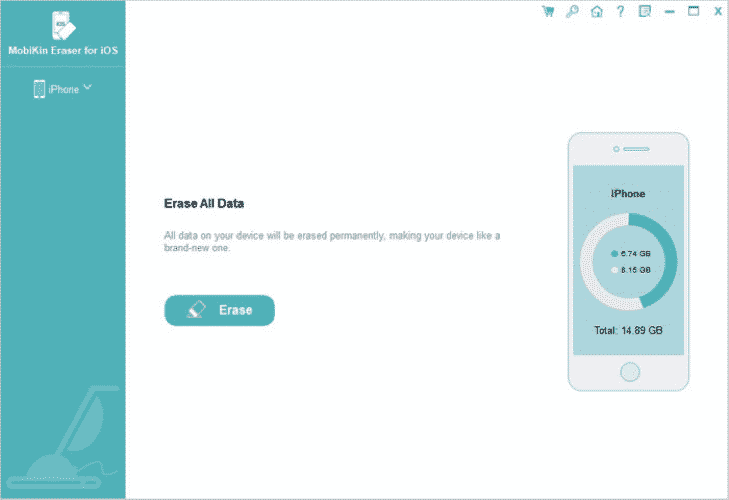
The moment you open MobiKin you’re presented with a clean interface that’s easy on the eyes. The main menu shows the Erase button which when clicked will permanently delete all data, thereby paving the way to permanently delete messages on iPhone.
Keep in mind that you’ll need the latest version of iTunes installed in your computer as a requirement.
How to Easily Delete All Your iPhone Data
Step 1. Install the MobiKin app on your computer, then launch it and wait for it to fully load.
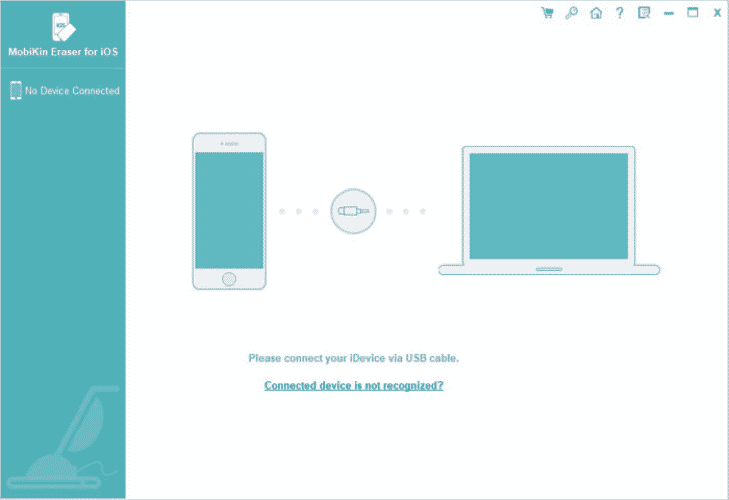
Step 2. Using a cable, connect your iPhone or iPad to the computer so it would be recognized. Once it is, you will see the connected device and the button to Erase All Data on the screen.
Step 3. Choose the Security Level and confirm that you wish to proceed by typing delete in the text box. MobiKin Eraser reminds users to backup wanted data. Make sure to close any app running in the background and wait for app updates to be completed prior to deleting data.
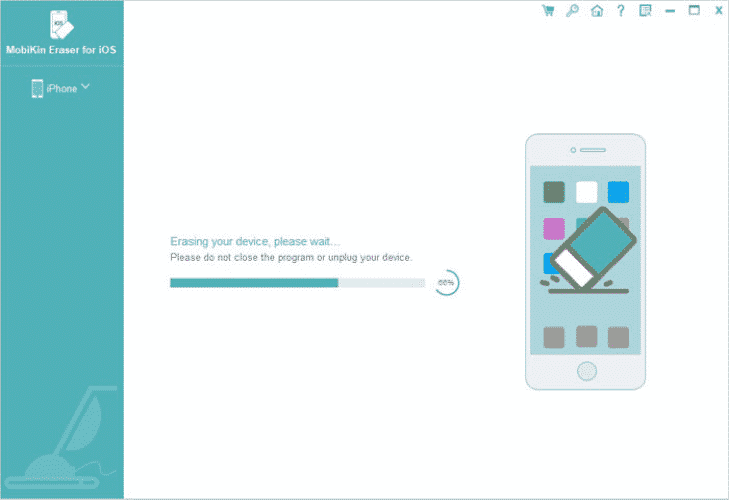
Afterwards, you can sell your iPhone or iPad like new and without worrying about your data falling into the wrong hands. Keep in mind that once the Apple data is deleted there’s no way to get it back.
Wide Support and Compatibility
MobiKin Eraser is supported on a wide range of Apple devices and operating systems. All iPhones starting from iOS 9 to the latest iOS 13 are supported, even the iPhone 11 models.
The one-click Erase All Data works well, especially if you’re in a hurry and need a total wipeout as soon as possible. It will completely and permanently delete data, including information that somehow lingers after uninstalling apps or simply choosing to Erase from iPhone Settings.
3 Different Security Levels
MobiKin offers not just one, but three security levels for utmost satisfaction.
Low Level. This is used by those who want to delete iPhone data with the best possible speed. It’s twice as fast compared to Medium and High Security and can save invaluable time.
Medium Level. This option eliminates deleted and existing data on your device with zero chances of recovery.
High Level. MobiKin not only deletes your iPhone or iPad data just once, but twice over for complete security and peace of mind. There’s virtually no way it can be retrieved ever again.
MobiKin Eraser for iOS is an excellent companion for those who value data protection and privacy on their devices. The one-button erase function should serve all your data deletion needs.











