
iLoungeiLounge
  • News
    • Apple
      • AirPods Pro
      • AirPlay
      • Apps
        • Apple Music
      • iCloud
      • iTunes
      • HealthKit
      • HomeKit
      • HomePod
      • iOS 13
      • Apple Pay
      • Apple TV
      • Siri
    • Rumors
    • Humor
    • Technology
      • CES
    • Daily Deals
    • Articles
    • Web Stories
  • iPhone
    • iPhone Accessories
  • iPad
  • iPod
    • iPod Accessories
  • Apple Watch
    • Apple Watch Accessories
  • Mac
    • MacBook Air
    • MacBook Pro
  • Reviews
    • App Reviews
  • How-to
    • Ask iLounge
Font ResizerAa
iLoungeiLounge
Font ResizerAa
Search
  • News
    • Apple
    • Rumors
    • Humor
    • Technology
    • Daily Deals
    • Articles
    • Web Stories
  • iPhone
    • iPhone Accessories
  • iPad
  • iPod
    • iPod Accessories
  • Apple Watch
    • Apple Watch Accessories
  • Mac
    • MacBook Air
    • MacBook Pro
  • Reviews
    • App Reviews
  • How-to
    • Ask iLounge
Follow US

News › iPad

iPadiPhoneiPod

Improving password security in iOS

Last updated: May 16, 2021 4:04 pm UTC
By Jesse Hollington
Improving password security in iOS

While some may argue about the importance of locking your iPhone or other iOS device with a passcode, in this day of identity thieves and other ne’er-do-wells, it’s generally something we here at iLounge strongly recommend users do. In fact, if you’ve got a device with Touch ID, there’s really little good reason to not have a passcode, which was Apple’s primary motivation for introducing the feature.

Improving password security in iOS

While you probably already know how to set a standard four-digit passcode, you may not realize that it’s possible to use more complex alphanumeric passwords as well — a good security feature considering the number of brute-force attacks that can defeat relatively simple four-digit PINs.

While having to enter a complex password each time you unlock your device would have been more cumbersome in the days before Touch ID, it’s much more practical now, as this is a password that you’ll need to enter far less often — usually only when you restart your device.


Improving password security in iOS

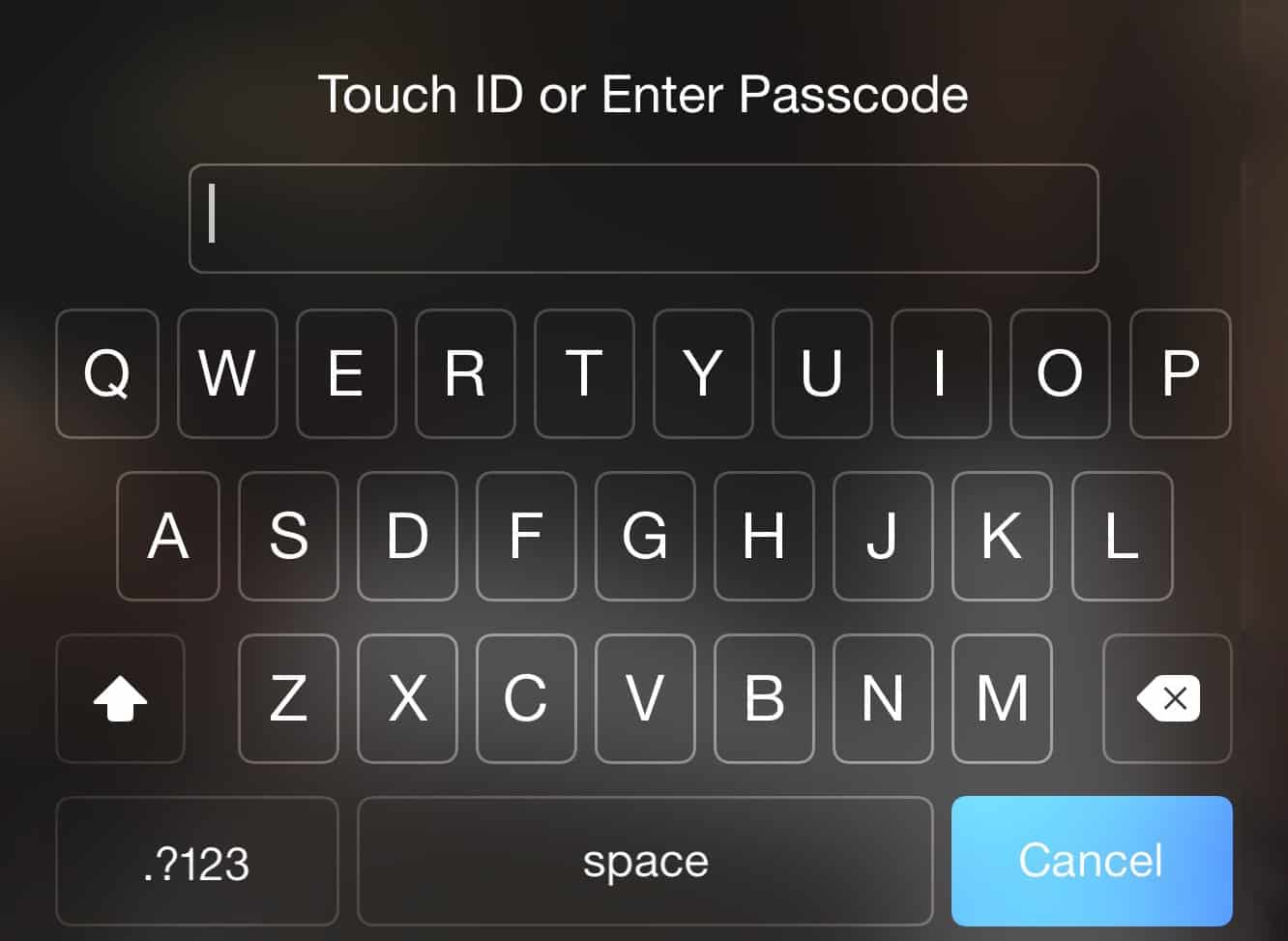
To enable a complex passcode, simply go into your iOS Settings app, choose Touch ID & Passcode, enter your existing passcode (if you’ve set one), and then scroll down and toggle OFF “Simple Passcode.” You’ll be prompted to change your old passcode as soon as you toggle this option off so that you can pick a more secure alphanumeric password.

Improving password security in iOS

Once you’ve done this, you’ll see that the iPhone unlock screen now presents a standard keyboard when you swipe to unlock your device.

However, using a complex password doesn’t change the way Touch ID works — you can still unlock simply by holding your finger on your home button, so you’ll rarely even see the full-keyboard unlock screen. A more secure password, however, will make your iPhone harder to get into for anybody who doesn’t have their fingerprint registered on your device.

.


Latest News
The Apple Watch Series 11 46mm GPS Is $100 Off
1 Min Read
Clamshell Style iPhone Being Looked Into By Apple
1 Min Read
Foldable iPhones May Have the Largest Battery Ever
1 Min Read
Apple and TSMC’s 10-Year Collaboration May Be Ending
1 Min Read
The 13-inch M5 iPad Pro 256GB Wi-Fi Is $149 Off
1 Min Read
M5 Pro and M5 Max Chips for the MacBook Pro could Roll Out with macOS 26.3
1 Min Read
Mac Ordering Process Revamped
1 Min Read
Check Signed By Steve Wozniak and Steve Jobs Sold For $2.4 Million
1 Min Read
The Anker 140W 4-Port GaN USB-C Charger is $35 Off
1 Min Read
No iPhone Air 2 This Year, according to Latest Report
1 Min Read
New Report Corroborates Split iPhone Release Dates
1 Min Read
Apple Losing More Researchers As They Plan To Release 2 Siri Versions
1 Min Read

iLounge logo

iLounge is an independent resource for all things iPod, iPhone, iPad, and beyond. iPod, iPhone, iPad, iTunes, Apple TV, and the Apple logo are trademarks of Apple Inc.

This website is not affiliated with Apple Inc.
iLounge © 2001 - 2025. All Rights Reserved.
  • Contact Us
  • Submit News
  • About Us
  • Forums
  • Privacy Policy
  • Terms Of Use
Welcome Back!

Sign in to your account

Lost your password?









