
iLoungeiLounge
  • News
    • Apple
      • AirPods Pro
      • AirPlay
      • Apps
        • Apple Music
      • iCloud
      • iTunes
      • HealthKit
      • HomeKit
      • HomePod
      • iOS 13
      • Apple Pay
      • Apple TV
      • Siri
    • Rumors
    • Humor
    • Technology
      • CES
    • Daily Deals
    • Articles
    • Web Stories
  • iPhone
    • iPhone Accessories
  • iPad
  • iPod
    • iPod Accessories
  • Apple Watch
    • Apple Watch Accessories
  • Mac
    • MacBook Air
    • MacBook Pro
  • Reviews
    • App Reviews
  • How-to
    • Ask iLounge
Font ResizerAa
iLoungeiLounge
Font ResizerAa
Search
  • News
    • Apple
    • Rumors
    • Humor
    • Technology
    • Daily Deals
    • Articles
    • Web Stories
  • iPhone
    • iPhone Accessories
  • iPad
  • iPod
    • iPod Accessories
  • Apple Watch
    • Apple Watch Accessories
  • Mac
    • MacBook Air
    • MacBook Pro
  • Reviews
    • App Reviews
  • How-to
    • Ask iLounge
Follow US

News › Apple TV

Apple TVHomeKit

Controlling your Home from the Apple TV

Last updated: May 16, 2021 1:49 pm UTC
By Jesse Hollington
Controlling your Home from the Apple TV

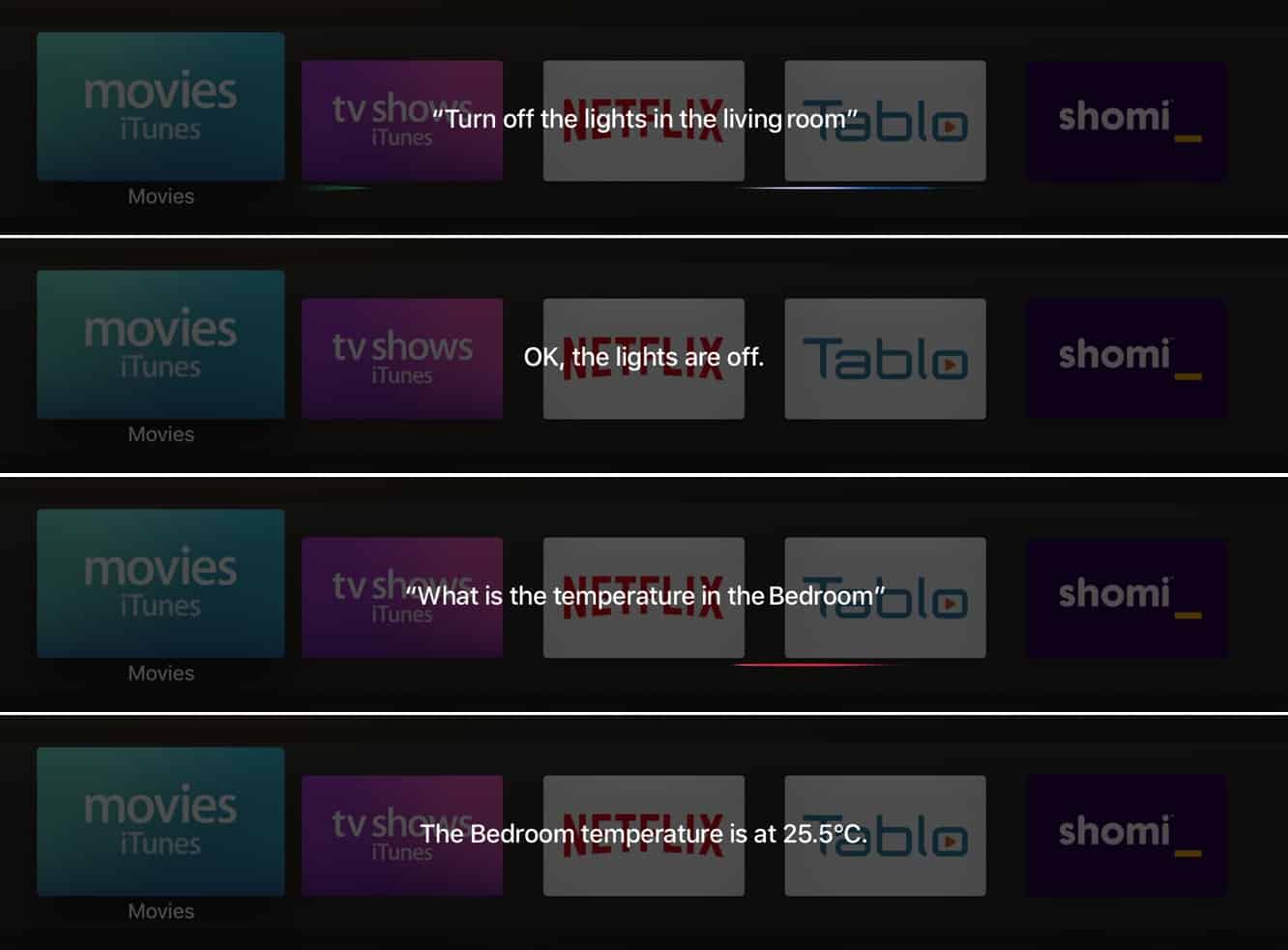
When the fourth-generation Apple TV launched in the fall of 2015, we found the absence of direct support for controlling Apple HomeKit devices to be a conspicuous omission — especially considering the Apple TV was already designed to act as the hub for remote access to HomeKit accessories. In other words, HomeKit accessory commands were being processed through the set-top box, but there was no way to allow the user to participate using the Apple TV itself. It took another year to come to fruition, but tvOS 10 brought interactive HomeKit support to the set-top box last fall, opening up not only the ability to control HomeKit accessories via Siri commands, but also support for third-party tvOS apps to access the HomeKit framework.

Controlling your Home from the Apple TV

Siri HomeKit commands can be used to adjust most accessories (e.g. “Turn off the living room lights”) and activate scenes (e.g.

“Set the movie night scene” or even simply “It’s movie night”), and we’ve found they often work more quickly than issuing the same commands on the iPhone or Apple Watch. You can also set your thermostat (e.g. “Set the temperature to 24 degrees”) and inquire as to the status of various HomeKit sensors to check temperature and other information (e.g. “What is the temperature in the living room?” or even “Is there carbon monoxide in the basement?”).


Controlling your Home from the Apple TV

The only major limitation is that you can’t control security devices such as door locks; these types of devices require authentication — usually via Touch ID or an Apple Watch with Wrist Detection enabled.

And since the Apple TV doesn’t have any way of authenticating you, it will simply refuse to let you do anything with these accessories, directing you to issue the command on your iOS device instead. You can still check the status of your door locks, however (e.g. “Is the front door locked?”).

Controlling your Home from the Apple TV

Third-party HomeKit apps have been a bit slower in appearing for tvOS, although options like Looming ($2) are starting to show up to provide additional options.



Latest News
The Apple Watch Series 11 46mm GPS Is $100 Off
1 Min Read
Clamshell Style iPhone Being Looked Into By Apple
1 Min Read
Foldable iPhones May Have the Largest Battery Ever
1 Min Read
Apple and TSMC’s 10-Year Collaboration May Be Ending
1 Min Read
The 13-inch M5 iPad Pro 256GB Wi-Fi Is $149 Off
1 Min Read
M5 Pro and M5 Max Chips for the MacBook Pro could Roll Out with macOS 26.3
1 Min Read
Mac Ordering Process Revamped
1 Min Read
Check Signed By Steve Wozniak and Steve Jobs Sold For $2.4 Million
1 Min Read
The Anker 140W 4-Port GaN USB-C Charger is $35 Off
1 Min Read
No iPhone Air 2 This Year, according to Latest Report
1 Min Read
New Report Corroborates Split iPhone Release Dates
1 Min Read
Apple Losing More Researchers As They Plan To Release 2 Siri Versions
1 Min Read

iLounge logo

iLounge is an independent resource for all things iPod, iPhone, iPad, and beyond. iPod, iPhone, iPad, iTunes, Apple TV, and the Apple logo are trademarks of Apple Inc.

This website is not affiliated with Apple Inc.
iLounge © 2001 - 2025. All Rights Reserved.
  • Contact Us
  • Submit News
  • About Us
  • Forums
  • Privacy Policy
  • Terms Of Use
Welcome Back!

Sign in to your account

Lost your password?








