
iLoungeiLounge
  • News
    • Apple
      • AirPods Pro
      • AirPlay
      • Apps
        • Apple Music
      • iCloud
      • iTunes
      • HealthKit
      • HomeKit
      • HomePod
      • iOS 13
      • Apple Pay
      • Apple TV
      • Siri
    • Rumors
    • Humor
    • Technology
      • CES
    • Daily Deals
    • Articles
    • Web Stories
  • iPhone
    • iPhone Accessories
  • iPad
  • iPod
    • iPod Accessories
  • Apple Watch
    • Apple Watch Accessories
  • Mac
    • MacBook Air
    • MacBook Pro
  • Reviews
    • App Reviews
  • How-to
    • Ask iLounge
Font ResizerAa
iLoungeiLounge
Font ResizerAa
Search
  • News
    • Apple
    • Rumors
    • Humor
    • Technology
    • Daily Deals
    • Articles
    • Web Stories
  • iPhone
    • iPhone Accessories
  • iPad
  • iPod
    • iPod Accessories
  • Apple Watch
    • Apple Watch Accessories
  • Mac
    • MacBook Air
    • MacBook Pro
  • Reviews
    • App Reviews
  • How-to
    • Ask iLounge
Follow US

Reviews

Reviews

Review: XK72 Mobile Fotos

Last updated: May 13, 2021 7:33 am UTC
By Charles Starrett
Review: XK72 Mobile Fotos

On August 8, 2008, we reviewed a collection of eight different Flickr applications for the iPhone and iPod touch in a roundup entitled iPhone Gems: Every Flickr Application, Reviewed. This review contains a review of one application from that roundup; additional comparative details can be found in the original full story.

Review: XK72 Mobile Fotos

Yahoo!‘s Flickr service is the top photo-sharing site online; its large userbase, friendly, clean interface, and open API have allowed it to grow to storing over 2 billion photos, and developers have created iPhone and iPod touch apps that work directly with the service. Note up front that all of the apps share two common limitations: iPhone OS 2.0 currently limits uploads of previously stored-in-iPhone or -iPod photographs to a maximum resolution of 640×480, with in-application camera functionality available as a workaround. Additionally, in order to show a preview but maintain a full-resolution image, the preview image shown after taking a photo with an in-application camera is normally cropped in one manner or another.


Again, all of the apps are affected by these limits; it’s only a question of whether the developers find smart ways around them.

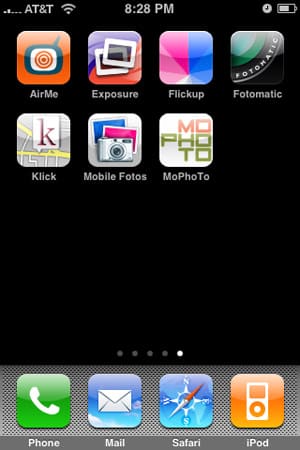
Mobile Fotos is another full-featured Flickr client that attempts to offer a nearly complete Flickr browsing experience on the iPhone, with the added ability to upload photos taken with the camera or stored in the Camera Roll. Once the app is authorized through Flickr, users are dropped at the main screen of the program, a list offering access to your photos, the camera, Camera Roll uploading, contacts, groups, an area to explore photos on Flickr, nearby photos, and search.


Review: XK72 Mobile Fotos

Each of these options has its own small, nice-looking icon, a convention that is carried throughout the app’s interface. Under “You” sit options for your photos, photo sets, favorites, tags, contacts, and groups. A similar screen is available for each of your contacts, and a Nearby feature offers a real-time location accuracy readout, along with options for setting how far to search, how to sort the photos, and how recent the photos should be.

The bottom line is that this app lets you browse what you want, how you want.


Review: XK72 Mobile Fotos

When browsing a set or stream of photos, including those nearby, or in Flickr’s “interesting” category, images are presented on screen in a thumbnail view nearly identical to that of the iPhone’s built-in Photos application. Viewing an individual photo brings up a bottom menu bar with navigation buttons, and an action button that offers the ability to view the picture’s details, including title, author, views, location, time/date, and tags, as well the option to view and add comments. Other options available from the action menu include adding it to favorites, saving the photo to the iPhone’s Camera Roll, or assigning the photo to a contact.


Review: XK72 Mobile Fotos

Uploading is similarly straightforward. Once a picture has been taken or selected from the Camera Roll, the user is presented with a screen for entry of title, description, and tag information, along with the ability to turn geotagging on and off — again, with a real-time accuracy readout — and add the photo to a set.



Latest News
The AirPods Pro 3 is $20 Off
1 Min Read
Exynos 2600 Chip 2nm Process Revealed by Samsung
1 Min Read
New Celebrity Ad Campaign Featuring Travis Scott Released by Beats
1 Min Read
Australia Getting Hypertension Notification Feature
1 Min Read
The 14-inch MacBook Pro with M5 Chip 16GB RAM/512GB is $250 Off
1 Min Read
Noise and Static on AirPods Pro 3 Still Unfixed
1 Min Read
New iMac with 24-inch OLED Display May be Brighter With 600 Nits
1 Min Read
The 15-inch M4 MacBook Air 256GB Is $250 Off
1 Min Read
Internal Kernel Debug Kit from Apple Reveals Tests for a MacBook with A15 Chip
1 Min Read
Apple Currently In Talks With Suppliers for Chip Assembly & Packaging of iPhones in India
1 Min Read
Apple Allows Easier Battery Replacement For M5 MacBook Pro with 14-inch Display
1 Min Read
The Apple Watch SE 3 44mm GPS is $50 Off
1 Min Read

iLounge logo

iLounge is an independent resource for all things iPod, iPhone, iPad, and beyond. iPod, iPhone, iPad, iTunes, Apple TV, and the Apple logo are trademarks of Apple Inc.

This website is not affiliated with Apple Inc.
iLounge © 2001 - 2025. All Rights Reserved.
  • Contact Us
  • Submit News
  • About Us
  • Forums
  • Privacy Policy
  • Terms Of Use
Welcome Back!

Sign in to your account

Lost your password?








