
Veteran headphone maker Urbanears broke into the speaker market last year with two unique higher-end Wi-Fi-equipped speakers, the $350 Stammen and $450 Baggen, offering a refreshing new and unique style and an impressive range of connectivity options. More recently, the company expanded its lineup with a smaller sibling, the Urbanears Lotsen, providing a more affordable entry point in a more compact speaker that still provides all of the style and connectivity features of its higher-end brethren. As a Wi-Fi speaker that’s eschewed the recent trend toward adding a voice assistant, Lotsen fits into a somewhat interesting niche, but we found its design and range of connectivity options to actually be rather intriguing, and Urbanears is clearly trying to make their mark in the market space that’s been dominated by Sonos.
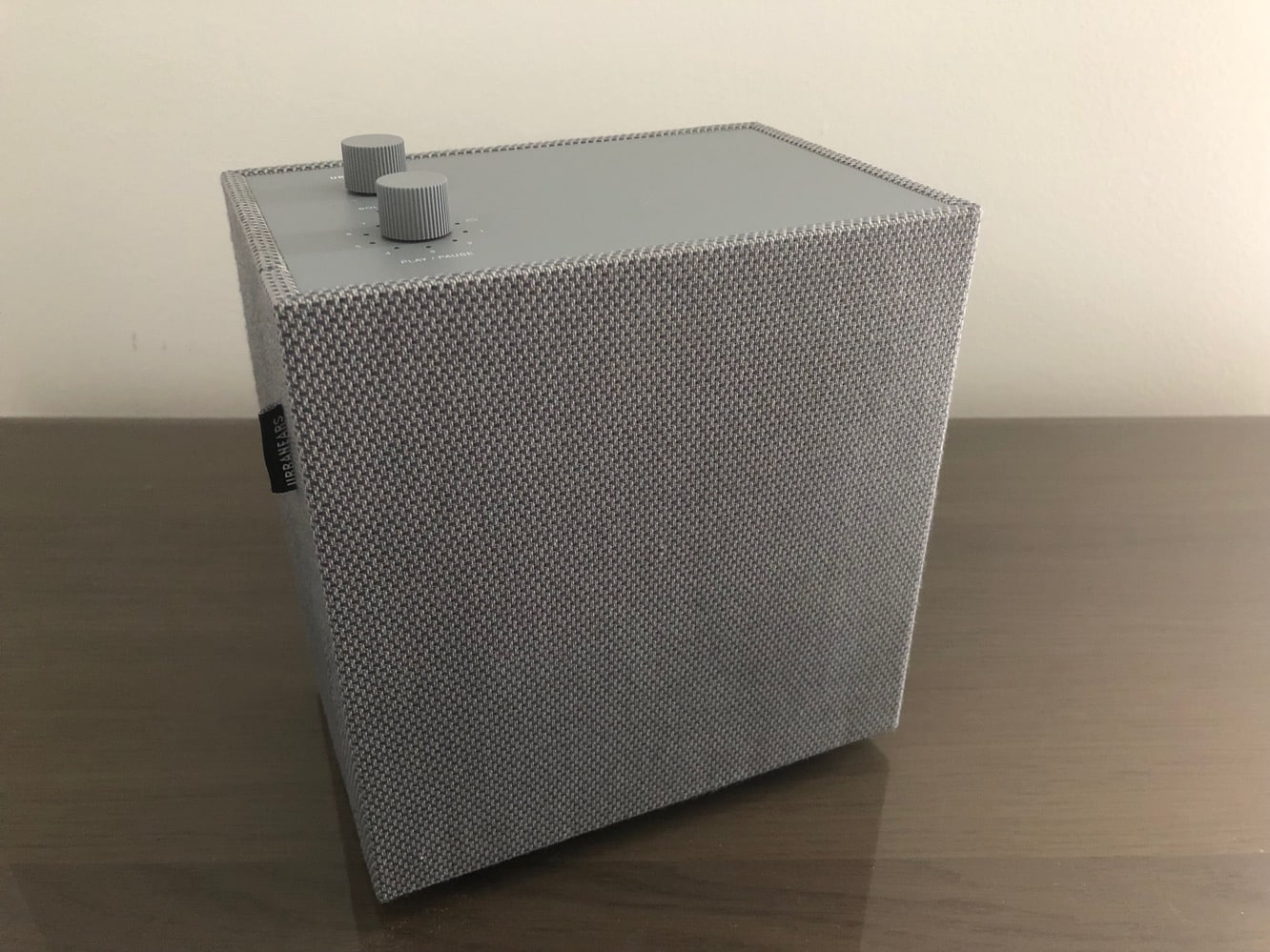
Like Urbanears entire speaker lineup, Lotsen has a minimalist, almost retro design that looks like a speaker you’d find being sold at Ikea — probably not at all surprising considering that Urbanears is also based in Sweden. It’s a simple, fabric-covered box that sits on four feet, with ports on the bottom for power and a 3.5mm input jack and two knobs on the top providing a much more traditional control interface than most high-tech speakers. Lotsen is sold in six different colors — the model we reviewed here is Concrete Grey, but it’s also available in Indigo, Vinyl Black, and the somewhat more fun and vibrant Plant Green, and Goldfish Orange colors. Lotsen also includes a matching colored power adapter in the box. Note that there’s no battery here – this is intended to be a tabletop speaker, not a portable one, although it’s certainly small enough to move from room to room.

What’s we found most unique and interesting about Lotsen’s design is the two knobs found on the top.
Maybe we’re just our ages here, but in an era when most speakers have buttons or even touch controls, there’s something refreshing about simple, tactile knobs for controlling volume and other playback features. The top knob is a simple volume control with an entirely old-school analog feel to it — there are no “stops” or “clicks” on the knob — it rotates as smoothly as a knob on a vintage amp. The lower knob is used to access preset playlists (more on that in a moment) or set the speaker into AirPlay/Chromecast or AUX modes. Both knobs can also be pressed to either switch between single or multi-speaker modes or pause and restart music playback. Like many modern speakers, Lotsen support a multi-speaker pairing mode that lets you combine speakers for synchronize playback, although we were unable to test this with only a single speaker.

Lotsen supports both Bluetooth and Wi-Fi, and as one would expect it’s ready to go as a Bluetooth speaker right out of the box. However, to take full advantage of what Lotsen has to offer, you’ll want to set it up as a Wi-Fi speaker using Urbanears’ Connected iOS app. The setup process was remarkably straightforward, and in fact since Lotsen supports AirPlay (although sadly, not AirPlay 2), the app actually presented us with a built-in AirPlay pairing procedure in iOS that we’ve not encountered before.
The set up procedure took about a minute and went without a hitch, after which Lotsen was immediately available for streaming via AirPlay, Chromecast or Spotify Connect. The app can also be used to control playback directly from Spotify, and features a basic two-band equalizer that can be accessed from within the app.

As part of the setup process, the Urbanears app also offered to link us up with our Spotify account and assign some playlists and Internet radio stations as presents to get us started. This is where Lotsen really shines for Spotify users, as you can assign up to seven playlists that can be called up simply by turning the control knob on the top of Lotsen and pressing it to start playback, meaning you won’t have to reach for your iPhone to put on your favourite tunes. While it’s not as flashy as being able to use an Alexa voice command to call up a Spotify playlist, we can see a definite appeal to the more manual approach. If you do start a different Spotify playlist via Spotify Connect, Lotsen also lets you quickly save that by selecting the slot you want to save it in and holding down the knob. It’s a simple and intuitive design and we rather liked. Of course, there’s no support for other music services like Apple Music, although of course you can stream anything from your iPhone or other mobile device using AirPlay or Chromecast.

Under the hood, Lotsen packs in a single one-inch neodymium dome tweeter and a four-inch woofer, with two Class-D amps providing 20 watts of power output.











