
Over the past year or so, there’s been a strong trend toward voice assistant speakers, with a number of companies jockeying to provide their own takes on Wi-Fi capable speakers that offer support for Alexa, driving the popularity of Amazon’s voice assistant up to new heights. Ultimate Ears joins the party with it’s new Megablast, an upgraded and bigger version of the company’s 2015 Megaboom that delivers more powerful sound while adding support for Amazon Alexa and direct Wi-Fi streaming of Spotify and a plethora of other music services.
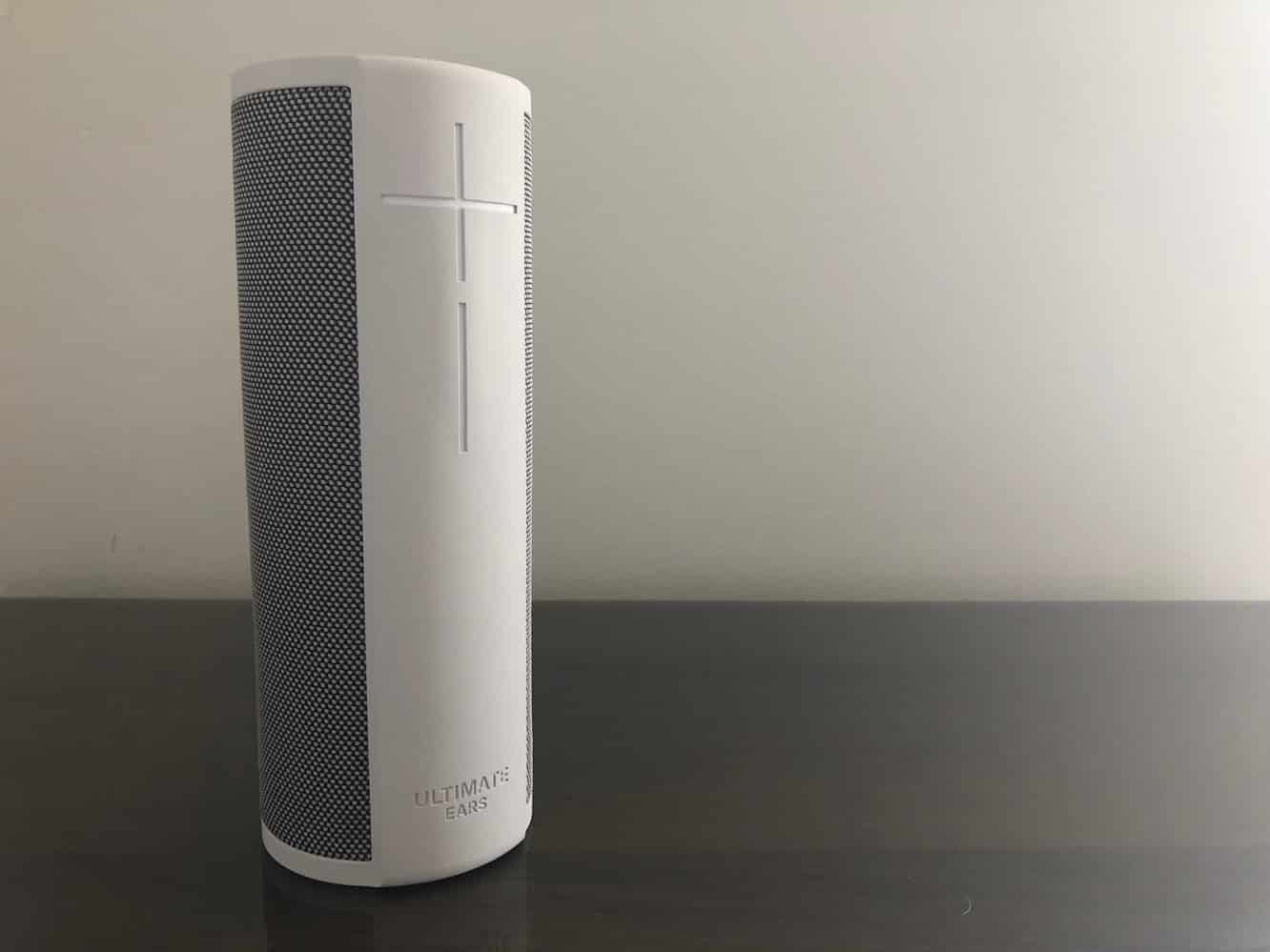
Megablast sports a similar design to UE’s earlier Megaboom, coming in at about the same size, but in more of a perfect cylindrical design, rather than being slightly tapered at the top and bottom. Megablast is available in four color options — graphite, blizzard, blue steel, and merlot — that are a bit more conservative than Megaboom’s plum, electric blue, and lava red colors, but also seem more appropriate for a speaker that’s aimed more at being used in the home rather than on outdoor adventures. In the box you’ll also find a flat USB to micro USB power cable and a USB power adapter for recharging the speaker’s internal battery, which promises 16 hours of playback on a single charge — a drop from Megaboom’s 20-hour time, but no doubt a result of the need to now power a Wi-Fi radio.

Located on top of Megablast, right in the centre, is a single button that’s used for power and Bluetooth pairing, along with a mic/button combination for triggering the Alexa voice assistant. As with UE’s other speakers, the prominent plus and minus buttons on the front are used to control volume. A micro USB charging port is found on the bottom underneath a weatherproof seal ring that can be flipped up for quick charging, or removed entirely by unscrewing the D-ring tethering bolt. The D-ring is screwed into a standard tripod mount, which provides additional options for setting up the speaker outdoors.

One other neat trick that Megablast has up its sleeve is support for UE’s new Power Up charging dock.
Although it will set you back an additional $40, Power Up lets you simply drop your Megablast onto it to recharge it when you’re not using it. The dock requires you to use the USB cable and power adapter that came with your Megablast, and includes a replacement silver tethering bolt that’s designed to pass through power from the dock to the speaker. We think the Power Up dock is particularly handy if you’re going to use Megablast as a speaker at home, especially considering the awkwardness of plugging a cable into the bottom of the speaker.

Megablast will function as a Bluetooth speaker right out of the box with no special set up required, so you can get up and going right away if you just want to use it to stream music from your iPhone or other mobile device. To get up and running with Alexa and take advantage of direct Wi-Fi streaming, however, you’ll need to download UE’s iOS app and go through a quick setup process from your iPhone that involves the usual steps of pairing the speaker with your Wi-Fi network, signing into your Amazon account, and checking for any firmware updates. It’s a pretty straightforward process, and we particularly liked that it uses Bluetooth to configure the speaker for Wi-Fi, saving you the hassle of having to visit the iPhone Settings app to connect to a temporary ad-hoc Wi-Fi network first. Further, if you already have Amazon’s iOS app installed on your iPhone, you can use that to authenticate, saving you the trouble of having to type in your Amazon password. About the only thing we wished UE had done here was take advantage of the iOS Wi-Fi network sharing options to skip making you enter your Wi-Fi password, but that’s a minor quibble from what is otherwise a pretty solid setup experience.

Once configured, the Megablast app can also be used to check and reconfigure settings — such as changing your Wi-Fi network or Amazon account — turn off the microphone to enable Alexa privacy mode, and access a five-band equalizer to adjust audio settings.
One thing that we did find conspicuously missing was the ability to pair more than one Megablast to create a stereo soundstage, a feature offered by UE’s other, non-Wi-Fi, speakers. For the most part, however, once the speaker is setup we don’t expect that you’ll be using the Megablast app that much; even firmware updates can be installed automatically over-the-air without requiring you to visit the app.

While we’re not surprised that Megablast has no direct support for Apple Music (although of course like any Bluetooth speaker you can stream audio from your iPhone), we were a bit disappointed to find AirPlay support missing, particularly considering that it’s something we’ve seen included on other less expensive Alexa-enabled speakers recently. That said, however, Megablast bakes in support for such a wide range of other streaming music services that the lack of AirPlay support may not be missed by many users. In particular, there’s direct support for Spotify Connect using the Spotify app along with full Alexa Spotify integration so you can call up your Spotify playlists using your voice —a first for third-party Alexa speakers we’ve looked at. In addition to Spotify, Megablast can also stream from Amazon Music, Deezer, Pandora, iHeartRadio, SiriusXM, and TuneIn.

In terms of sound quality, Megablast has all of the rich, dynamic, and detailed sound we’ve come to expect from UE — just a lot more of it. At 93 decibels, Megablast lives up to its name — it’s about 40 percent louder than the Megaboom, and yet UE has managed to pull this off without any distortion or harshness on the high end. While some tracks got a little bit muddy at absolutely maximum volume — especially those with really super deep bass — the Megablast still performs remarkably well considering how loud it gets.











