
It’s an Internet of Things era, with pretty much everything getting Bluetooth and Wi-Fi connectivity, so it’s probably no surprise that technology has come to the water bottle as well. Well-known beverage container maker Thermos’ new Connected Hydration Bottle with Smart Lid ($60) aims to “smarten” the portable water bottle by adding the ability to help you keep track of how much water you’re drinking to stay hydrated and healthy. A companion Thermos Smart Lid iOS app runs on your iPhone, iPad, or iPod touch and syncs with the bottle’s Smart Lid via Bluetooth LE to monitor and update your drinking stats. In designing the Connected Hydration Bottle, Thermos partnered with iDevices for the app development and technical design, along with performance training firm EXOS to develop the hydration calculator in the app. Thermos has also partnered with Fitbit to provide direct integration for logging hydration data alongside other health and fitness data in the Fitbit app. Sadly, HealthKit does not appear to be supported at this time.
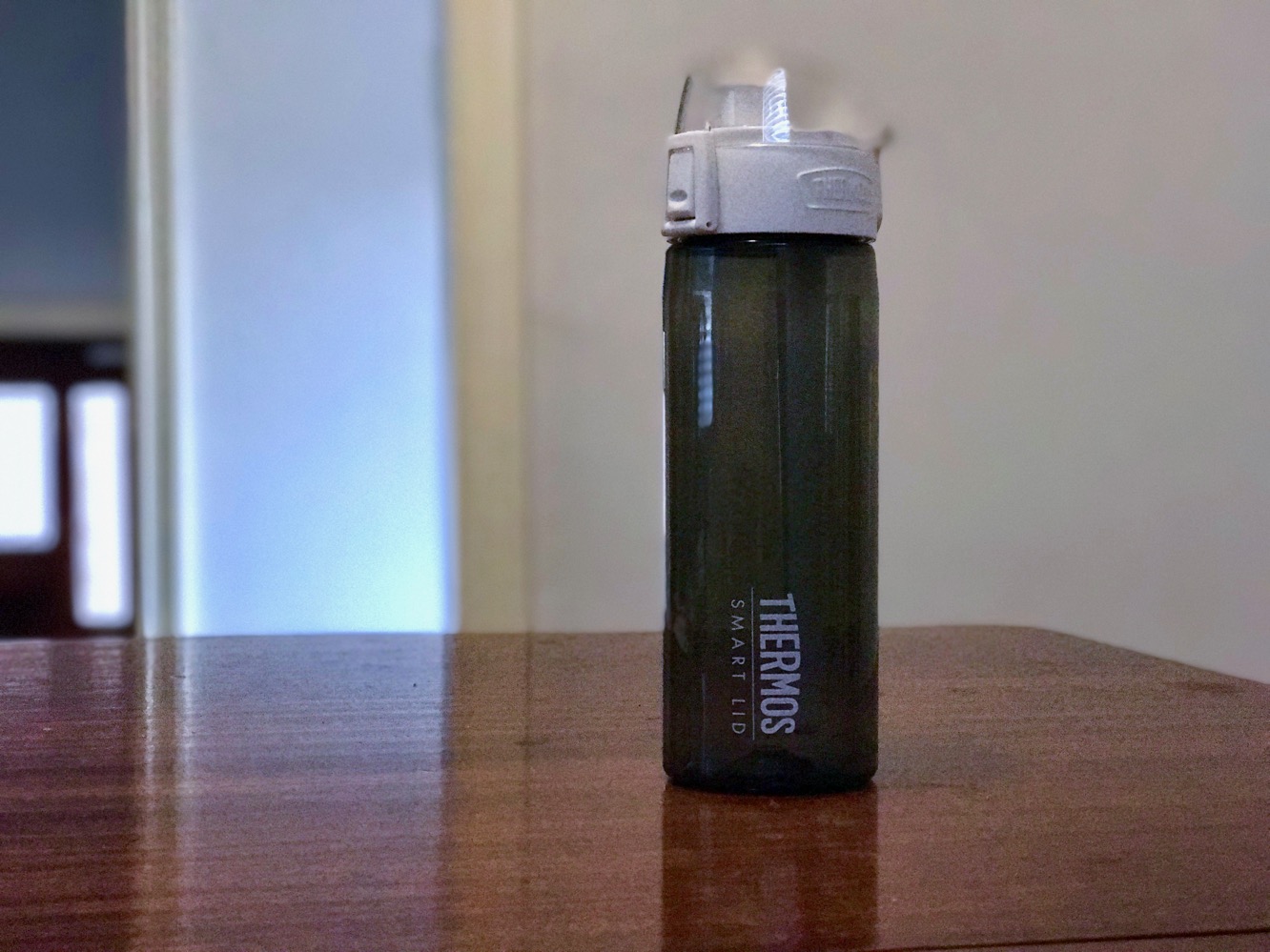
On the surface, the Thermos Connection Hydration bottle looks like a typical portable water bottle. The Smart Lid unscrews as you would expect to refill the bottle, and a volume measuring tube — which is permanently attached to the bottom of the smart lid — is used to monitor water level and temperature. An anchoring ring is provided for hanging the water bottle from a belt clip or backpack, and a clear plastic lid covers the drinking spout.
The front of the water bottle has a release button to pop open the spring-loaded cover so you can drink, along with a locking mechanism that snaps up over the button to prevent accidental opening. A USB port is found on the back of the Smart Lid, which is used for charging. Other than that, it looks like a pretty normal water bottle. Two color options are available — teal and smoke grey — which apply to the lower bottle portion; the Smart Lid is white on both models.

Using the bottle normally is, as usual, a matter of filling it up and drinking — it holds 24 ounces of water. But of course, it’s the connectivity and monitoring features that differentiate this bottle. To set those up, you’ll need to first ensure that Smart Lid is charged; a USB-to-micro-USB cable is provided, but you’ll need to supply your own USB power source such as a computer or wall plug. The charging process takes about 3 hours for a full charge. There are no LEDs or switches on the Smart Lid; plugging it into power turns it “on” once the battery reaches a sufficient level, and it stays on from there until the battery is drained.
Thermos claims the battery should last for about 12 days of normal use.

The free Thermos Smart Lid app, available from the App Store, is used to configure the Smart Lid, and will walk you through the steps of doing so. It’s a fairly straightforward process; however, although the Smart Lid doesn’t need a full charge to begin the pairing process, it appears that if the battery is too low it may take about 5 minutes after being plugged in before the Smart Lid wakes up and becomes discoverable. The setup process takes you through pairing the Smart Lid via Bluetooth and then calibrating it, making sure the measuring tube is dry before doing so. Once calibrated, the Thermos Smart Lid app will suggest a basic hydration goal, which you can accept or choose to customize by answering a series of questions about age, gender, height, weight, and activity levels.

Once calibrated and customized, the Smart Lid app will take you to a dashboard view that displays the amount and temperature of the water in the bottle, along with amount of water consumed, time elapsed, and number of sips since the last time the bottle was refilled. A progress indicator near the bottom shows how close you are to reaching your daily hydration goal, and scrolling down will show a detailed view of how much water you’ve consumed at different time periods during the day. The Smart Lid stores data internally — up to about a week’s worth of data — and syncs it to your iOS device when you open the Smart Lid app, so you don’t need to keep the app open, or even have your iOS device with you when you’re using the bottle, as long as you sync it up every few days.
Weekly and monthly reports are also available, and you can set both automatic and custom reminders that will alert you to keep you on track by reminding you to hydrate throughout the day. An icon in the top right corner of the app shows your battery level, and you can tap on this to access more device information, including options for recalibrating, customizing settings, or updating firmware.











