
As impressed as we were with Fring when it appeared for the iPhone and iPod touch last year, enabling users to make free domestic and international calls using their Skype accounts, we’re even more impressed by Skype (Free): it’s the officially developed Skype application, and boasts markedly superior call quality — at least, when it’s working properly.
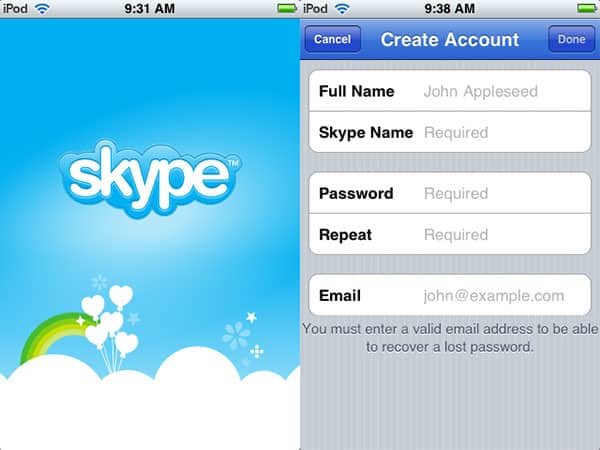
In short, what Skype offers is an alternative telephone service to the one that’s bundled with iPhones and absent from iPod touches: you create a free Skype account, locate contacts on the service, add them to your buddy list, and wait for them to do the same. Once they’ve been added, and assuming you’re on a Wi-Fi network, you can do instant messaging-style text chats with them, or telephone-like voice chats, assuming that you have both a microphone and speaker at your disposal. Obviously, the iPhone and iPhone 3G have both; the first-generation iPod touch neither, and the second-generation iPod touch one but not the other. Add one of the many microphone-equipped earphones to the touch, and you’re ready to make and receive calls.

There are a couple of other neat tricks Skype offers under certain circumstances. If one of your buddies is on a computer rather than an iPod touch or iPhone, he or she can host a conference call, and you can participate in it—we had three iLounge editors connected, one via iPod touch, one via iPhone 3G, and one via Mac. This, and all other Skype-to-Skype application calling, is completely free of charge; you just need to be running the Skype application to receive or make calls.

Additionally, if you’re willing to buy telephone calling credit from Skype, you can actually make Wi-Fi calls from the iPhone or iPod touch directly to traditional land lines and non-Skype-equipped cell phones. We used an iPhone 3G with Skype to call a land line in the United Kingdom, and though the Skype app doesn’t provide any in-call credit countdown, it does update an in-application total credit meter to let you know after a call is finished how much money you have remaining. Calling rates vary; a roughly six-minute test call cost 17 cents.
Good luck getting rates like that from any cellular provider, but then, if you’re using Skype—at least, for now—you’re doing it over Wi-Fi. You can’t just make a long distance call at these rates wherever you may find a 3G network.

The other major factor to consider with Skype is call quality: it’s actually very, very good. We ran comparative tests between Skype and the latest version of Fring, and there was absolutely no question that Skype’s calls sounded superior—when we could establish a clean connection, Skype-to-Skype calls were basically indistinguishable from standard iPhone telephone calls, and sounded just as good on the iPod touch. We tried calls with different earphones and microphones, and found that the mics we were using made more of a difference in apparent call quality than anything else. Just as with a good 3G cell phone connection, the Skype audio was clear enough on both ends to be able to tell the difference between good and so-so mics, and even the so-so ones were entirely intelligible on both ends. The same was true with Skype-to-landline calling: call quality was very close to excellent, and certainly hard to distinguish from a typical 3G- or landline-originated voice call. We were also able to carry on Skype text chats at the same time as we were using the phone, a nice little feature.

We also noted a few differences in our direct tests against Fring: first, echoes in Fring calls diminished their call quality, second, a lower fidelity of audio—particularly noticeable on one end—and third, a more finicky interface for making Fring-to-Fring connections. While Fring offers support for a number of different messaging services, and continues to offer features that make it an attractive application, Skype is most certainly a better program to choose for the core VoIP calling functionality it offers.

There were some hiccups, however, that contributed to a less than ideal Skype calling experience.
Most seriously, bugs in the Skype app led to a series of connections where one caller couldn’t hear the other, who sounded to himself like a squeaky-voiced robot; a restart was required to fix the issue. Separately, when on the iPhone’s speakerphone and walking all around an environment with a Wi-Fi network, a caller reported clipping at the end of some of his sentences. And finally, though Skype mimics the iPhone’s interface in generally eye- and ear-pleasing ways, its low-resolution buddy icons and current approach to Speaker versus Headphone output could benefit from some additional work. When headphones aren’t connected to an iPhone, there’s currently a somewhat kludgy need to hit the speaker button and turn the volume up really loud before you can hear your caller. These aren’t exactly fatal issues, but when they’re fixed, they’ll make Skype a lot better.

It’s also worth mentioning that Skype does have some touches that show that it was both developed and tested pretty impressively before release. Take, for instance, an incoming iPhone cellular call that interrupts an in-progress Skype call. The Skype call is automatically placed on hold, the decline/answer screen for the iPhone appears, and once declined, the Skype app reappears and takes the call off hold. Multi-person calling with a computer as the host provides on-screen information about the participants, complete with buddy icons if they have them.











