
Although most of the new stuff we’ve seen from Satechi in the past few months has been for Mac users, the company hasn’t forgotten about its iOS accessories — its 2016 Aluminum Mobile Dock and Aluminium Watch Stand was two of the classier charging docks we’ve seen for iPhone and Apple Watch users, and now the company has taken the concept to the next level with a dual charging station that can accommodate both an iPhone and an Apple Watch, provide USB-C Fast Charging, and look great while doing it.
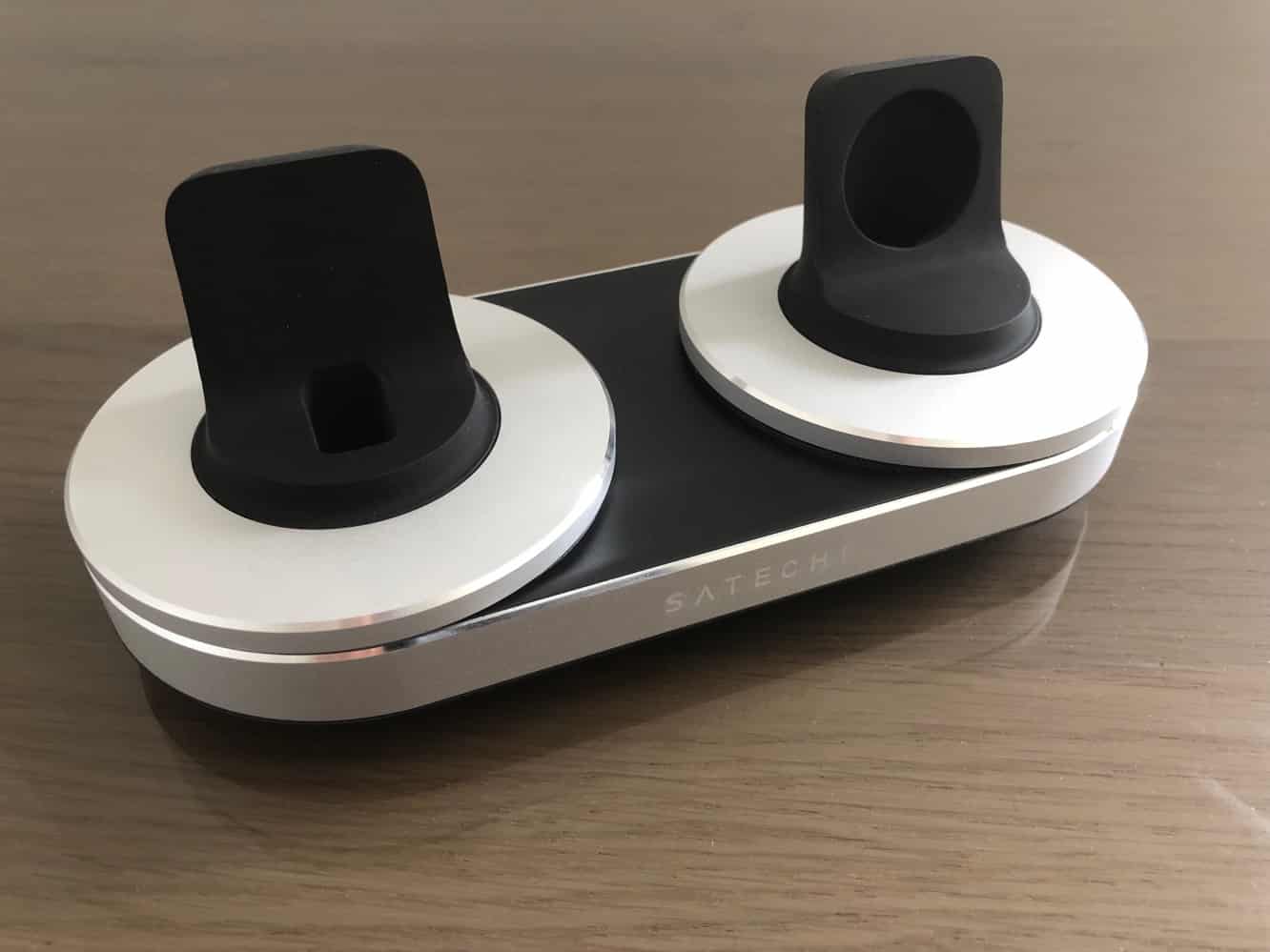
First announced earlier this year, the Type-C Dual Charging Station for iPhone and Apple Watch features two customizable docks that hold a standard Apple USB to Lightning cable on one side, and the Apple Watch Magnetic Charging Cable on the other; you’ll need to supply both of these yourself, although Satechi does include a 15-watt USB power adapter and a USB-A to USB-C cable to power the charging station itself. The brushed aluminum finish is available in either Silver (shown) or Space Gray, giving it Satechi’s typical Mac-like aesthetic.

As mentioned, you’ll need to supply your own cables to set up the charging station, although you can use the Lightning cable and Apple Watch charger that come with your devices. Both of the docks can be removed from the charging station, revealing a spool to store excess cable on the underside, and a recessed USB-A port in the base to plug the cable in. Setting up both docks is relatively easy, involving fishing the existing charging cables through, winding them around the spool, plugging into the base, and then inserting the dock back into the base.
The Lightning dock also comes with a small adapter to hold the Lightning end of the cable upright in an appropriate position for docking, and it extends far enough that case compatibility won’t be a problem.

In fact, unlike other docks we’ve seen that use the standard Lightning cable, Satechi’s charging station doesn’t bother letting you adjust the height of the Lightning plug — instead it relies on the rubber rear of the dock to support the iPhone, which works pretty well, although there are a couple of very minor caveats. The first is that if you’re using a case with a fairly thick back, you might find it a tricky to line up the Lightning plug with the Lightning connector on your iPhone due to the spacing between where the plug sits and the rear support. Note that it’s all rubber, however, so there’s a fair bit of flexibility — putting the iPhone on while tilted slightly forward seemed to help since there’s enough give in the connector arrangement, and of course if you don’t mind having to use two hands, you can also just pull the connector forward slightly, and it will eventually stay in that position naturally.

One other issue, which we’ve seen with most other cable-based docks, is that removing the iPhone will sometimes pull the cable up with it. This can be somewhat mitigated by ensuring the Lightning cable is spooled tightly underneath the dock, but you can also just drop a dab of glue in between the Lightning plug and the rubber frame of the dock if it’s a problem, although of course this will make it harder to take the cable out should you want to use it separately.
Even in this case, however, the secure fit of the Lightning plug will mean that the entire dock will want to come out of the base when removing your iPhone, and although it’s easier to hold onto the whole base than the Lightning plug, we still found ourselves wishing that Satechi had designed the docks to actually attach more securely to the base. In short, removing your iPhone will likely be a two-handed operation.

Things are considerably more straightforward on the Apple Watch side, since the magnetic charging disc simply slides into the rubber frame and works exactly as you’d expect. The only catch here is that if you’re using the two-meter Apple Watch charging cable it will make for a somewhat tight fit around the spool. It works, but it was more awkward than we would have liked.











