
On August 19, 2008, we reviewed a collection of four different file storage applications for the iPhone and iPod touch in a roundup entitled iPhone Gems: Every File Storage App, Reviewed, updating it on August 22, 2008 with two new entries. This review contains a review of one application from that roundup; additional comparative details can be found in the original full story.
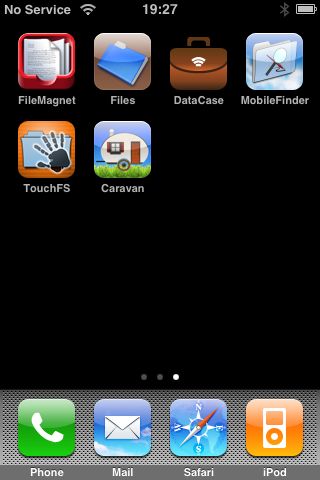
Though iPods have included this feature for years, Apple did away with Disk Mode—a way to store non-media files for transfer to a different computer—when it released the iPhone and iPod touch. Fortunately, as with other features missing from the iPhone and iPod touch in their native configuration, enterprising third-party developers have stepped in to fill the void, albeit in somewhat different ways than you may expect. New apps not only store and transport your files, but also let you actually view them on the device itself if they are in a supported format.
However, these tools don’t actually provide the old-style “Disk Mode” that the traditional iPod models do—rather than operating over USB and appearing as an external storage device, these applications all work over Wi-Fi using various network protocols. Your iPhone or iPod touch and your computer will need to be on the same Wi-Fi network if you want to transfer files to and from your device.
TouchFS is another WebDAV based file storage app, similar in concept and design to Files, but with a premium price tag—one of the highest we’ve seen yet for an iPhone app. When running, TouchFS presents your iPhone or iPod touch to your computer as a WebDAV server, which you can connect to directly from Finder or Windows Explorer, albeit manually.
Starting TouchFS will immediately take you to a file listing screen with a folder of sample files and a “readme” file pre-loaded onto your device.

As with most of the other file storage apps, TouchFS immediately starts listening as a WebDAV server as soon as it’s started, although you’ll need to hit the “Options” button to find the IP address of your device if you do not already know it.

In addition to showing you the URL that you can use to connect to WebDAV from Finder or Windows Explorer, this screen also provides the option to turn off the WebDAV server entirely, change the listening port number, or enable user and password authentication. From a client access point of view, TouchFS actually combines the authentication features of both Files and DataCase. With TouchFS, if you do not enable authentication, no password is required to connect, but you must authorize each connection directly on your iPhone or iPod touch.

If authentication is enabled, the specified user name and password will be required to establish a WebDAV connection from your computer, but you will not need to authorize the connection on the device itself. Unfortunately, unlike Files or DataCase, there are no “mixed” authentication options available nor is there any multi-volume support—you must choose one method or the other and there is no way to set up different storage areas with different security.
Once connected from your computer, file management is handled through Finder or Windows Explorer in the same way as with the Files application reviewed earlier. TouchFS offers a fairly useful built-in help system which is accessed by tapping on the question mark icon in the bottom right corner of the main TouchFS screen.

Information on how to connect from your computer and how to use TouchFS is included here, and the directions are quite concise, although are static documents rather than being being dynamically generated to include your own configuration information.
For example, the instructions for connecting to TouchFS from your Mac will include a sample IP address and instructions for where to within TouchFS to find the actual IP address of your specific device. Despite its other serious flaws, we much preferred MobileFinder’s help system which included your actual IP address in the appropriate locations.

Files transferred to the device will appear on the main screen, with any sub-folders sorted at the top of the listing. TouchFS does not provide any file management capabilities on the device at all—if you want to delete a file you will need to reconnect from Finder or Windows Explorer in order to do so.

Tapping on a supported file will open it for viewing. TouchFS supports viewing of JPG, PDF, HTML, text, and Microsoft Office Word, Excel, and Powerpoint documents, as well as any video or audio file that could otherwise be synced to the device from iTunes.

iWork support with TouchFS is a little more complicated: the latest version indicates that iWork Pages and Numbers documents are supported as long as they have been saved with previews enabled. If so, these can be viewed in the same way as any other document, and unlike Files or MobileFinder there is no need to zip them up first. Attempting to view a Pages or Numbers files that has not been saved with previews enabled will display a message indicating as much.

Note that other storage apps we’ve reviewed here do not require that iWork documents be saved with previews to enable viewing, although they do require that your files be zipped first, with the only exception being FileMagnet, which presumably pre-processes iWork documents through its own desktop file transfer application. It should also be noted that TouchFS does not support iWork Keynote presentations at all, so these will need to be saved in a Microsoft Powerpoint format if you wish to view them on your device.
Documents may be viewed in portrait or landscape orientation by rotating your device, which rotates the entire TouchFS interface.











