
On August 4, 2008, we reviewed a collection of 13 different voice recorder applications for the iPhone in a roundup entitled iPhone Gems: Every Voice Recorder, Reviewed. This review contains a review of one application from that roundup; additional comparative details can be found in the original full story.
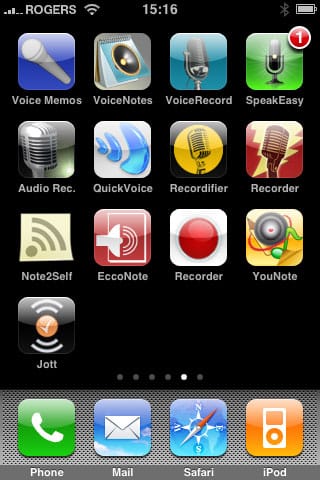
The iPhone comes with a built-in microphone, but didn’t have any voice recording software to take advantage of that feature. Today, less than a month after the opening of the App Store, there are 13 different pieces of voice recorder software. Note that unlike many of the App Store programs, these particular applications are designed specifically for the iPhone, not the iPod touch. Additionally, the base recording quality of all of the apps that we reviewed was roughly equivalent.
A few of the apps we reviewed offered higher-quality recording settings, which resulted in slightly improved fidelity when recording from music sources or from distant sources, such as in a lecture hall. However, for voice recording quality purposes, all of the applications that we reviewed provided acceptable quality with virtually no distinguishable differences.
In terms of space taken up by voice recordings, based on the apps that did provide storage information or transfer of voice memos, you can expect your recordings to take approximately 1MB per minute of recorded audio on average, versus 2.5MB per minute on the iPod 5G’s, classic’s and nano’s low-quality mode. Notably, the numbers are not directly comparable because iPhone recordings are currently made in Apple’s Core Audio Format (CAF) rather than WAV, the format used by iPods. The space consumed will also vary somewhat with applications that provide different quality settings, however with the monaural microphone on the iPhone, there’s no current need to record in stereo fidelity.
A near-term iPhone software update is expected to add MP3 encoding as an alternative to CAF for greater compatibility of the recorded files.
Recordifier is yet another unremarkable voice recording app with a relatively high price tag. The basic features work more or less as you would expect. Start the application, and you’re taken to a screen listing your recordings and providing a “Record” button prominently displayed at the bottom of the screen:

Tapping the “Record” button begins your recording. A level meter is provided, but there is no ability to pause and resume your recording, nor will you be able to append to it once you stop recording. When you’re finished recording, you are taken to a screen where you can assign a name to the recording, play it back, or delete it.











