
iLoungeiLounge
  • News
    • Apple
      • AirPods Pro
      • AirPlay
      • Apps
        • Apple Music
      • iCloud
      • iTunes
      • HealthKit
      • HomeKit
      • HomePod
      • iOS 13
      • Apple Pay
      • Apple TV
      • Siri
    • Rumors
    • Humor
    • Technology
      • CES
    • Daily Deals
    • Articles
    • Web Stories
  • iPhone
    • iPhone Accessories
  • iPad
  • iPod
    • iPod Accessories
  • Apple Watch
    • Apple Watch Accessories
  • Mac
    • MacBook Air
    • MacBook Pro
  • Reviews
    • App Reviews
  • How-to
    • Ask iLounge
Font ResizerAa
iLoungeiLounge
Font ResizerAa
Search
  • News
    • Apple
    • Rumors
    • Humor
    • Technology
    • Daily Deals
    • Articles
    • Web Stories
  • iPhone
    • iPhone Accessories
  • iPad
  • iPod
    • iPod Accessories
  • Apple Watch
    • Apple Watch Accessories
  • Mac
    • MacBook Air
    • MacBook Pro
  • Reviews
    • App Reviews
  • How-to
    • Ask iLounge
Follow US

Reviews

Reviews

Review: Quantum Quinn Day Bank

Last updated: May 13, 2021 7:32 am UTC
By Charles Starrett
Review: Quantum Quinn Day Bank

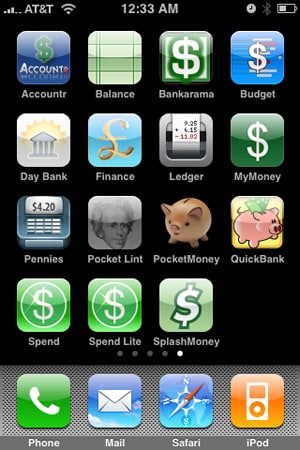
On August 25, 2008, we reviewed a collection of 15 different personal finance applications for the iPhone and iPod touch in a roundup entitled iPhone Gems: Every Personal Finance Application, Reviewed. This review contains a review of one application from that roundup; additional comparative details can be found in the original full story.

Review: Quantum Quinn Day Bank

Day Bank ($4) from Quantum Quinn is a basic finance management application with support for multiple accounts. Once an account has been created, users are dropped into that account’s view on launch.

This view lists recent transactions, including the name, amount, date, and category, with green icons for deposits and red icons for debits. The account name is listed prominently at the top, with the balance appearing at the bottom. An edit button lets users delete transactions, a tools button provides access to preferences for date format, transaction sorting order, and passcode protection, while both the add button and the write button allow the user to enter a new transaction.


Review: Quantum Quinn Day Bank

Day Bank’s two new transaction buttons relate to its two modes of entry: standard and quick.

The write icon leads to a quick entry screen, where users can input a name, amount, type, category, and memo for the transaction, while tapping the add button leads to the full new transaction screen, which offers the same fields as the quick entry screen, along with date, account, and image. Images can only be added after a transaction has been saved, and the user can choose to take a new picture or use an existing photo from the camera roll.


Review: Quantum Quinn Day Bank

Back in the account view, a book icon leads to the account selection screen, where users can hit the add button to add a new account, with a name, memo, and description information, tap on the blue circle next to an existing account to edit its information, or hit a folder button to manage their categories. As with several other financial apps for the iPhone priced between $3 and $4, Day Bank’s issues lie in its value: it does what it claims to do, but little more, and lacks some features found on lower priced alternatives.



Latest News
The AirPods Pro 3 is $20 Off
1 Min Read
Exynos 2600 Chip 2nm Process Revealed by Samsung
1 Min Read
New Celebrity Ad Campaign Featuring Travis Scott Released by Beats
1 Min Read
Australia Getting Hypertension Notification Feature
1 Min Read
The 14-inch MacBook Pro with M5 Chip 16GB RAM/512GB is $250 Off
1 Min Read
Noise and Static on AirPods Pro 3 Still Unfixed
1 Min Read
New iMac with 24-inch OLED Display May be Brighter With 600 Nits
1 Min Read
The 15-inch M4 MacBook Air 256GB Is $250 Off
1 Min Read
Internal Kernel Debug Kit from Apple Reveals Tests for a MacBook with A15 Chip
1 Min Read
Apple Currently In Talks With Suppliers for Chip Assembly & Packaging of iPhones in India
1 Min Read
Apple Allows Easier Battery Replacement For M5 MacBook Pro with 14-inch Display
1 Min Read
The Apple Watch SE 3 44mm GPS is $50 Off
1 Min Read

iLounge logo

iLounge is an independent resource for all things iPod, iPhone, iPad, and beyond. iPod, iPhone, iPad, iTunes, Apple TV, and the Apple logo are trademarks of Apple Inc.

This website is not affiliated with Apple Inc.
iLounge © 2001 - 2025. All Rights Reserved.
  • Contact Us
  • Submit News
  • About Us
  • Forums
  • Privacy Policy
  • Terms Of Use
Welcome Back!

Sign in to your account

Lost your password?








