The Pronto ($50) smart remote system is a small accessory that lets users control entertainment devices such as TVs, DVD and Blu-Ray players, Apple TVs and more when used with the free Peel Smart Remote app. Pronto uses Bluetooth Smart to pair with an iOS device — the system then converts these signals to IR to communicate with the other compatible devices. Users can also use Wi-Fi to find and control devices, though that does limit the available options (we used Bluetooth as our primary means of connecting for this review). The system is powered by four AA batteries, which are said to last about a year with normal use. Pronto has been primarily known as a line of dedicated universal remotes from Philips, but this new app-based version is simply being billed as Pronto, both on the packaging and online.

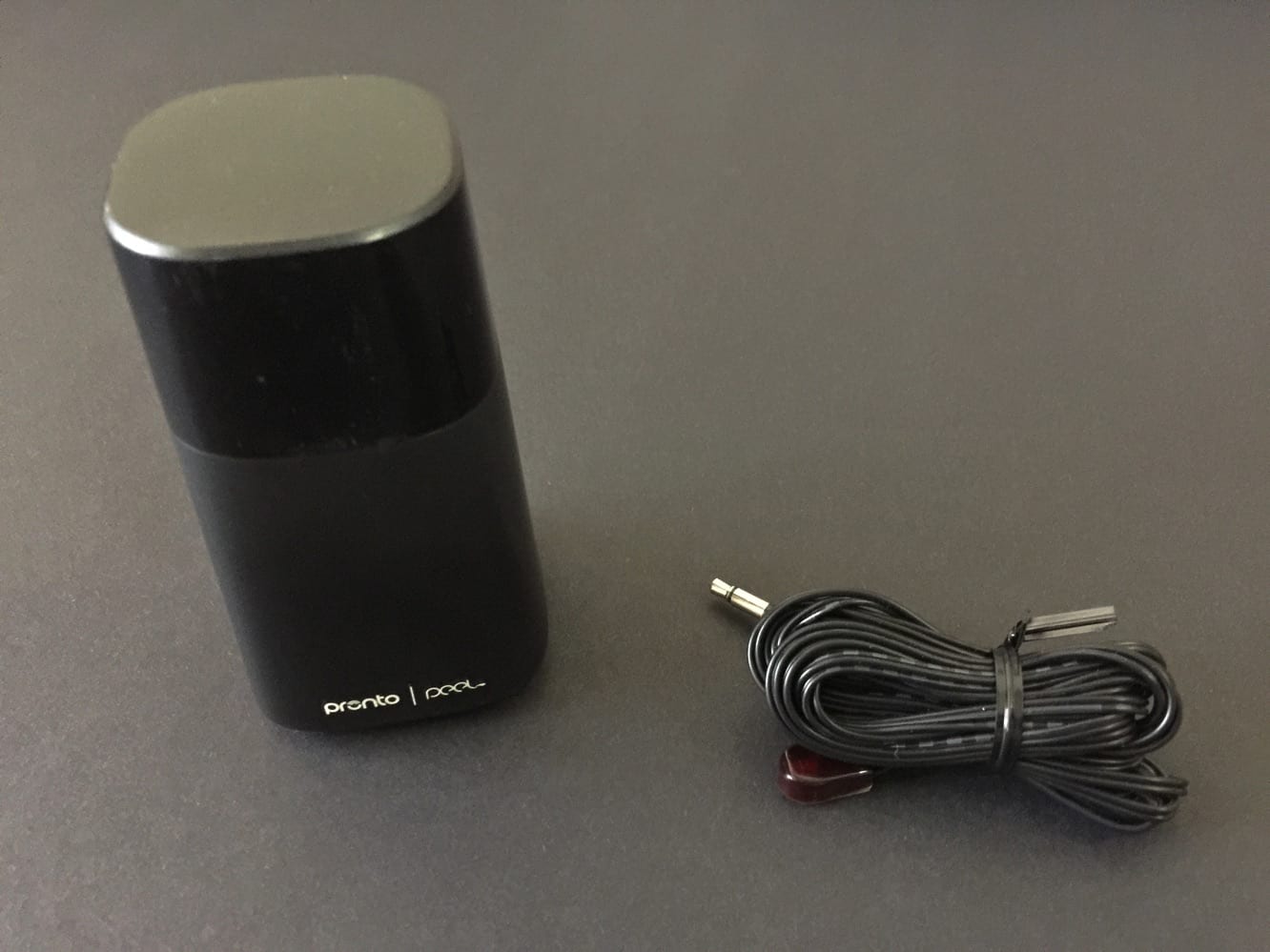
Pronto is a small squarish cylinder — see it above compared to the Apple TV — just 3.57” x 1.98” at its largest point. Setup is much easier than one would expect from such an accessory. Four included AA batteries are inserted into Pronto via a hidden access panel, and the IR cord is plugged into the back.
After that, you use the Peel Smart Remote app to set up any devices. The app is easy to navigate, making it easy to add more devices — or settings for multiple rooms. Within minutes, we were able to connect a TV, soundbar, FIOS set-top box and Apple TV in one room, and another brand of TV, DVD player, and FIOS box in another room. We expected a hassle or two, but didn’t find any, as the connections all worked quickly, without having to type in any lengthy codes — switching through a few available button options did the trick.


Using the Peel Smart Remote app is where the appeal of Pronto lies, of course, and the app and system offer many advantages. Other than a simple onscreen remote to control volume, channels, power, and access menus, using Pronto with a cable system like FIOS goes deeper, accurately showing TV programs which are currently airing, and offering access to a channel guide which allows users to navigate much faster than a typical TV remote. Shows can also be sorted by genres, or specifically for certain sports, and users can also set reminders for shows through the app. There is an ever-so-slight delay when using the app compared to your physical remotes, but it’s negligible.
A native iPad app is apparently on the way.
On a setup with a TV and soundbar that normally required separate remotes, Pronto allowed us to integrate the volume controls from the soundbar onto the TV controls — a real boon. Of course, not every entertainment setup will benefit so obviously. The Apple TV doesn’t really gain anything in functionality from the app, but it doesn’t lose anything, either. And considering how easy it is to misplace the small Apple TV remote, it’s nice to have the remote on your iOS device, in the same place as your other remotes (Apple’s own official Remote app is another option for this, of course). If nothing else, the system makes for a great collection of backup remotes.


If you’re an iOS user in need of a universal remote, Pronto is certainly worth serious consideration. While there are cheaper physical multi-device remotes, Pronto’s $50 price tag is definitely low enough to attract many users — this is the most affordable option we’ve reviewed. And when paired with the Peel Smart Remote app, the advantages become clear.