
On August 19, 2008, we reviewed a collection of four different file storage applications for the iPhone and iPod touch in a roundup entitled iPhone Gems: Every File Storage App, Reviewed, updating it on August 22, 2008 with two new entries. This review contains a review of one application from that roundup; additional comparative details can be found in the original full story.
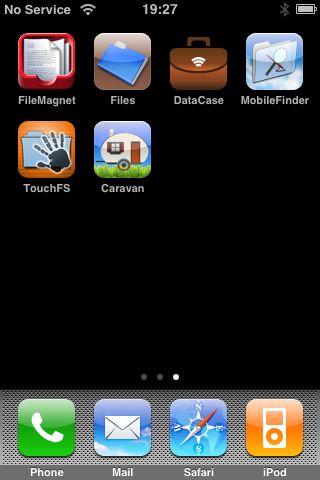
Though iPods have included this feature for years, Apple did away with Disk Mode—a way to store non-media files for transfer to a different computer—when it released the iPhone and iPod touch. Fortunately, as with other features missing from the iPhone and iPod touch in their native configuration, enterprising third-party developers have stepped in to fill the void, albeit in somewhat different ways than you may expect. New apps not only store and transport your files, but also let you actually view them on the device itself if they are in a supported format.
However, these tools don’t actually provide the old-style “Disk Mode” that the traditional iPod models do—rather than operating over USB and appearing as an external storage device, these applications all work over Wi-Fi using various network protocols. Your iPhone or iPod touch and your computer will need to be on the same Wi-Fi network if you want to transfer files to and from your device.
One of the more recent file storage entries in the App Store is actually an application first made popular as an unofficial offering for jailbroken iPhones several months ago. As the name MobileFinder implies, Pixio’s program attempts to do a bit more than just being a file transfer and storage app, instead providing more enhanced file management capabilities directly on your device. In this sense, MobileFinder is more of a file management application for your iPhone or iPod touch than merely a file storage and viewing application.
However, serious problems with this application led us to issue a very low rating and a warning; Apple should never have allowed something with MobileFinder’s bugs to appear for sale in the App Store.
MobileFinder uses FTP as its transfer protocol, which provides more cross-platform compatibility in a single protocol, but unfortunately does require that Mac users supply their own FTP client such as Transmit or Cyberduck, since Finder itself provides read-only access to FTP servers. Opening MobileFinder presents a Finder-like interface, with pre-defined folders for Documents, Movies, Music and Pictures, as well as a folder of Sample Files. Each of these pre-defined folders may be renamed or deleted, either directly on the iPhone or iPod touch itself, or via an FTP connection.

To begin sharing files, tap the icon in the bottom-right corner, and a transfer status window is displayed, with a Start/Stop button that can be used to enable the FTP server portion of MobileFinder.

From the tabs at the bottom, instructions are provided for configuring your computer to access MobileFinder for Mac OS X, Windows XP, and Vista.

Transferring files to and from your iPhone or iPod touch with MobileFinder is simply a matter of following these instructions, which basically talk you through setting up a traditional FTP connection to MobileFinder. Note that no password security is available in MobileFinder, nor does the device prompt the user for individual connections—it simply operates as an anonymous FTP server whenever it is started, and users should therefore be cautious about leaving the file transfer portion enabled when on a non-secure Wi-Fi network, as any user will be able to access and browse the entire file system.
MobileFinder does provide some rudimentary security at a file and directory level, but this is made needlessly complex for the average user by trying to emulate standard Unix-style file permissions such as read, write and execute, which can be adjusted from the file or folder properties; these are displayed by tapping the blue arrow beside a file or folder entry.

Unfortunately, users without an understanding of the Unix file system will find this to be extremely confusing and non-intuitive, and in fact these settings are not even applied consistently with normal expectations. For instance, the removal of the Execute permission from a folder should prevent a user from navigating into that folder, but in reality it simply presents a list of files in the folder while not allowing these files to actually be read, either via MobileFinder or an FTP client. In addition, other than the files being displayed in a different color, no user feedback is provided—tapping on a file simply returns the user to the parent directory without any explanation.
Further, MobileFinder presents a fair bit of other internal OS X file system information for each file, such as owner, group, and Unix-style permissions. While this information may have been somewhat useful for advanced users when using MobileFinder as an application for jailbroken iPhones, it is almost entirely irrelevant for an official App Store application.

That having been said, MobileFinder does provide some very useful file management capabilities that are missing from other file storage apps, including the ability to move, copy, and delete any file or folder, the ability to create new folders and new text files, and even the ability to zip and unzip files directly on the device. All of these functions are accessed by tapping the Edit button at the top-right of any folder listing, at which point you may select several files and choose a function to apply to them from the menu bar at the bottom of the screen.

Another useful feature that MobileFinder provides is the ability to edit text documents directly on your device.
Opening a text file will display an Edit button in the top-right corner, and tapping this button will bring up the on-screen keyboard so that you can edit the document.

Other common file types can be viewed directly on the device, including the usual supported formats such as Microsoft Office, PDF, and JPEG files. MobileFinder also provides support for iWork documents, although it insists that they be zipped first, which the device will offer to do for you.

Unfortunately, although MobileFinder offers some nice advanced features, it performed poorly during our testing. File transfers to and from the device were the slowest that we observed from any of the six applications we reviewed, taking up to twice as long. Part of this is due to its use of the less efficient FTP protocol, although even when compared to DataCase using FTP, MobileFinder was still noticeably slower. Further, MobileFinder is incapable of handling large PDF files at all. When attempting to view our 27 MB Free iPod + iPhone Book 4 reference document, it consistently failed with a “Low Memory” error:

Attempts to view our 9.5 MB 2008 iPod + iPhone Buyer’s Guide failed with a Low Memory error about 50% of the time as well, although it tended to work successfully immediately after a restart of the iPhone. More seriously, MobileFinder rebooted our device spontaneously when attempting to view larger files, whether or not it had been successful in displaying them. Repeated attempts to view large files almost invariably resulted in a complete spontaneous reboot of the iPhone. Exiting and reloading MobileFinder after a “Low Memory” error seemed to prevent this from happening, but it’s clear that there is a memory issue in MobileFinder somewhere that is causing problems.
Further, several times after encountering a “Low Memory” error while trying to perform functions such as compressing or uncompressing files, MobileFinder took us to the root of the iPhone file system instead of its normal “Home” folder—an area that no official app should be permitted access to.











