
Apple’s iPhone cameras have gotten to the point that it’s the only camera many people even use anymore — certainly most of us here at iLounge have given up on compact point-and-shoot cameras in favour of our always-at-the-ready iPhones, and with the iPhone 7 Plus, some of us can’t even see the point in digging out DSLRs anymore. However, despite the impressive quality of the cameras in the iPhone 7 and iPhone 7 Plus, one thing that we often miss is the feel of a more traditional camera and its controls, which is where Miggo’s Pictar comes into play — it’s an add-on camera accessory for iPhones that provides a traditional grip along with a shutter button and three control wheels for adjusting settings such as exposure and zoom.
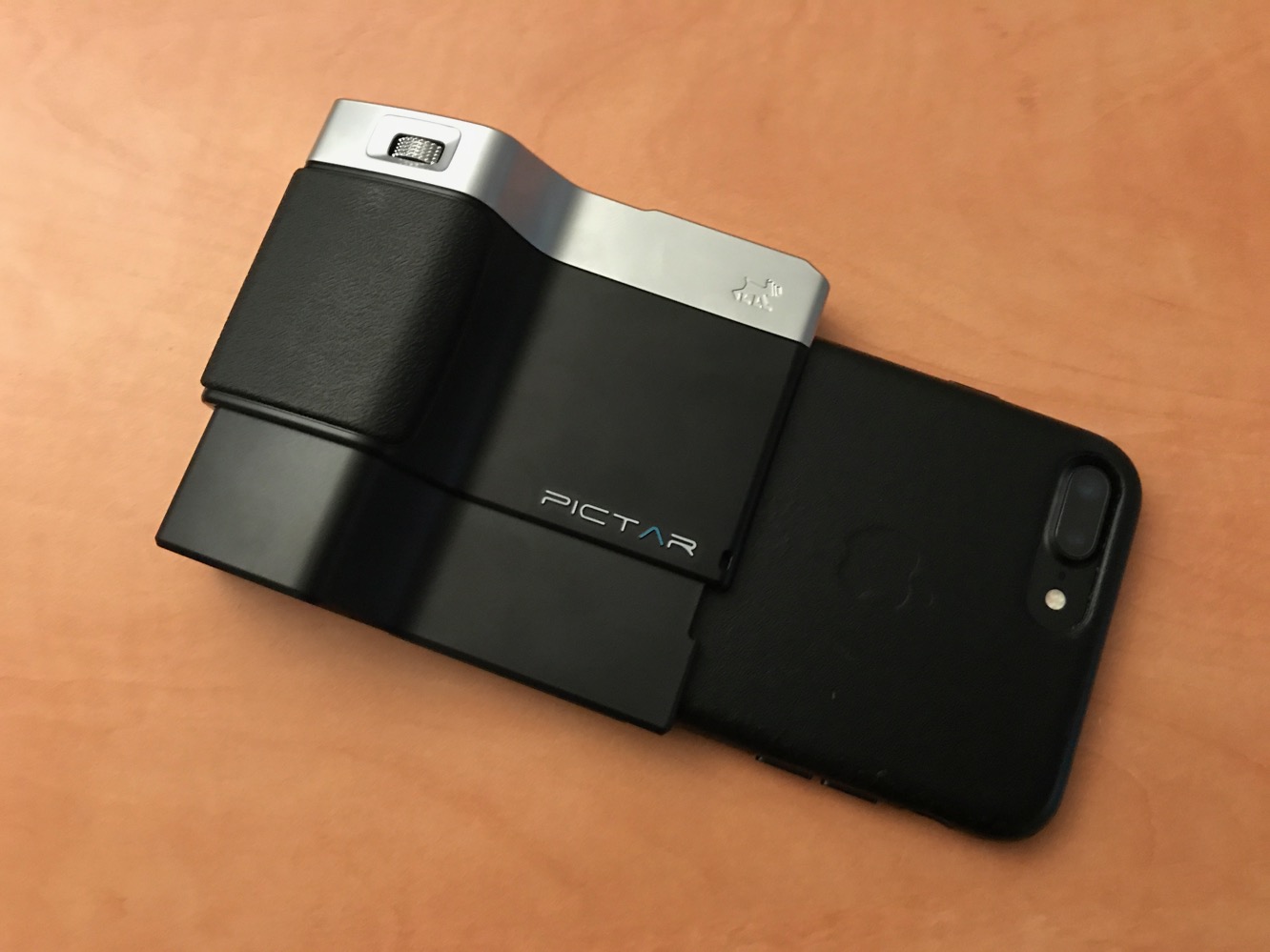
Pictar is available in two models — a $99 standard Pictar model is designed to fit everything from the iPhone 4s through to the iPhone 7, while iPhone 6/6s/7 Plus users will need to opt for the slightly more expensive version at $109. In the box you’ll find the Pictar unit itself along with a neck strap, wrist strap, and carrying pouch for storing it all. The unit is powered by an included 1/2 AA battery which the company promises 4–6 months of normal use out of.

Pictar clips onto the bottom of your iPhone, covering the speakers, microphone and Lightning port and effectively becoming the right side of your iPhone when held in landscape orientation for taking photos. There’s also some limited case compatibility here — you won’t be able to use Pictar with most protective cases, but it actually does fit without any problems over very slim cases such as Apple’s silicone and leather cases. A cold shoe mount on the top of Pictar can hold an LED light, microphone, or other accessory, up to a little over half a pound (300g) in weight. A 1/4” tripod mount is also found on the bottom of Pictar.

Miggo provides its own Pictar companion app for iOS, which is required to use the accessory for anything other than a most basic grip; Pictar communicates with the iPhone using inaudible high-frequency dual-tone sounds picked up by the iPhone’s mic rather than relying on a Bluetooth connection, so there’s no pairing process to go through and Pictar is basically ready to go as soon as you’ve clipped it onto your iPhone and opened up the Pictar app.
It’s also worth mentioning that audio quality doesn’t seem to be negatively impacted when recording videos, despite the audio signalling used by Pictar and the way the accessory fits over the iPhone mic.

The app will initially take you through a tutorial process to get you familiar with all of Pictar’s default controls. A full press of the shutter button on top of Pictar will immediately take a photo, while a half-press locks auto-focus and exposure before pressing all the way down to capture the photo, similar to how most traditional DSLRs work. The two thumb-wheels on top of Pictar are used to switch modes and adjust exposure, while the front wheel can be turned to zoom in and out, or pressed in to switch between the front and rear cameras. In addition to the three hardware wheels on the Pictar unit itself, the app also provides a fourth virtual control wheel on the right side of the screen, where it’s easily thumb-accessible, which defaults to controlling the flash setting. Most of these controls can be further customized in the app’s settings for advanced users, but it works pretty well out of the box with no further tweaking required.

Like many advanced camera apps for iOS, Pictar provides access to a number of more granular settings well beyond what Apple’s own built-in Camera app allows for, and several modes are available that reflect what users will find on most traditional cameras: Automatic, Manual, Shutter Priority, ISO Priority, Sports, Macro, Selfie, Movie, and Filter. For example, full Manual mode provides direct control over shutter speed and ISO, with the exposure wheel being reassigned to adjust ISO and the virtual wheel reassigned to shutter speed. The app also allows creation of up to three custom modes using manual, shutter, macro, or ISO modes as a starting point from which you can assign your own functions to each of the control wheels.

The app includes several other advanced settings, including six white balance modes, four flash modes, three standard aspect ratios, as well as timer, grid, histogram, horizon, and HDR settings.
While RAW support isn’t included here, users can choose between JPEG and TIFF formats. It’s also worth noting that the app doesn’t geotag photos by default — you’ll have to turn this on in the app’s settings and provide the usual authorization when prompted to allow access to iOS location services. It’s a small thing, but we really think the app should offer this choice during the initial configuration, as it’s something many users might not realize until after they’ve already taken dozens of photos.

The Pictar app also includes a number of filters, however only two of the filters — Saturation and Contrast — are free. The rest are considered “premium” and sold as in-app purchases for either $1 per filter or $10 for the entire filter pack. All of the filters are available for preview within the Pictar app, but you’ll be prompted to purchase any premium filters as soon as you actually try to take a photo with one of them. There are 36 premium filters in total, and some of them are quite advanced, so it’s not a bad deal when you consider that many other third-party camera apps take a similar approach, but we think there’s probably room for Miggo to refine things a bit, particularly considering the cost of the Pictar hardware and the wide range of filters — some of the filters are clearly more “premium” than others, with an understandable difference between basic exposure, level, white balance, and sharpen filters and the more advanced effects filters such as pixellate, outline, posterize, and pastel. Many app-based accessory makers provide some free in-app content with the purchase of the companion accessory, validating the hardware purchase by serial number or in-app detection; this allows the company to avoid giving too much away in an otherwise-free app while rewarding actual customers who have purchased the company’s accessories. In short, asking customers to pay even a buck or two for basic filters after they’ve paid $100 for the Pictar hardware feels a bit too much like nickel-and-diming to us; charging for the advanced filters is fair game, but we’d really like to see Miggo throw in at least a few of the basic filters for users who have bought Pictar.

We enjoyed the experience of using Pictar; it worked well, felt very natural in the hand, and was very responsive. While the app could use a few small refinements, it worked quite well, and we didn’t find ourselves missing anything from the native Camera app while using Pictar.











