
Even with the ever-increasing capacity of Apple’s iOS devices there’s always a case to be made for needing extra storage, creating a market for Lightning-equipped external storage devices that allow users to offload and carry around additional media and other files without cluttering up their device. i-FlashDrive MAX ($60-$160) is the latest entry in this category, similar in concept to the Leef iBRIDGE that we looked at earlier this year. Claiming to be the “world’s smallest iOS FlashDrive”, i-FlashDrive MAX eschews some of the aesthetics found in other solutions to provide a compact but highly portable solution for keeping your extra files handy on the go. The device is available in 16GB, 32GB, 64GB, and 128GB capacities with USB 3.0 ($80/$100/$130/$160), while a slower USB 2.0 model is available in 32GB and 64GB capacities ($60/$70). We reviewed the USB 3.0 32GB model.
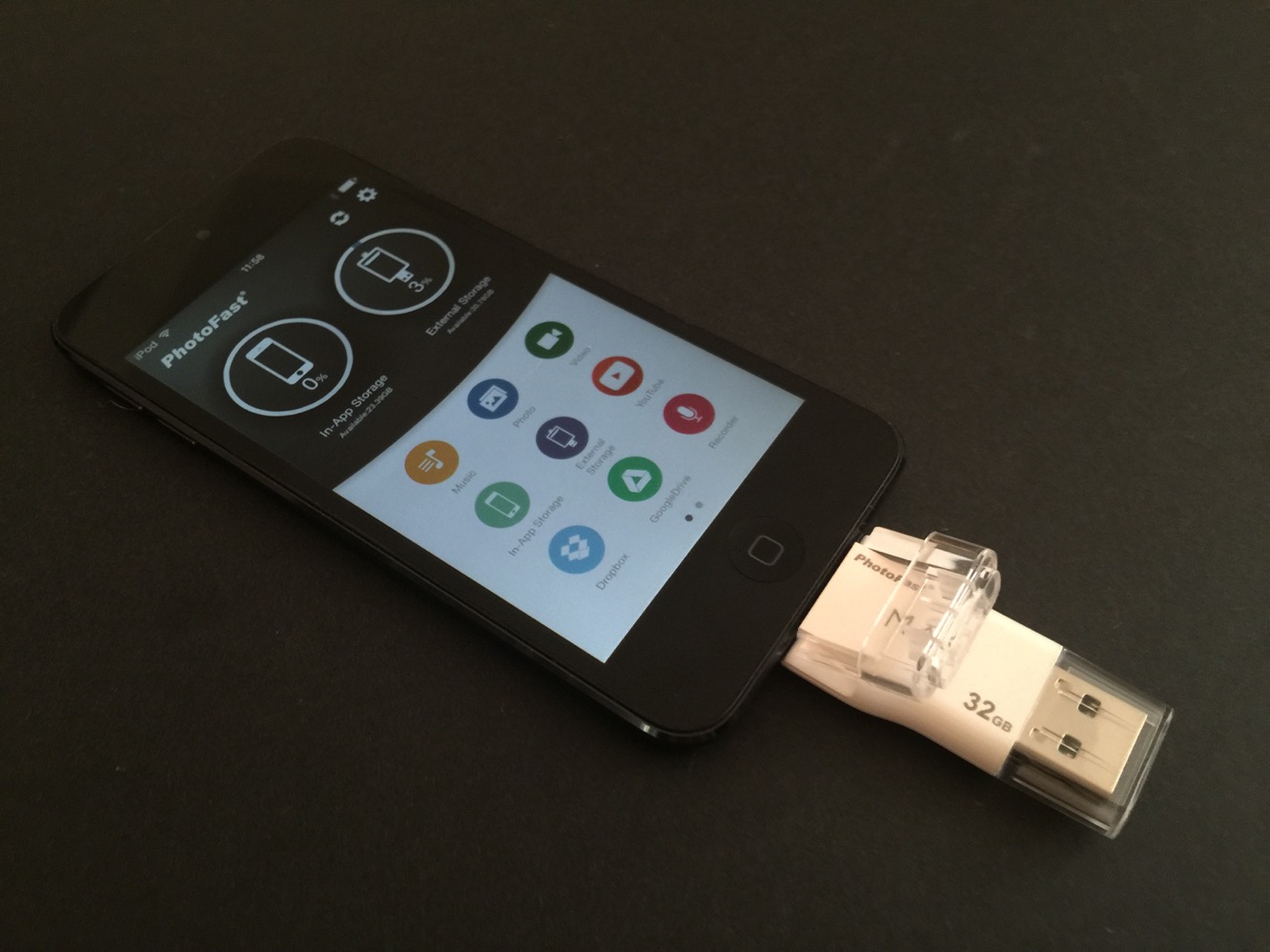
i-FlashDrive MAX comes in at just over 2” in length, with a USB connector on one and and a Lightning connector on the other, both covered with clear plastic caps. The USB cap is completely detachable, while the cap over the Lightning connector is hinged to allow it to be popped off and plugged into the bottom of an iPhone, iPad, or iPod touch without worrying about losing it – a nice touch that helps ensure the Lightning connector can remain protected when not in use. Although the plastic construction may lead to some concerns that the cap could break off, it’s surprisingly durable and should withstand normal, reasonably careful use.
Our only real concern about the design is the lack of case compatibility – if you’re using anything more than a basic shell or one of Apple’s leather cases, you’re going to need to remove your case to plug this into the bottom of your device.

On the USB end, i-FlashDrive MAX shows up on a Mac or PC as a normal external flash drive in the same way as any other USB memory stick. However, since iOS still doesn’t provide any direct support for external storage devices, you’ll need to use the app provided by the manufacturer in order to access files on the i-FlashDrive MAX. Connecting the device for the first time will bring up a prompt to install the free i-FlashDrive ONE app from the App Store, and once that’s been downloaded you’ll be prompted to open the app each time you plug in the device, if it’s not already open, simplifying the process.

As with other app-enabled accessories, it’s usually the software that’s key to determining how well the accessory works, and this is even more true with external memory devices; a USB storage device is otherwise just a USB storage device after all. Here, i-FlashDrive ONE doesn’t disappoint, with a robust and full-featured app that provides pretty much everything you could want from an external storage device, with a well-designed user interface. Opening the app will show your in-app/on-device storage area and i-FlashDrive storage at the top; you can access either directly simply by tapping on the appropriate circle to bring up a standard file and folder view.

The lower half of the screen presents options for working with various categories of content and external services, across two different screens that you can swipe between.
The app provides not only access to local music, photos, and videos, the latter two of which can be transferred to and from the i-FlashDrive, but also supports integrating with Flickr, YouTube, Dropbox, and Google Drive. Photos can be downloaded from Flickr and you can even save videos directly from YouTube as MP4 files to take with you – a handy bonus feature. The Dropbox and Google Drive sections provide access to managing files on the appropriate cloud services, allowing you to browse through them, view files, and transfer them to or from your i-FlashDrive. A built-in voice recorder is also included here to allow you to record voice memos directly to i-FlashDrive.

The second screen of icons provides a plethora of options for backing up various types of content to i-FlashDrive, including photos, contacts and calendars from your device, photos from Facebook and Instagram, or any selected files or folders from Dropbox or Google Drive. Backups of photos, contacts, and calendars can also be configured to run automatically each time the app is opened. The i-FlashDrive ONE app also hooks into the iOS Share Sheet, allowing files to be saved to the i-FlashDrive from other apps.

Four different security features are also available between the app and the device. A standard four-digit passcode lock is incorporated into the app, which can also use Touch ID for authentication, protecting files stored within the app.











