
Parrot’s Bebop Drone ($500) has the company getting back to bigger drones, after releasing such products as the Jumping Sumo and the much smaller-than-usual Rolling Spider minidrone. Bebop Drone has a price tag to match that jump in size, and the drone features Parrot’s P7 dual-core CPU, a quad-core GPU, and 8GB of internal flash memory for storing photos and videos taken with the 14MP camera. The drone can be controlled using Parrot’s free FreeFlight 3 app.

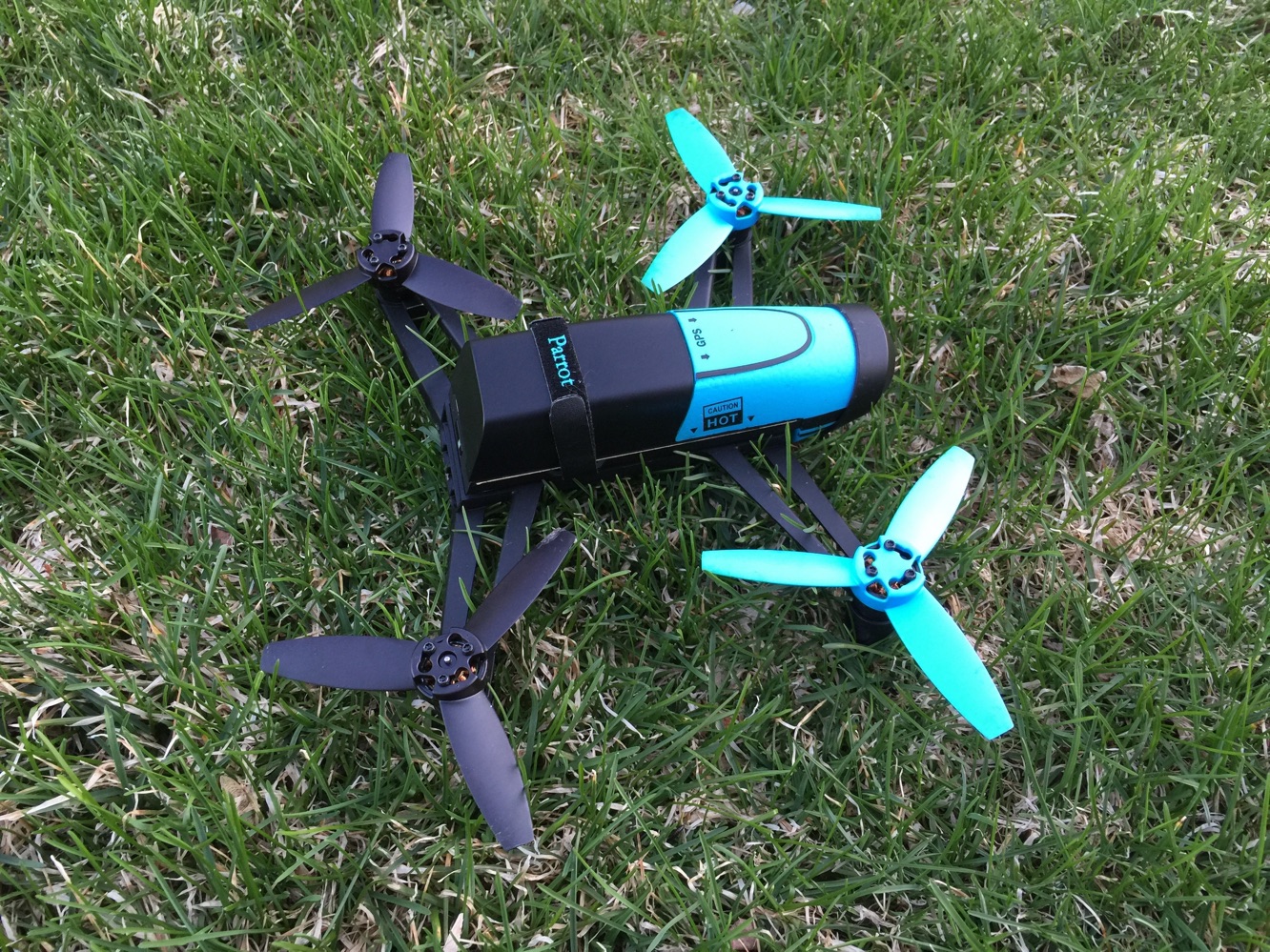
The main part of Bebop Drone’s body, including the battery and camera, is about 7.5” long. In total, though, it’s about 14.75” diagonally from the end of one propeller to another, and 11” between the tips of two propellers right next to each other. It’s also light, weighing about .88 pounds. Bebop Drone comes with an additional set of propellers, a propeller mounting tool, two styrofoam hulls for indoor flying, a micro-USB cable, wall charger, and notably, two batteries for extra flight time — swap out a drained battery for a charged battery to extend your outing.
Bebop Drone connects to an iOS device via its own 802.11 a/b/g/n/ac Wi-Fi network. The drone’s range will increase based on a number of factors, as pointed out on Parrot’s blog. We used an iPhone 6 Plus and experienced decent range, getting the drone about 70 or 80 feet away without issue. But as the blog points out, other devices, such as iPads, will increase range — though we find the iPhone 6 Plus to be about the perfect size for using the Freeflight 3 app. A separately sold Skycontroller bundle will dramatically increase the Wi-Fi range, but it also costs $900.

After setting up the drone itself and making sure the battery is securely in place — use the string inside to pull the battery connector out for a proper connection — pressing the button on the back turns Bebop Drone on. You’ll hear a slight buzzing sound.
Connect to the drone’s own Wi-Fi on your device’s settings, and you’ll have to do so again from within the app. You may get a connection error or two — we did — but things worked quickly enough. The app may also prompt you to calibrate Bebop Drone by flipping it and turning it with your hands before flight.

Controlling the drone with the app is easy enough for a novice — at least if all you want to do is fly around a bit. The basic setup makes it simple to take off and land with a button, and fly around and use the camera with separate onscreen controls. There are other, more advanced moves possible, of course, and a quick trip into the settings allows users to increase vertical and rotational speed, max altitude, and more. If you’re a beginner, we’d suggest starting with the default settings in a large outdoor area.
We used the drone inside and out, and much prefer the latter, unless you’re in some sort of very large indoor area, such as a gymnasium. Even though the drone includes indoor hulls, Bebop will drift around enough that we’d only recommend using Bebop in a typical home if you’ve got intermediate-to-advanced piloting skills. Outside, Bebop was affected somewhat by a fairly windy day, but it wasn’t as drastic as you might imagine. There were definitely moments of frustration though, as the drone would sometimes veer a bit further than we wanted, and it wasn’t always easy to get it back on course. A “Return Home” button allows the drone to return to starting position if need be, which is a nice touch. And an emergency button will cause Bebop Drone to fall right out of the sky, in case it’s heading for a high roof, or worse, a power line. The drone usually took off with ease from cement or grass, though the latter sometimes showed us a “motor error” — a quick adjustment by hand took care of that each time.

Parrot claims Bebop Drone delivers 22 minutes of flight time between the two included batteries.
We found those claims to be fairly accurate. Considering that most users might want to bring the drone down for multiple flights during one session, we’d estimate 15-20 minutes of play time on one battery, which would include time for tweaking settings or checking your photos or videos while the drone is grounded. A battery meter in the bottom right corner of the screen keeps users updated. You’ll eventually see a low battery alert, and if you keep pushing, a critical battery alert. At that point, the drone will drop its altitude in preparation for a landing. We found it takes about 2-2.5 hours for a battery to recharge in a standard wall outlet. Parrot isn’t selling the batteries separately, though you should be able to find extra batteries for sale on some third-party sites.

We found Bebop Drone to be quite durable during our testing — very important for drone pilots, especially novices. We dropped it out of the sky from 30 feet high onto grass, we crashed it into walls and tree branches, and each time, it remained intact, ready to go again within minutes. Connection issues and motor issues could be annoyances following said crashes, but we never found them to cause long delay issues.


For the price of Bebop Drone, users will most likely take special interest in the fisheye camera. You’re not buying this thing only to buzz around a bit. Photos are good, but some users might expect better from the get-go, considering the specs. Be patient: it’s not entirely easy to precisely control the camera while flying right away, so some trial-and-error will likely be necessary.











