
We were pretty impressed with Nuvyyo’s original Tablo OTA DVR when we looked at it last year — a simple “black box” capable of providing an over-the-air HD television signal wirelessly to an Apple TV, iPhone, or iPad. However, one of the key limitations of the first-generation Tablo was that unless you supplied your own hard drive, you were limited to using the device as a live tuner, without even providing features like the ability to pause live television. Nuvyyo has clearly seen the need to provide a more full-featured solution with this year’s release of the Tablo Dual, an improvement on last year’s model that reduces the footprint while also adding 64GB of internal storage, which the company promises is sufficient for recording up to 40 hours of live television.
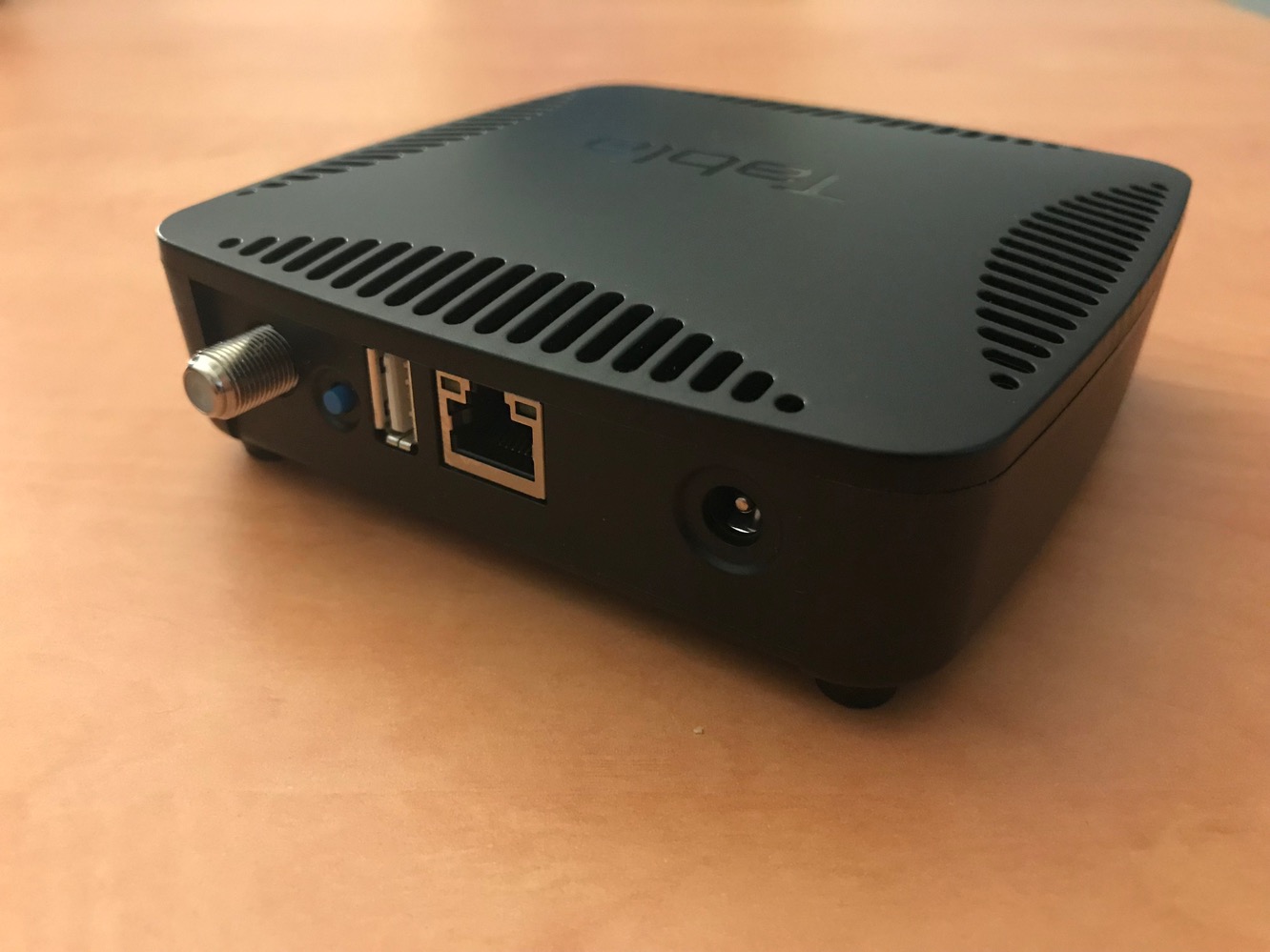
Tablo Dual comes in a slightly more attractive square casing, versus the very utilitarian rectangular design of its predecessor, but is otherwise more or less the same; the usual ports for connecting a coaxial antenna cable, wired Ethernet, and power are found on the back, however Tablo Dual includes only a single USB port, down from the two ports provided by the earlier model. This still allows you to connect your own external hard drive should you decide that the included 64GB of storage isn’t quite enough, but Nuvyyo clearly feels that there’s little demand for connecting more than a single hard drive, particularly in light of the internal storage, and we think that’s probably a fair assessment for most users. Unlike the prior model, Tablo Dual is also only available in a two-tuner model, although the company hasn’t discontinued the original Tablo, so users looking for a four-tuner solution still have that option.

As with the first-generation Tablo, you’ll need to supply your own antenna, but at least this time you can get going with DVR recording — and the ability to pause and rewind live TV — without having to add anything else to the package. While Nuvyyo promises up to 40 hours of recording on the included 64GB of storage, it’s important to note that this is based on the company’s recommended recording quality of 720p at a bitrate of 3mbps; increasing the bitrate or recording quality will naturally decrease the amount of storage available, but of course on the other hand if you’re recording mostly standard-definition content, you’ll be able to storage considerably more than the estimated 40 hours. In either case, the Tablo Dual still includes the ability to connect your own hard drive to the USB port to add more recording capacity to the device.

The process of setting up Tablo Dual is exactly the same as for the original Tablo, which involves connecting it to your OTA antenna and then either using the included Ethernet cable or setting it up on your Wi-Fi network using the iOS Tablo app. Note that Tablo Dual doesn’t need to be anywhere near your actual television set, however, so you can place it anywhere in your home where it’s most convenient to access your OTA antenna — content is streamed over your home network to your devices, which can include an Apple TV, iPhone, iPad, iPod touch or a number of other devices such as Roku, ChromeCast, Fire TV, and Android TV, and you can even stream to multiple devices at the same time, although you’ll still be limited by the dual-tuner system to viewing only two channels simultaneously. Like the original model, Tablo Dual also supports both 2.4 GHz and 5 GHz Wi-Fi, although it’s worth noting that Nuvyyo still hasn’t added 802.11ac support.

Despite the new design and integrated storage, one thing that hasn’t really changed significantly from last year is the Tablo operating system and client applications. While there have been some modest updates to the firmware and apps, it’s still the same user experience, and unfortunately suffers from some of the same limitations as before. Specifically, the Apple TV app has not seen any significant improvements, and remains limited to viewing live TV and a fairly basic set of DVR features; you can view and manage existing recordings and schedule new recordings from the program guide, but you’ll need to use the iOS app on your iPhone or iPad if you want to manage your Tablo’s preferences, schedule manual recordings, or browse guide content in any way except for a basic grid view. Although over-the-air reception is free, as with the original Tablo if you want access to TV guide data you’ll need to pay around $5/month or $50/year for a subscription. Tablo Dual can of course still be used without access to guide data, but you’ll be stuck scheduling recordings manually, which is considerably less fun. As far as we’re concerned, you’ll want to get a guide subscription, but the recurring cost is still cheaper than a cable, Netflix, or Hulu subscription.











