
On August 19, 2008, we reviewed a collection of four different file storage applications for the iPhone and iPod touch in a roundup entitled iPhone Gems: Every File Storage App, Reviewed, updating it on August 22, 2008 with two new entries. This review contains a review of one application from that roundup; additional comparative details can be found in the original full story.
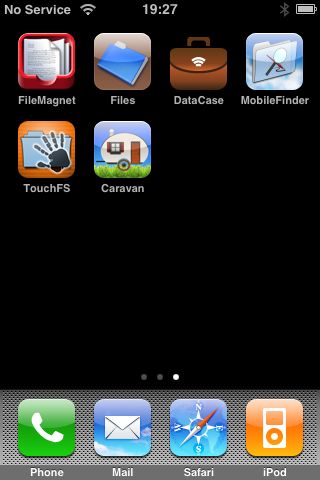
Though iPods have included this feature for years, Apple did away with Disk Mode—a way to store non-media files for transfer to a different computer—when it released the iPhone and iPod touch. Fortunately, as with other features missing from the iPhone and iPod touch in their native configuration, enterprising third-party developers have stepped in to fill the void, albeit in somewhat different ways than you may expect. New apps not only store and transport your files, but also let you actually view them on the device itself if they are in a supported format.
However, these tools don’t actually provide the old-style “Disk Mode” that the traditional iPod models do—rather than operating over USB and appearing as an external storage device, these applications all work over Wi-Fi using various network protocols. Your iPhone or iPod touch and your computer will need to be on the same Wi-Fi network if you want to transfer files to and from your device.
As the most recent file storage release in the App Store, Caravan takes the opposite approach from the other file storage apps we have reviewed. Rather than turning your iPhone or iPod touch into a file server that you access from your computer, Caravan is basically an FTP and HTTP client that you can use to transfer files to and from an FTP server or download from a web site. When you first start Caravan, you’re presented with a typical file listing screen, with a single Caravan Intro PDF file loaded onto the device by default.

The Caravan Intro PDF file serves as the help and documentation for the application, specifically providing instructions on how to configure your Mac or PC as an FTP server so that you can access your files from Caravan.

For Mac users, this procedure is relatively straightforward, as Mac OS X includes an FTP server which is pre-installed by default and only needs to be enabled, which can be done through your System Preferences pane in about thirty seconds. Windows users may find this procedure to be somewhat more cumbersome, however, since a third-party FTP server application will be required for older versions of Windows which did not include any FTP server capabilities, and even those versions of Windows which do provide an FTP server (XP Professional and Vista) normally do not have it installed by default, which will likely require a trip back to your Windows XP or Vista installation CDs to install this component.

Once you have configured and enabled FTP on your desktop computer, the Macs & PCs tab within Caravan can be used to locate and/or configure your FTP connection. For Mac users, or Windows users who have installed Bonjour for Windows, your FTP server should appear automatically as long as your iPhone or iPod touch is connected to the same Wi-Fi network as your computer.

Tapping on your computer name will open a configuration window where you will need to specify a user name and password to access your FTP server. For Mac users, this is normally the same userid and password used by an account on your computer. For Windows users, this will depend on whether you are using a third-party FTP server application or Windows’ built-in FTP server.

Tapping the Save button adds the selected server into your favourites list at the top of the screen. Note that if you are not using the Bonjour protocol on Windows, or are connecting from a different network, you will need to add a new favorite manually by tapping the “Edit” button and enter your FTP information directly. Once your computer is listed in the favorites section, you can tap on it to log in and begin browsing the available files. Your top-level FTP folder is displayed first, which is normally the Home folder of whatever user you’re logging in with on Mac OS X, or whatever you have configured your “FTP root” folder to be on Windows.

From there, you can browse into available sub-folders by tapping on them. Tapping on a file will attempt to open it for viewing, and tapping on the “More” button will provide information on the file and the option to download it to your device or edit the file as a text file.

Files downloaded to your device will appear on the main screen accessed from the device icon in the bottom-left corner. This screen behaves in much the same way, except that the “More” button provides an option to upload your files up to an FTP server such as your computer. You can also delete existing files and folders and even create new folders and new text files by tapping on the Edit button in the top-right corner of the screen. The Edit button can also be used while browsing your FTP server/computer to create new files and folders, but the option to delete files directly from the server computer is not available.
Tapping on a file, either on the FTP server or on your device will attempt to open it for viewing. Caravan behaves a bit differently in this regard from other applications as well in that it appears to attempt to open any file you select, regardless of whether the format is supported or not.
PDF, JPEG, Microsoft Office Word, Excel and Powerpoint files are opened using file viewers appropriate to their format, as are Pages and Numbers documents which have been zipped. Keynote files do not render at all.

Viewing supported files works more or less as expected, provided the files are in a supported format. Portrait and landscape orientations are fully supported for both the file viewer and the normal Caravan interface. Viewing text files automatically opens them in “Edit” mode, and tapping anywhere in the text file will bring up the on-screen keyboard for editing. Note that you can edit text files that are stored directly on your device or those files stored on a remote computer via the FTP connection.

Caravan attempts to open any other files in a raw text-based format, often with limited success. Files containing actual text usually render properly, however attempts to open unsupported files will more often than not result in an eternally spinning status indicator. Caravan does not actually hang in this case, it just never successfully renders the file or displays any other kind of error message. You can, however, return to the file listing manually by tapping the back button. Similarly, tapping the “More” button on any file provides the ability to “Edit as text” regardless of the file type. Attempting to edit a non-text file in this manner will open the text editing window, but the information contained within will generally be unintelligible.

One additional feature that Caravan supports is an integrated web browser to provide the ability to download files directly onto your device from various web sites. Tapping “The Web” button in the bottom-right corner opens Google’s mobile search page by default, and you can browse the web from there by entering URLs or using Google to perform a search.

The Save button which appears in the top-right corner will save the currently displayed page in its appropriate format (HTML for most web pages, PDF if you’re actually viewing a PDF document, for example), and you can also download any other unsupported files directly to your device by tapping on the appropriate link.











