
Netatmo is best known for its Urban Weather Station, an elegant — albeit pricey — solution for monitoring indoor and outdoor weather conditions, so we were a bit surprised when we saw the company branching out at CES this year with the introduction of its Welcome ($200), a new home monitoring and security camera that distinguishes itself from the pack by focusing on facial recognition as its key feature, promising to identify members of your household by face. It also notifies you and keeps track of who is at home and who is out.
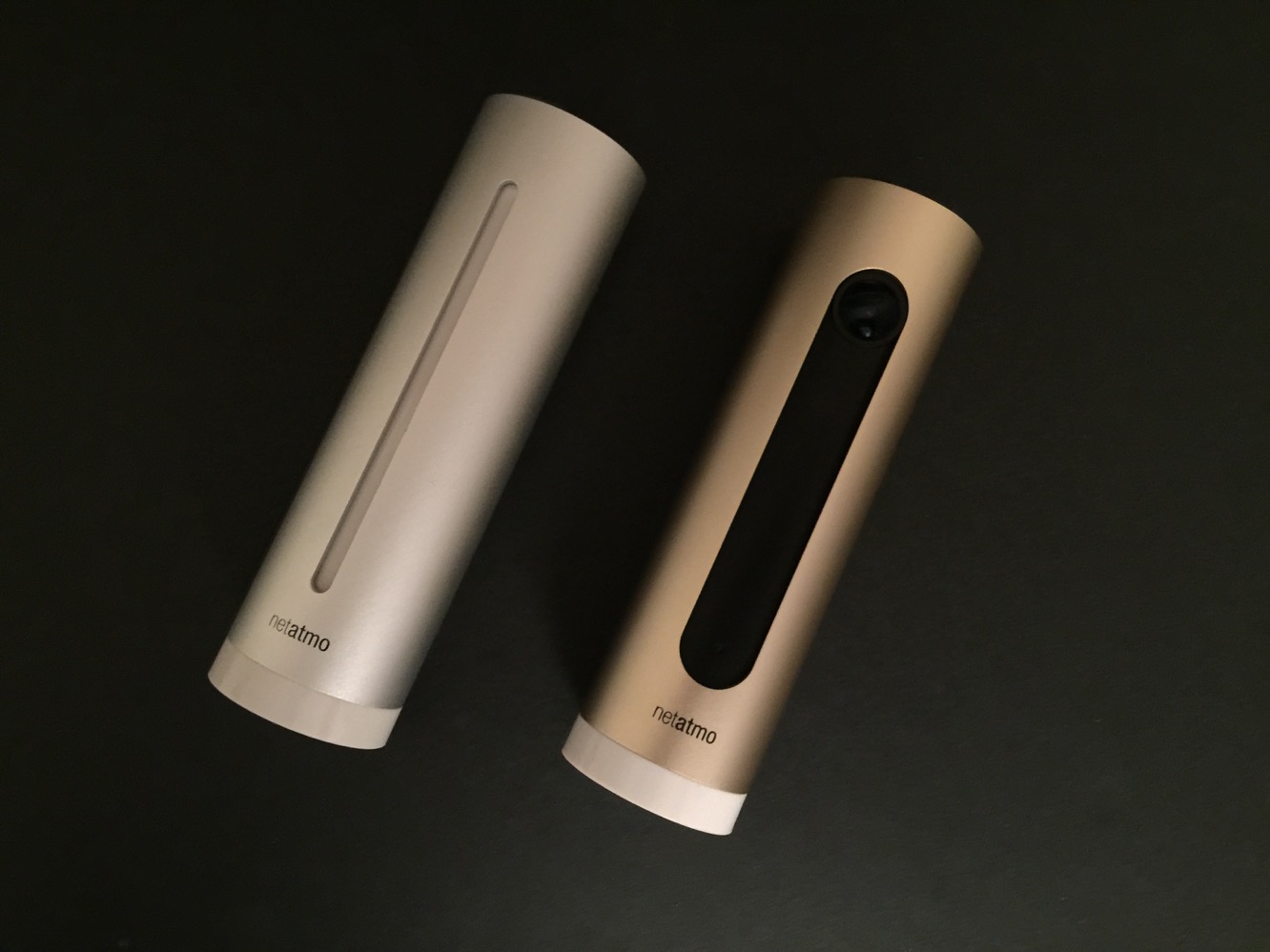
Welcome’s cylindrical design is obviously modeled on the company’s Urban Weather Station, and the gold anodized aluminum cylinder will feel right at home to anybody who has already setup an indoor module. The front camera can capture full HD videos with a 130° field of view. It also has night vision capabilities and a mic for recording audio. On the back, you’ll find an Ethernet port for hooking up to a wired Internet connection, although you can also simply set it up to use your home Wi-Fi network if you prefer — Welcome supports 2.4GHz 802.11 b/g/n standards. There’s also a USB/power connector and a micro SD card slot for video storage. Welcome stores all capture videos locally rather than using cloud storage, and an 8GB micro SD card is included to get you started; if you want to store more video, the device supports cards of up to 32GB.

The box includes a USB cable and a power adapter, and you can setup Welcome by either plugging it into your Mac or PC via the USB cable, or just loading up the Welcome app from the App Store on your iPhone, iPad, or iPod touch and setting it up wirelessly from there.
The Welcome app will walk you through the setup process, which rather amusingly involves turning the unit upside down to engage setup/pairing mode, selecting it from the app, transferring your Wi-Fi settings, and then going through a quick tutorial and setup assistant.

Netatmo recommends that you place Welcome somewhere in your home where it can see the entrance, such as a foyer or back door, as the primary goal of the camera is to act as a security monitor and record who comes and goes. Welcome will initially begin by capturing every face it sees and asking you to assign names to each. The names you assign don’t matter — they’re for your info only and not part of any kind of larger cloud based tracking service — but they will be used within the app as well as to send you notifications on your iPhone, iPad, or iPod touch when Welcome detects a person arriving home.
As additional faces are detected, they will be shown in the app and you can either tap on them to dismiss them as not being faces, forget them if they’re for people you don’t wish to keep track of, or associate them with an existing identity. Initially, Welcome will probably only recognize your faces about 20 percent of the time, so you’ll have to train it by associating the “unknown” faces with your family member profiles to improve its recognition. You can view user profiles by tapping on a recognized face and choosing the “Edit” option — a status bar will indicate the strength of that profile based on how many face shots you’ve fed into it.

The key strength of Welcome is that it can not only recognize faces by name (once properly trained), but can also send notifications and choose whether or not to record video based on which faces it sees and how often it has seen them.
For example, rather than recording video all the time, Welcome can be configured only to do so when it detects unknown faces or specific faces. For example, you may not want Welcome to record video when you come home, but perhaps you do want to be notified and see what’s going on when your kids come in the door. Netatmo also determines when a person is “coming home” based on when it last saw that person’s face, and can decide who is at home based on that. Regardless of whether you choose to record video or send notifications, you’ll still be able to view an activity log within the app that will provide a timeline of everything and everyone that Welcome has seen.

All of this information put together allows you to customize Welcome’s notification and recording behavior to ensure that you only get the information you need, when you need it. While unknown faces are always recorded, you can choose only to receive push notifications of unknown faces when nobody is home, as opposed to all the time. Similarly, you can choose when to record video and/or receive notifications based on detected motion, choosing to turn the feature off entirely, or only to enable it when Welcome has decided nobody is home. You can similarly choose to receive notifications and/or record video on a user-by-user basis for those faces that Welcome recognizes, and set it to only record video when a person first arrives (after having not been seen in a while), or only receive notifications during certain times of the day.











