
A few years ago, there was a call by technologists for so-called “honest” design. In that paradigm, it should be immediately clear what devices can do — and can’t do — simply by looking at them. Much of the audio gear we review follows that principle — ports on the back, knobs and buttons on the front. The Uniti Atom from British hi-fi manufacturer Naim, an “all-in-one” music streamer and integrated amplifier — does not. Monolothic, black, rectangular, and expensive, the Atom is an extremely dense piece of technology that requires a deep dive to discover its full potential. Though the Atom is undeniably a luxury device with a high price tag that puts up too high a barrier for most, it really is “all in one.” The Naim Atom delivers on looks, features, and performance, and we love it.
Don’t get us wrong — the Naim Atom has ports and knobs and buttons. On its rear, the Atom features the standard analog, optical (x2!), and coaxial digital inputs. It can also be added to your home network via Ethernet or Wi-Fi for media streaming. Two USB Type-A ports (one in front, one on the rear) are also included for use with flash drives and iOS/Android devices, although oddly there is no USB input for connecting the Atom to a PC or Mac as a wired DAC. The Atom’s outputs, however, are about as complete as it gets — one set of RCAs that function as subwoofer or pre-outs (for use with an external power amplifier; fixed or variable volume), one set of speaker outputs, and a 3.5mm headphone jack are included. Though the Atom functions very well as a stand-alone unit, Naim designed it to integrate nicely into its family of power amplifiers, CD players, storage devices, and even home theater — the Atom can be ordered with an HDMI ARC (Audio Return Channel) input to handle audio from a TV in a 2-channel setup. Our one complaint: the Atom demands that you use Naim’s proprietary speaker wire connectors which are, in a word, awful — we would have preferred a standard binding post.

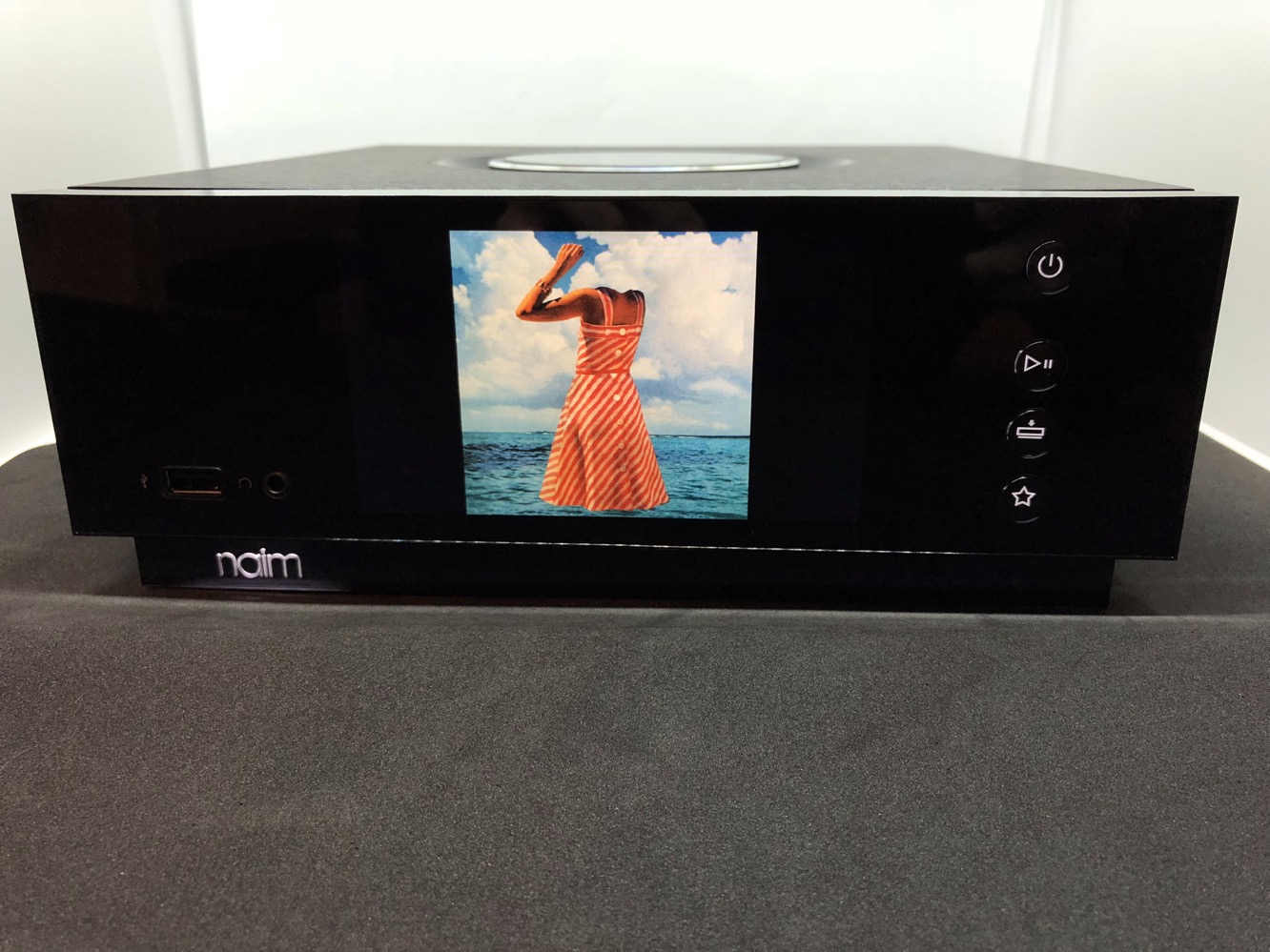
The Atom’s physical design is beyond impressive, and our photos don’t do it justice.
It’s simple and modern, solid and well-built, eye-catching but understated. Its all-black chassis is a mix of metal and translucent plastic, with bits of subtle design flair scattered throughout. White lights highlight the Naim logo and serve as backlights for the four front-facing buttons and volume ring. Black rectangular fins serve as heat sinks on either side of the case, but are mostly hidden from view. The volume dial is a major attraction: it’s huge (4 inches across) with a polished chamfered edge, rotates smoothly, and displays volume in the form of 11 white bars that illuminate around the edge of the circle. There’s also a proximity sensor hidden somewhere on the Atom’s face which causes the volume bars to light up automatically when the user approaches. The Atom’s design details — including the illuminated buttons and volume bars — are mirrored on the Atom’s full-featured remote control. Though we like this consistency, the remote is one place where we’d favor practicality over beauty — the gloss plastic face of the Atom’s remote is the mother of all fingerprint magnets.

We should pause here to make a confession: what first drew us to the Atom wasn’t its price, or its power, or its connectivity. It was the Atom’s display. Front-and-center on the Atom is a 5-inch LCD that can display album art for tracks streamed to the player. This feature works for all digital inputs including AirPlay, alternating between an image of the full album art and a “now playing” screen. It’s a surprisingly high-resolution display, although its viewing angles are not terrific — it’s a TFT display, so light bleed becomes a problem if you move too far off-axis vertically or horizontally.
Within the sweet spot, however, the display almost completely disappears into the face of the Atom. All interface elements are displayed with simple icons and a clean, readable font set against a black background. It’s one of the coolest interfaces for a device like this that we’ve yet seen. Some kind of visualizer display would have been a nice way to jazz up the otherwise-boring analog input screen, but we recognize that this may be asking too much.

Under its skin, the Atom is packed with features and competent hardware. The Atom can stream music using UPnP, AirPlay, Chromecast, Bluetooth, and directly from Spotify and Tidal. Multi-room audio control is available when used with other devices from Naim’s “Uniti” line. Even a range of internet radio and podcast stations can be accessed directly from the Atom; it’s almost too much to take in. The Atom supports just about every relevant audio format, including FLAC/ALAC lossless up to 24bit/192kHz and DSD up to 128Fs. The Atom’s internal Class-AB amplifier is advertised at 40 watts per channel into 8 ohms.

The Atom’s iOS app is also extremely powerful: basic functions like input, track control, and volume are on the front page, and hundreds of internet radio stations (including Naim’s own channel) can be accessed in a folder-type interface. Spotify and Tidal libraries and playlists can be accessed, and individual audio settings can be tweaked for each input and streaming service.











