
Artistic stickers are a compromise solution for covering Apple’s devices: they’re not as ideally protective as cases or full body films, but they’re thin, light, and generally available in a wide variety of designs. Three companies have been at the forefront of these skins for previous iPad, iPhone, and iPod generations, and all three are now offering updated models for the iPad 2. The rivals are GelaSkins ($30) by the company of the same name, followed by DomeSkins by DomeSkin ($30), and MusicSkin’s Skins ($20). Each offers a limited amount of protection, but does a better job than most cases of expressing the personalities and tastes of their owners. All three companies use 3M Controltac adhesive backing; this makes the stickers easy to install and remove, and leaves no residue behind. None of them, however, offers any sort of protection for the screen itself, a difference from last year.

First up is GelaSkins, which licenses designs from a variety of sources including artists such as Norman Rockwell and Luke Chueh, as well as also major art and photo holding companies such as Marvel and National Geographic. GelaSkins offers by far the most coverage of the stickers that we have seen. Not only is a bezel cover included, but the rear piece is very well-tailored to the iPad 2. Rather than leaving large openings that extend to the edges, the GelaSkins have precise cutouts for the Dock Connector port, speaker, volume rocker, side switch, and Sleep/Wake button. Because the holes are so cut so closely it is a little bit difficult to line the skin up properly, but once it is in place, only the corners are left exposed.
As is to be expected, the front sticker covers the entire bezel with openings for the front-facing camera and Home button.

If you don’t like any of the prints—and there are so many that it’s hard to imagine this being the case—you also have the option to upload your own photos. The company offers free wallpapers to match the skins, which actually complete the image on the bezel sticker, a cool visual effect. The backgrounds can be downloaded right from the product page even without a purchase and if you design your own sticker, GelaSkins will automatically create one for you.

What makes DomeSkins unique among the sticker options is the texture. Rather than using traditional thin, flat stickers, these are raised; puffy, even. Coated in a relatively thick plastic, they are by far the heaviest and bulkiest. That is not necessarily a bad thing, but it will prevent some users from being able to use an iPad Smart Cover. Only two dozen different designs are available, a library much smaller than that offered by either GelaSkins or MusicSkins, and there are no works from any big name designers. As with GelaSkins each design has a corresponding wallpaper, but rather than an open download, it’s sent via email after the purchase is complete.

The fit of DomeSkin’s stickers leaves something to be desired. While the frame for the bezel is fine—it is the right size and has proper cutouts for the Home button and camera/ambient light sensor—the rear offers much less coverage.
It sits in the center of the tablet and leaves a 3/8-inch gap around the perimeter. This means that there is no coverage around any of the ports or buttons. On the positive side, the 3-D design does provide a bit more grip and feels rather comfortable in the hand.

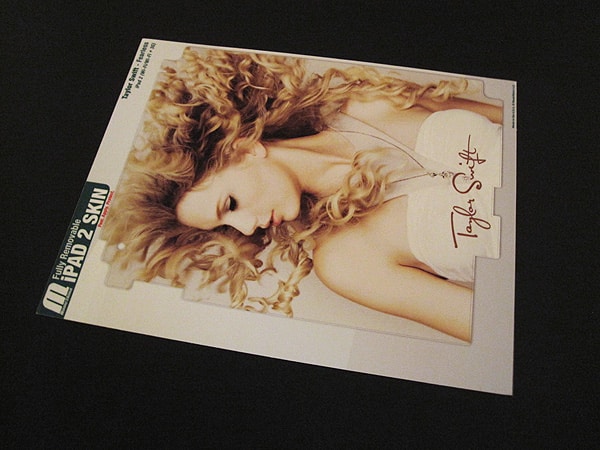
Of the three options, MusicSkins’ Skins offer the lowest amount of protection, but they’re also the least expensive. Instead of providing coverage for both sides of the iPad 2, only one rear sticker is provided and unlike previous versions, no screen film is included. The big appeal of these particular stickers is the wide library of licensed images that the company has acquired. As the name implies, there are pictures of hundreds of bands and musicians as well as TV characters, models, fashion brands, and other types of images available. MusicSkins also gives you the option to upload your own photo, art, or logos and have them printed for the same price.

The amount of coverage offered by the MusicSkins Skins is better than the rear protection from DomeSkins, but not up to the level of the GelaSkins. Film does extend just about all the way to the four edges of the tablet, but leaves each of the corners fully exposed. This is especially pronounced around the speaker. The Dock Connector port, volume rocker, Sleep/Wake button, and headphone port are completely open as well.











